




WorkCentre 133
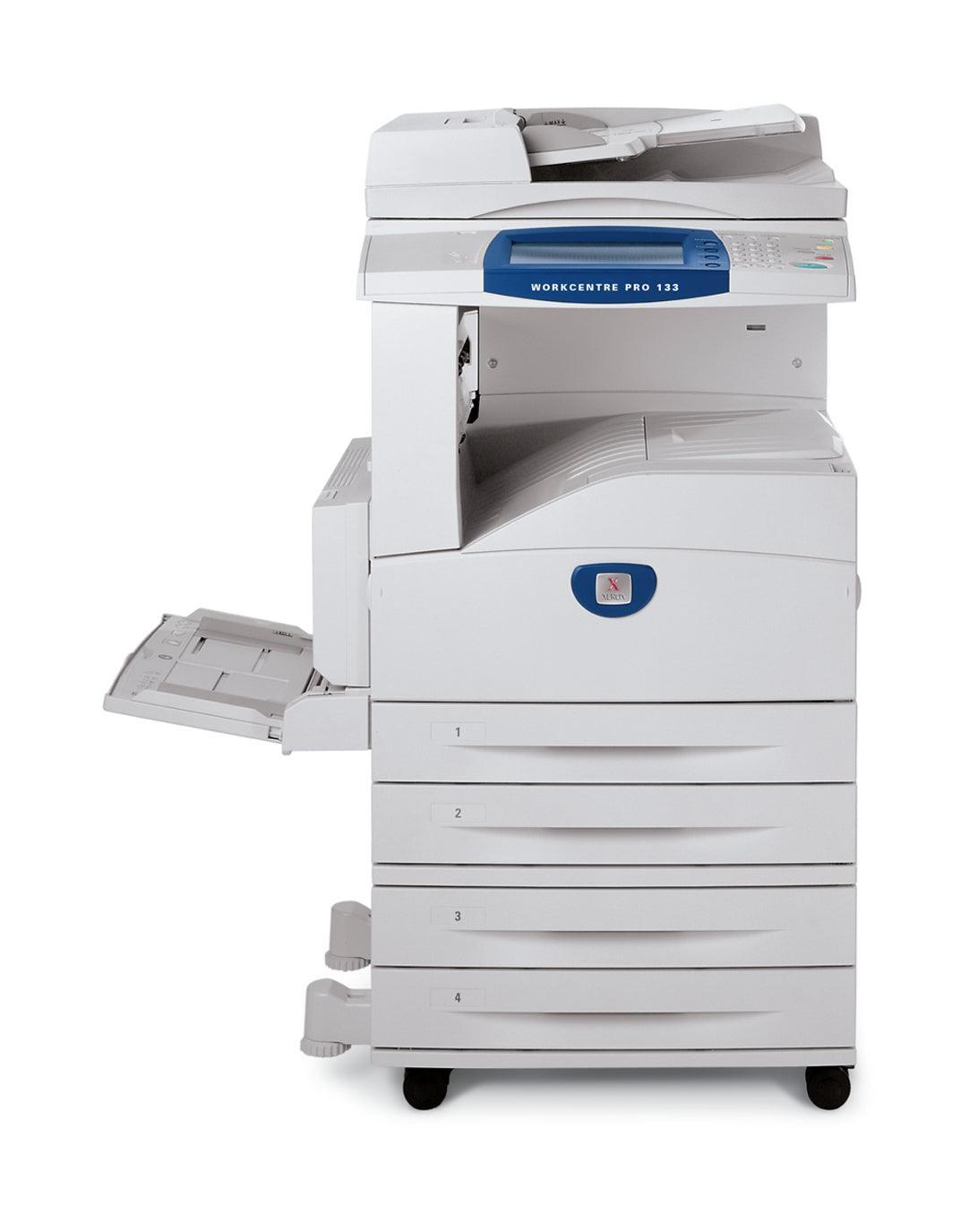
The Xerox WorkCentre 133 belongs to the WorkCentre multifunction line and covers print, copy, scan and fax for regular office use, with paper handling and a duty cycle suited to shared departmental work. Keeping it supplied comes down to a single item: the 006R01184 black toner cartridge, rated at about 30,000 pages per unit.
In a department, the machine's supplies are everybody's problem and nobody's job — which is precisely why a one-cartridge system works. There are no colors to track and no second consumable to budget for; the department's whole toner plan for the WorkCentre 133 is one code, checked occasionally and reordered rarely.
Toner Cartridges for WorkCentre 133
| Cartridge | Color | Page Yield |
|---|---|---|
| 006R01184 black toner, single | Black | About 30,000 pages |
| 006R01184 — listed under the WorkCentre 133 name, single | Black | About 30,000 pages |
| 006R01184 black toner, 3 pack | Black | About 30,000 pages each |
| 006R01184 black toner, 5 pack | Black | About 30,000 pages each |
| 006R01184 — premium quality 5 pack | Black | About 30,000 pages each |
| 006R01184 — listed under the WorkCentre 133 name, 5 pack | Black | About 30,000 pages each |
Which cartridge should you buy?
A department machine eats toner at a pace set by the whole team, so the pack decision matters more than the cartridge decision — the cartridge is always the 006R01184. A single cartridge, at roughly 30,000 pages, is a sensible emergency spare. For planned supply, the 5 pack (or the premium-quality 5 pack) turns toner into a once-in-a-long-while purchase and keeps the department from discovering an empty machine on a deadline day. Listings titled with the WorkCentre 133 name are the same cartridge as the code-titled ones. Start with one multipack; your reorder interval will tell you the right rhythm after that. Compatible cartridges on this page include a 1-year warranty and 1-year returns.
Chip, toner and everyday use
When you change the cartridge on a department machine, do it in one go: power stays on, old cartridge out, new one rocked gently side to side to distribute the toner, then in until it seats. Print a test page from the panel afterward so the next user is not the one to discover a problem. Toner ratings assume about 5 percent coverage; a department printing long reports will see fewer pages than one printing short forms. Store the multipack's remaining cartridges sealed and flat, away from heat. A dated note on the box helps whoever orders next know where the stock stands.
Frequently Asked Questions
Does the WorkCentre 133 use the same toner as the WorkCentre 123 and 128?
Yes. The WorkCentre 123, the WorkCentre 128 and this machine all run on the 006R01184 black cartridge, along with the wider family listed at the bottom of this page — a single spare can serve any of them.
How long will one cartridge last in a department?
The rating is about 30,000 pages at standard coverage. A busy department will work through it faster in calendar terms than a small office, but in page terms the cartridge delivers the same long run.
Is there a separate drum unit to replace on the WorkCentre 133?
Nothing on this page is a drum — every listing here is the 006R01184 toner cartridge itself. Toner is the only supply you need to order from this page for the 133.
Which pack should a department keep in stock?
A 5 pack is the practical choice: it covers several cartridge changes, keeps a spare permanently on hand, and reduces how often anyone has to think about toner at all.
More printers that use the same cartridges
One 006R01184 spare covers the WorkCentre 133 and every model in this family: CopyCentre 123, CopyCentre 128, CopyCentre 133, CopyCentre 133C, CopyCentre C123, CopyCentre C128, CopyCentre C133, WorkCentre 123, WorkCentre 128, WorkCentre 133M, WorkCentre M123, WorkCentre M128, WorkCentre M133, WorkCentre Pro 123, WorkCentre Pro 123, WorkCentre Pro 128, WorkCentre Pro 133, WorkCentre Pro 133P, WorkCentre Pro M123, WorkCentre Pro M128, WorkCentre Pro M133.