




WorkCentre 133M
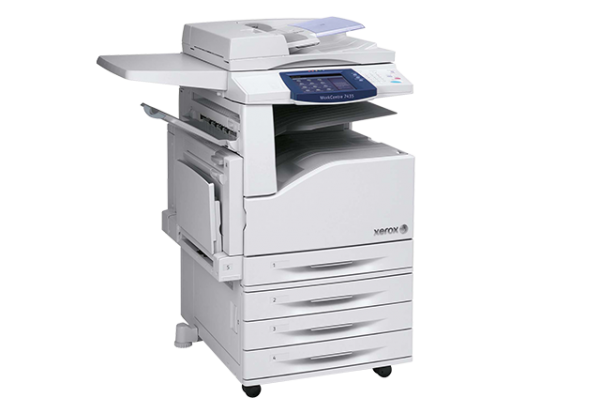
The Xerox WorkCentre 133M is a multifunction system built to deliver day after day, with service and supplies kept straightforward so downtime stays minimal. Its toner supply is the 006R01184 black cartridge, and each product below is a compatible version made to replace it.
The 133M sits in a family of Xerox machines that all standardized on the same black cartridge, and that standardization is the quiet advantage here: learn one code and you can supply the 133M — and its relatives listed below — without ever second-guessing a cartridge number at reorder time.
Toner Cartridges for WorkCentre 133M
| Cartridge | Color | Page Yield |
|---|---|---|
| 006R01184 — single cartridge | Black | See product page |
| 006R01184 — WorkCentre 133M listing, single | Black | See product page |
| 006R01184 — 3 pack | Black | See product page |
| 006R01184 — 5 pack | Black | See product page |
| 006R01184 — premium quality 5 pack | Black | See product page |
| 006R01184 — WorkCentre 133M listing, 5 pack | Black | See product page |
Which cartridge should you buy?
There is one cartridge for this machine, so the choice is about quantity rather than specification. A single 006R01184 is the straightforward restock. The 3 pack suits offices that prefer a small reserve, while the 5 pack and its premium-quality counterpart stretch the interval between orders the furthest. The two listings named for the WorkCentre 133M are the same cartridge as the code-named ones, simply titled by model. Match the code printed on your current cartridge before ordering and the decision is already made. If you are switching to compatibles for the first time, note that these cartridges are backed by a 1-year warranty and 1-year returns.
Chip, toner and everyday use
Before fitting a new cartridge, give it a gentle side-to-side rock a handful of times; toner that has settled in the box levels out, and the first prints come out even. Push the cartridge in until it clicks or stops firmly — a half-seated cartridge is the usual cause of a machine failing to recognize a fresh one. Keep unused cartridges in their bags, stored flat in a cool spot out of direct sun. And because yield figures assume light coverage near 5 percent, judge your reorder timing by how your pages actually look, not by the calendar.
Frequently Asked Questions
What toner does the Xerox WorkCentre 133M take?
The 006R01184 black toner cartridge. Every listing on this page — single, 3 pack, 5 pack and premium 5 pack — is a compatible version of that one cartridge.
How can I be sure I am ordering the right cartridge?
Open the machine and read the code on the cartridge that is installed now. If it says 006R01184, anything on this page fits; the model-named listings are the same cartridge under the printer's name.
Is there a high-yield version of the 133M cartridge?
No separate high-yield tier is listed for this machine. The range differs by how many cartridges come in the box, not by what is inside each one.
My new cartridge is not being recognized. What now?
Remove it and check that any packing seals are fully taken off, then reinstall it firmly until it seats. A cartridge that is even slightly out of position is the most common reason a fresh one is not recognized.
More printers that use the same cartridges
The 133M shares the 006R01184 with this whole Xerox family, so the same spare covers any of these machines: CopyCentre 123, CopyCentre 128, CopyCentre 133, CopyCentre 133C, CopyCentre C123, CopyCentre C128, CopyCentre C133, WorkCentre 123, WorkCentre 128, WorkCentre 133, WorkCentre M123, WorkCentre M128, WorkCentre M133, WorkCentre Pro 123, WorkCentre Pro 123, WorkCentre Pro 128, WorkCentre Pro 133, WorkCentre Pro 133P, WorkCentre Pro M123, WorkCentre Pro M128, WorkCentre Pro M133.