




CopyCentre 128
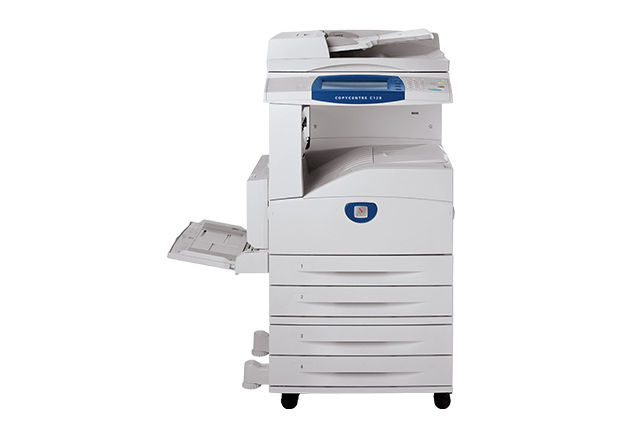
The headline figure for the Xerox CopyCentre 128 is cartridge life. Its black toner, the 006R01184, is rated for roughly 30,000 pages, so one cartridge carries this digital copier through a long stretch of work before anyone has to think about supplies. Every option on this page replaces that cartridge: a single, three- and five-packs, a premium five-pack, and listings titled for the CopyCentre 128 itself.
The 128 handles both ends of office copying, a one-page memo one minute and a long multi-page set the next, and a high-page-count cartridge matches that rhythm. Restocking becomes an occasional task rather than a standing chore, and one spare on the shelf covers the gap until a reorder arrives. Offices without a dedicated supply clerk tend to appreciate a machine that so rarely asks for attention.
Toner Cartridges for CopyCentre 128
| Cartridge | Color | Page Yield |
|---|---|---|
| 006R01184 | Black | Approx. 30,000 pages |
| 006R01184 — 3 Pack | Black | Approx. 30,000 pages per cartridge |
| 006R01184 — 5 Pack | Black | Approx. 30,000 pages per cartridge |
| 006R01184 Premium — 5 Pack | Black | Approx. 30,000 pages per cartridge |
| 006R01184 (CopyCentre 128 single) | Black | Approx. 30,000 pages |
| 006R01184 (CopyCentre 128 5 Pack) | Black | Approx. 30,000 pages per cartridge |
Which cartridge should you buy?
There is no separate high-yield code to hunt for here. The standard 006R01184 already delivers roughly 30,000 pages, so the buying choice is about interval rather than yield. A single cartridge is the sensible restock for steady but modest copying. The three-pack and five-pack stretch the gap between orders considerably, and the premium five-pack offers the same cartridge in the premium line. The CopyCentre 128-titled listings are the identical fitment under the model's name. Because the yield is quoted per cartridge, a five-pack is simply five of those long runs stored in advance. Compatible cartridges here are covered by a 1-year warranty and 1-year returns.
Chip, toner and everyday use
That roughly 30,000-page figure is an estimate at 5% page coverage, the light text coverage of a typical office page. Copying dense forms, dark graphics or full-page images uses toner faster, so real life lands lower; light text work can land closer to the rating. When a cartridge nears its end, rocking it gently side to side redistributes the remaining toner and often restores even output for a while. Store spares sealed, flat and away from heat, and the cartridge you install next will behave like the one you just finished.
Frequently Asked Questions
How many pages does one cartridge print in the CopyCentre 128?
The 006R01184 is rated for roughly 30,000 pages at 5% coverage. Treat that as a planning figure: heavy, dark pages consume more toner per page, so your own count will vary with what you copy.
Should a busy office buy singles or a five-pack?
For a shared 128 with steady volume, a five-pack removes reordering from the calendar and keeps a spare permanently on hand. Lighter users can buy singles as needed. The cartridge itself is the same either way.
Does the CopyCentre 128 need a drum as well as toner?
The supplies listed for this model are the 006R01184 toner cartridge in its various packs; no separate drum listing appears for the 128 here. If your machine's documentation names another supply, match that number when you order it.
The copier says the toner is low. Do I have to change it today?
Not usually. Low-toner notices arrive while usable toner still remains in the cartridge. Rock the cartridge gently to redistribute what is left, keep copying, and swap in the spare when pages actually begin to fade.
More printers that use the same cartridges
A long list of Xerox machines share this cartridge, which is why a single spare can cover more than one device in the same office: CopyCentre 123, CopyCentre 133, CopyCentre 133C, CopyCentre C123, CopyCentre C128, CopyCentre C133, WorkCentre 123, WorkCentre 128, WorkCentre 133, WorkCentre 133M, WorkCentre M123, WorkCentre M128, WorkCentre M133, WorkCentre Pro 123, WorkCentre Pro 123, WorkCentre Pro 128, WorkCentre Pro 133, WorkCentre Pro 133P, WorkCentre Pro M123, WorkCentre Pro M128, WorkCentre Pro M133.