




WorkCentre M133
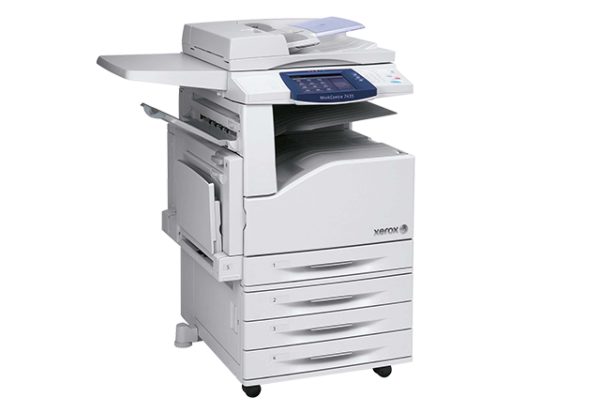
The Xerox WorkCentre M133 is a multifunction system from the WorkCentre line that covers print, copy, scan and fax in one machine, and it integrates smoothly into existing office networks and workflows. Its toner is a single black cartridge, the 006R01184, stocked on this page as a single cartridge, a 3 pack and two 5 pack listings.
Because the M133 hangs on the office network, it tends to become shared infrastructure — print jobs arrive from several desks, faxes come and go, and nobody in particular owns the supply cupboard. A one-cartridge machine suits that arrangement: whoever notices the low-toner message can order or fit the same part number every time, with no chance of picking a wrong color or a sibling model's supply by mistake.
Toner Cartridges for WorkCentre M133
| Cartridge | Color | Page Yield |
|---|---|---|
| 006R01184 | Black | See product page |
| 006R01184 3 Pack | Black | See product page |
| 006R01184 5 Pack | Black | See product page |
| 006R01184 Premium 5 Pack | Black | See product page |
Which cartridge should you buy?
Start the pack-size decision with headcount rather than page counts. One or two users printing occasionally will sit on a single cartridge for a long while, and one spare single is enough insurance. A busier shared M133 burns through toner at the pace of the whole team, which is where the 3 pack earns its shelf space: fewer orders, and a cartridge is always in reserve when the warning appears midweek. The two 5 pack listings push the same logic to its limit for the heaviest sites, the Premium being the alternative build of that quantity. All of the compatible cartridges here carry a 1-year warranty and 1-year returns.
Chip, toner and everyday use
On a networked machine, a toner change interrupts more than one person's work, so make the swap count. Wait for a gap between jobs, open the front cover, lift out the empty cartridge and slide the replacement in until it clicks — the machine recognizes it and returns to the queue. Rock the fresh cartridge gently first to distribute the toner evenly. Rated yields assume about 5% coverage per page, and a fax-heavy office printing dense documents will land under the rating. Store the reserve cartridge sealed, near the machine, so the next change is a two-minute job instead of a purchase order.
Frequently Asked Questions
Does the WorkCentre M133 use the same toner as other WorkCentre models?
Yes. It takes the 006R01184 black cartridge, the same supply shared by the CopyCentre and WorkCentre group listed at the bottom of this page — one stock of cartridges can cover several of those machines at once.
Is the M133 a color machine?
No. It is a black-and-white multifunction system, and 006R01184 is the only cartridge it uses — there are no color cartridges to buy for it.
What is the difference between the standard 5 pack and the Premium 5 pack?
Both listings hold five compatible 006R01184 cartridges. The Premium listing is sold as the premium-quality build of the same cartridge; the standard 5 pack is the regular line. Quantity and fit are identical either way.
How do I confirm the cartridge before ordering?
Open the front cover and read the number on the cartridge already in the machine — it should read 006R01184. If it does, any listing on this page fits; choose by quantity alone.
More printers that use the same cartridges
The M133's cartridge is shared across a wide band of Xerox hardware — the full list of sibling machines that run on the same 006R01184:
CopyCentre models: CopyCentre 123, CopyCentre 128, CopyCentre 133, CopyCentre 133C, CopyCentre C123, CopyCentre C128, CopyCentre C133; WorkCentre models: WorkCentre 123, WorkCentre 128, WorkCentre 133, WorkCentre 133M, WorkCentre M123, WorkCentre M128; WorkCentre Pro models: WorkCentre Pro 123, WorkCentre Pro 123, WorkCentre Pro 128, WorkCentre Pro 133, WorkCentre Pro 133P, WorkCentre Pro M123, WorkCentre Pro M128, WorkCentre Pro M133.