




WorkCentre Pro M123
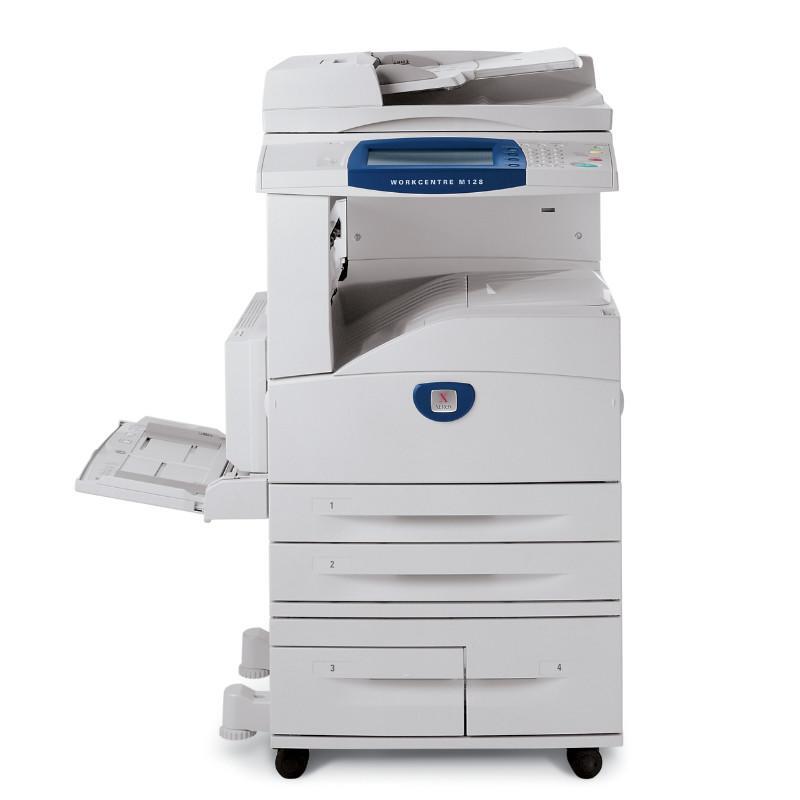
Four office functions — copy, print, scan and fax — share one machine in the Xerox WorkCentre Pro M123, a monochrome multifunction system aimed at workgroups. They also share one supply: the 006R01184 toner cartridge, rated at approximately 30,000 pages. Every page the M123 produces, whatever function produced it, comes out of that single cartridge.
A workgroup device lives on borrowed time — everyone uses it, nobody owns it — and supplies are where that shows. The M123 design answers with simplicity: there is exactly one thing to reorder, and it lasts through roughly 30,000 pages at a time. A named owner, one spare on the shelf, and a standing reorder point are all the management this machine asks for.
Toner Cartridges for WorkCentre Pro M123
| Cartridge | Color | Page Yield |
|---|---|---|
| 006R01184 | Black | 30,000 pages |
| 006R01184 — 3 Pack | Black | 30,000 pages per cartridge |
| 006R01184 — 5 Pack | Black | 30,000 pages per cartridge |
| 006R01184 — Premium 5 Pack | Black | 30,000 pages per cartridge |
| WorkCentre Pro M123 — Single | Black | 30,000 pages |
| WorkCentre Pro M123 — 5 Pack | Black | 30,000 pages per cartridge |
Which cartridge should you buy?
This page lists the same cartridge two ways: by its 006R01184 code, and in listings named for the WorkCentre Pro M123 itself — a single and a 5 Pack. The contents are the same compatible supply; choose the label your order history prefers. For a shared machine, the 5 Pack listings are the natural fit, since a workgroup that runs out mid-week has a queue of people, not just a paused document. The Premium Quality 5 Pack is the same quantity in the premium line, and all compatible cartridges here include a 1-year warranty with 1-year returns.
Chip, toner and everyday use
Because copying and fax output draw on the same cartridge as printing, a low-toner warning on this machine deserves prompt attention — it affects every function at once. Fit the replacement after rocking it gently from side to side, and let the machine register the new chip before the next big job. Yield expectations follow the usual yardstick, about 5% coverage: a cartridge printing mostly received faxes and plain memos will approach its rating, while copy-heavy days with dark originals will not.
Frequently Asked Questions
Does faxing use the same toner as printing?
Yes. Received faxes are printed pages, and they come from the same 006R01184 cartridge as copies and prints. One spare therefore protects every function the M123 performs.
Are the code-named and model-named singles different cartridges?
No. They are two listings for the same compatible 006R01184 supply — one found by cartridge number, the other by printer model. Order whichever your records track.
How many pages does one cartridge print?
Approximately 30,000 pages at 5% coverage. Shared machines with mixed copy and print work usually land somewhere under the rating, which is normal.
What is the simplest spare strategy for a workgroup?
One sealed cartridge beside the machine and a rule: when the spare goes in, the replacement order goes out. The 5 Pack listings exist to make that rule cheap to follow.
More printers that use the same cartridges
This cartridge also powers a broad family of related machines — handy when one spare has to cover several devices: CopyCentre 123, CopyCentre 128, CopyCentre 133, CopyCentre 133C, CopyCentre C123, CopyCentre C128, CopyCentre C133, WorkCentre 123, WorkCentre 128, WorkCentre 133, WorkCentre 133M, WorkCentre M123, WorkCentre M128, WorkCentre M133, WorkCentre Pro 123, WorkCentre Pro 123, WorkCentre Pro 128, WorkCentre Pro 133, WorkCentre Pro 133P, WorkCentre Pro M128, WorkCentre Pro M133.