Frequently Asked Questions
Which toner cartridge belongs in the WorkCentre 133M?
The 006R01184. It is the black toner cartridge for this platform, rated at up to 30,000 pages, and this listing is the single cartridge filed under the WorkCentre 133M name — confirm the number on the cartridge you are pulling out and they should agree.
How long should it last?
At 2,000 pages a month, about 15 months. At 3,800 a month, roughly 8 months. Your mileage hinges on total pages through the machine — prints, copies and printed faxes all count, because all of them run on this one cartridge.
What other models take the 006R01184?
The shared platform: CopyCentre 133, CopyCentre C123, CopyCentre C128, WorkCentre 133, WorkCentre M123, WorkCentre M128, WorkCentre Pro 123 and WorkCentre Pro 128, together with the WorkCentre 133M itself.
Is fitting it a job for our service contract?
No — a toner swap on the 133M is a user task, front access, no tools, a couple of minutes. Save the service contract for actual faults; this cartridge change is routine office work.
What is the cost per page on a single?
$88.78 across 30,000 rated pages — about 0.30 cents per page. The single is the no-stock option: buy it when the machine needs it, rather than keeping a box in the cupboard.
What cover do I get?
The cartridge is backed by a 1-year warranty, and returns are free within a year. The terms are on our shipping and returns page, and people answer Monday to Friday, 9 AM to 5 PM CST.
Prints are pale on one side of the page only — what does that suggest?
Near the end of its life, the toner left inside a cartridge can sit unevenly, so one side of the page starves before the other. Take the 006R01184 out and rock it gently from side to side a few times to redistribute what remains, then refit it. If both sides come back even, you have bought more pages; if one side stays pale, the cartridge is genuinely spent.
I fitted the cartridge and pages look light — is it seated properly?
A cartridge that has not clicked fully home can feed unevenly and print light from the first page. Open the front access, slide the 006R01184 out and push it back in firmly until it sits square, then reprint the same page you judged it by. A clear improvement confirms the seating was the issue; no change points instead to settings or to the cartridge itself.
How can I judge this cartridge's output months from now?
File one good print from its first week — a page of ordinary text that came out solid and even. Later, when you wonder whether output has drifted, compare a fresh page against that reference side by side. Gradual fading is hard to notice day to day but obvious against a known-good sample, and the comparison tells you whether the 006R01184 is truly fading or the pages were always that light.
Are there any handling rules when I swap the cartridge?
Keep the new 006R01184 inside its bag until the moment of fitting, hold it level by its ends, and avoid touching the roller and shutter surfaces. Work over the machine or a sheet of scrap paper so any loose toner lands somewhere easy to clean. The swap itself is a front-access, no-tools job, and a minute of care keeps both the cartridge and the desk clean.
About This WorkCentre 133M Cartridge
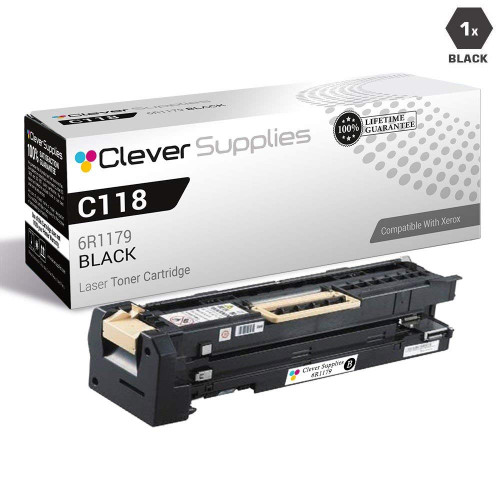
The single compatible 006R01184 under the WorkCentre 133M name — $88.78, 30,000 pages, shipped from our Illinois, Pennsylvania, Georgia or California warehouse. If the machine eats toner steadily, the 006R01184 5-pack for the WorkCentre 133M lowers each cartridge to $73.99. More for this platform on our Xerox toner page.






 See Compatible Printers
 Read more about our ink!