




Phaser 7100DN
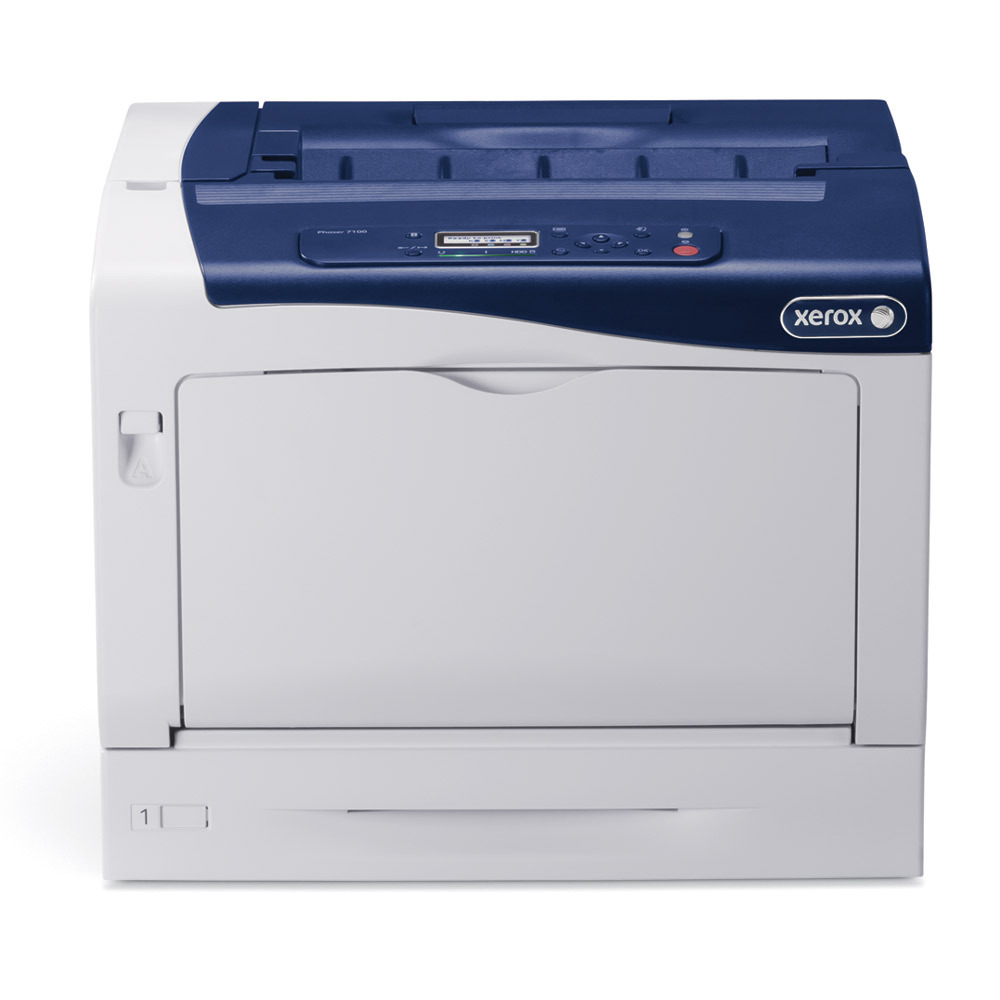
For offices running Xerox equipment, the Xerox Phaser 7100DN is a color laser printer that fits right in, handling reports, correspondence and everyday documents without fuss. Its supplies split into a standard color set — cyan 106R02599, magenta 106R02600 and yellow 106R02601 — and a longer-life color set for busier offices: cyan 106R02602, magenta 106R02603 and yellow 106R02604. Black is covered by 106R02605 either way.
Which set a given office leans on is decided by its document mix. Correspondence-heavy weeks burn through black while the colors idle; presentation weeks reverse the pattern. Two tiers let each color be sized to its real pace instead of forcing one blanket choice across the machine, and the listings under this model's own name on this page are the same seven codes, stocked for the 7100DN directly.
Toner Cartridges for Phaser 7100DN
| Cartridge | Color | Page Yield |
|---|---|---|
| 106R02605 — Black, single cartridge | Black | See product page |
| 106R02599 — Cyan, standard capacity, single cartridge | Cyan | Standard capacity |
| 106R02600 — Magenta, standard capacity, single cartridge | Magenta | Standard capacity |
| 106R02601 — Yellow, standard capacity, single cartridge | Yellow | Standard capacity |
| 106R02602 — Cyan, high capacity, single cartridge | Cyan | High capacity |
| 106R02603 — Magenta, high capacity, single cartridge | Magenta | High capacity |
| 106R02604 — Yellow, high capacity, single cartridge | Yellow | High capacity |
| 106R02605 — Black, single cartridge (7100 listing) | Black | See product page |
| 106R02602 — Cyan, high capacity, single cartridge (7100DN listing) | Cyan | High capacity |
| 106R02603 — Magenta, high capacity, single cartridge (7100DN listing) | Magenta | High capacity |
| 106R02604 — Yellow, high capacity, single cartridge (7100DN listing) | Yellow | High capacity |
| 106R02605 — Black, single cartridge (7100DN listing) | Black | See product page |
| 106R02605 — Black, 2 pack | Black | See product page |
| 106R02602 — Cyan, high capacity, 2 pack | Cyan | High capacity |
| 106R02603 — Magenta, high capacity, 2 pack | Magenta | High capacity |
| 106R02604 — Yellow, high capacity, 2 pack | Yellow | High capacity |
| 106R02605 — Black, 2 pack (7100 listing) | Black | See product page |
| 106R02605 — Black, 3 pack | Black | See product page |
| 106R02605 — Black, 5 pack | Black | See product page |
| 106R02602, 106R02603, 106R02604 — 3 Color Set, high-capacity colors | Cyan / Magenta / Yellow | High capacity |
| 106R02605, 106R02602, 106R02603, 106R02604 — 4 Color Set, high-capacity colors with black | Black / Cyan / Magenta / Yellow | High capacity |
| 106R02605, 106R02602, 106R02603, 106R02604 — 5 Color Set | Black / Cyan / Magenta / Yellow | High capacity |
| 106R02602, 106R02603, 106R02604 — 6 Color Set, high-capacity colors | Cyan / Magenta / Yellow | High capacity |
| 106R02605, 106R02602, 106R02603, 106R02604 — 8 Color Set | Black / Cyan / Magenta / Yellow | High capacity |
| 106R02605, 106R02599, 106R02600, 106R02601 — 4 Color Set, standard colors with black | Black / Cyan / Magenta / Yellow | Standard capacity |
| 106R02605, 106R02602, 106R02603, 106R02604 — 8 Color Set, high-capacity colors with black | Black / Cyan / Magenta / Yellow | High capacity |
| 106R02605, 106R02602, 106R02603, 106R02604 — 4 Color Set (7100DN listing) | Black / Cyan / Magenta / Yellow | High capacity |
| Phaser 7100DN — 4 Color Set | Black / Cyan / Magenta / Yellow | See product page |
| Phaser 7100DN — Premium 4 Color Set | Black / Cyan / Magenta / Yellow | See product page |
Which cartridge should you buy?
Start with the standard color set if color plays a supporting role in your office — the odd chart, the branded cover page — and move a color to its longer-life version when you notice replacing that one noticeably more often than the others. Busier offices can simply standardize on the high-capacity colors from the outset. Black needs no tier decision at all, and its multi-packs suit the steady correspondence load this model typically carries. When several slots run low together, a four-color set restores the whole machine in one order. These compatible cartridges are covered by a 1-year warranty and 1-year returns.
Chip, toner and everyday use
Replacing a cartridge follows the same routine whichever tier it belongs to: leave the power on, open the toner access cover, pull the used cartridge out, rock the new one gently side to side, and insert it firmly until it is seated before closing the cover. Because two tiers share the slots, keep a brief note with the printer recording which tier sits in each color — the chips report levels faithfully, but only your note remembers which version produced them. Store spares boxed, upright and out of direct light.
Frequently Asked Questions
Which toner cartridges fit the Phaser 7100DN?
Seven codes: standard colors 106R02599, 106R02600 and 106R02601, high-capacity colors 106R02602, 106R02603 and 106R02604, and black 106R02605, which serves both tiers.
Will compatible toner damage the Phaser 7100DN?
Compatible cartridges are engineered for this model and should print normally. As always, check your printer's warranty terms if you want the coverage details for the machine itself.
How do I find the right toner for my 7100DN?
Open the front cover and read the number printed on the installed cartridge, then match it against the table above. Matching the code matters more than matching the tier name — the same code always fits the same slot.
How do I replace a cartridge in the Phaser 7100DN?
With the power on, open the toner access cover and pull out the used cartridge. Rock the replacement gently side to side to distribute the toner, insert it firmly until seated, and close the cover — the printer is ready to print again.
More printers that use the same cartridges
Black 106R02605 also serves the other two members of this small family: Phaser 7100, Phaser 7100N.