






 See Compatible Printers
 Read more about our ink!
Xerox
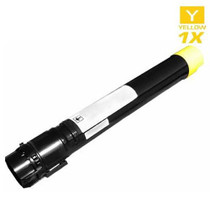
Compatible Xerox 106R02601 Laser Toner Cartridge Yellow
- Page Yield:
- 4,500 Pages
- Availability:
- In Stock
- Shipping:
- Free Shipping

Amazon Price:

- Page Yield:
- 4,500 Pages
- Availability:
- In Stock
- Shipping:
- Free Shipping
- Compatible Printers
- Phaser 7100
- Phaser 7100 DN
- Phaser 7100 Ni>
- Specifications
- SKU:
- 106R02601-Y
- Printer Brand:
- Xerox
- OEM Number:
- 106R02601
- Ink Color:
- Yellow
- Page Yield:
- 4,500 Pages
- Printer Type:
- Laser Cartridge
- Condition:
- New Compatible
- Description
- Yields up to: 4500 Pages
- Compatible Xerox 106R02601 Toner Cartridges can produce renown Xerox quality printing and reliability
- Unlike bargain brand toners compatible Xerox 106R02601 Toner Cartridges are designed to work specifically in Xerox printers for exceptional reliability that helps reduce maintenance costs and service calls
- Tested to provide the best image quality and most reliable printing you can count on page after page
- Packaging: Each
- Compatible with: Xerox Phaser: 7100 7100n and 7100dn printers
- Supply Type: Toner
- Cartridge Yield Type: Standard
- Ink/Toner Cartridge Type: Compatible
- Ink/Toner Color: Yellow
- Ink/Toner Pack Size: 1/Pack
- Reviews

/> 

Compatible Xerox 106R02601 Laser Toner Cartridge Yellow is designed and tested to ensure optimum performance and outstanding productivity
Xerox Yellow toner cartridge is ideally designed to offer superior image quality printing and productivity. Toner cartridge is suitable for Xerox Phaser: 7100 7100n and 7100dn printers and yields approximately 4500 Pages. Every box built on this cartridge set — the 4 Color Set, the singles and the black packs — is compared side by side in our Xerox 106R02605 buying guide.
Features:
Frequently Asked Questions
Where does yellow actually show up in a document that contains no yellow objects at all?
Almost everywhere color is mixed rather than printed pure. Green is built from yellow plus cyan, orange is yellow warmed with magenta, and gold, cream and sand tones are yellow doing nearly all the work. Even a blue pie chart can lean on yellow in its secondary slices and highlights. So the 106R02601 is spent by jobs a reader would describe as green, orange or photographic, not only by pages with a yellow banner on them.
If this is the first color to empty, do greens and oranges go wrong in the same way?
No, and that split is a useful clue. Without enough yellow, greens lose their warm half and slide toward a colder, bluer finish, while oranges flatten into red and lose their brightness. Photographs show it in another place again: sunlight, blonde hair and pale wood turn greyish and lifeless. When two unrelated color families drift in opposite directions at once, yellow is very often the common cause behind both.
Which printer does the 106R02601 fit?
It belongs to one model, the Phaser 7100, and this listing is that machine's yellow unit on its own. Read the supply number printed on the cartridge you take out before you reorder: the four colors sit in separate bays, look very similar in the hand, and 106R02601 identifies the yellow one specifically.
How do you test the yellow supply on its own when yellow on white paper is so hard to see?
Do not judge it from a pale yellow patch, which can look faint even when the supply is healthy. Instead print something that depends on yellow heavily: a solid green block, an orange heading, or a warm photograph you know well. If the green prints blue-leaning and the orange prints red-leaning while cyan-heavy and magenta-heavy areas still look right, the test has isolated the problem to the yellow bay rather than to the printer as a whole.
Should you judge how much life is left by looking at printed pages?
With this color, printed output is a late and unreliable gauge. Yellow is the lightest toner in the set, so a page can keep looking acceptable long after the level has fallen, then change quickly once mixed colors run short of it. Going by the printer's own level reading and low-supply warning is more dependable here than waiting for a visible defect, and ordering the replacement at the warning leaves you a buffer before greens and oranges start to suffer.
What cover and delivery arrangements come with this cartridge?
You get a one-year warranty, with free returns for a full year as well; the complete terms are on our shipping and returns page. Parcels are dispatched from warehouses in IL, PA, GA and CA, help is on hand Mon–Fri, 9 AM – 5 PM CST, and the broader line-up for the brand is gathered on our Xerox toner page.
Greens have gone cold — how do you confirm the yellow is truly empty before replacing it?
Take the 106R02601 out, rock it gently from side to side to redistribute what toner remains, refit it, and reprint your green-block test page. If the green warms back up even briefly, the cartridge was running unevenly rather than completely dry — but it is still at the end of its life, and the correct response is to order the replacement now and let the revived unit cover the wait. If the green stays cold, the test has given you certainty instead of a suspicion.
You ordered at the warning — how should the replacement wait until the swap?
Sealed, in its packaging, lying flat at room temperature and out of direct sunlight. Yellow bought ahead loses nothing by waiting: the 106R02601 is only called on when the installed unit actually gives out, and a spare that sits in its box for some weeks arrives at that day in exactly the condition it was delivered in. What shortens a waiting cartridge's useful life is being opened early, so the packaging stays shut until the bay is ready for it.
After fitting the new 106R02601, what should you print?
The same test page you used to diagnose the problem: a solid green block, an orange heading, or the warm photograph you know best. Because yellow announces itself through other colors, the proof of the cure has to come through those colors too — greens that sit warm instead of cold, oranges that are bright instead of red-leaning. Keep the failed test page beside the new one; the pair is a clearer verdict than either sheet alone, and it takes under a minute to produce.
What do you do with the spent yellow unit?
Put it in the packaging its replacement came out of and send it with the recycling. The spent 106R02601 looks much like a full one in the hand, and a loose empty left near the printer has a way of being picked up and refitted during some later shortage — costing a stopped job and a confusing diagnosis. Boxed and marked as spent, it waits tidily for collection and cannot be mistaken for the spare you actually rely on.
About This 106R02601 Yellow Cartridge
Sold singly for $76.92 and rated at up to 4,500 pages, the 106R02601 works out at roughly 1.71 cents per page at the rated coverage — the cost of the warm half of the color palette in this machine. Treat it as a warning-driven purchase rather than an eyesight-driven one: yellow gives its clearest signals in other colors, greens turning cold and oranges turning dull, so replacing this one cartridge at the first warning restores both families in a single swap and leaves the other three bays to finish the pages still left in them.
Related Items
Xerox
Compatible Xerox 006R01514 Laser Toner Cartridge Yellow
/>


Xerox
Compatible Xerox 106R00655 Laser Toner Cartridge Yellow
/>

Xerox
Compatible Xerox 106R01333 Laser Toner Cartridge Yellow
/>
Xerox
Compatible Xerox 006R01178 Laser Toner Cartridge Yellow
/>