






 See Compatible Printers
 Read more about our ink!
Xerox
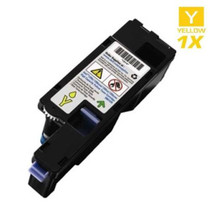
Compatible Xerox 006R01514 Laser Toner Cartridge Yellow

Amazon Price:

- Page Yield:
- 15,000 Pages
- Availability:
- In Stock
- Shipping:
- Free Shipping
- Compatible Printers
- Specifications
- SKU:
- 006R01514-Y
- Printer Brand:
- Xerox
- OEM Number:
- 006R01514
- Ink Color:
- Yellow
- Page Yield:
- 15,000 Pages
- Printer Type:
- Laser Cartridge
- Condition:
- New Compatible
- Description
- Yields up to: 15000 Pages
- Compatible Xerox 006R01514 Toner Cartridges can produce renown Xerox quality printing and reliability
- Unlike bargain brand toners compatible Xerox 006R01514 Toner Cartridges are designed to work specifically in Xerox printers for exceptional reliability that helps reduce maintenance costs and service calls
- Tested to provide the best image quality and most reliable printing you can count on page after page
- Packaging: Each
- Compatible with: Xerox WorkCenter: 7830 7835 7845 7855 7970 7530 7545 series printers
- Supply Type: Toner
- Cartridge Yield Type: Standard
- Ink/Toner Cartridge Type: Compatible
- Ink/Toner Color: Yellow
- Ink/Toner Pack Size: 1/Pack
- Reviews
-
Great price
Purchased as a spare. Not used yet but price was great and item looks to be high quality. Thank you
-
Awesome Product!
While I have not had the cartridge long enough to judge its life span it definitely prints better and crisper than the previous "bargain" cartridge I bought from another outfit. No complaints!
-
Quick delivered
Like some others I first forgot to remove the cover. Installation was easy after I remembered ;)
First print was poor with too light print overall and smudged print along the right side of the page but the next print looked like a brand new printer. I'm -
Works just like original
I now refuse to purchase name brand toners when I can have the same quality toner for a much cheaper price. I am glad I found this product.
-
Very pleased!!
Xerox sells the toners for way too expensive. This is a much better deal. It is cheap and prints very well. I suggest you try this toner instead.

/> 

Compatible Xerox 006R01514 Laser Toner Cartridge Yellow is designed and tested to ensure optimum performance and outstanding productivity
Xerox Yellow toner cartridge is ideally designed to offer superior image quality printing and productivity. Toner cartridge is suitable for Xerox WorkCenter: 7830 7835 7845 7855 7970 7530 7545 series printers and yields approximately 15000 Pages.
Features:
Frequently Asked Questions
Our prints have lost their warmth — highlights look gray and faces look flat. Why suspect the yellow cartridge first?
Because yellow does its work in the lightest part of the image, where the eye forgives the least. It builds the pale golds, creams and highlight tones in a photograph, and it warms every skin tone the machine prints; the deep blues and blacks that still look healthy are carried by the other three colors and can mask the loss for weeks. When the 006R01514 weakens, a page does not turn obviously yellow-free — it turns cold. Highlights that should glow go chalky, and printed faces take on a gray, lifeless cast even though the file is fine. The quickest proof is the machine's own color test pattern: the yellow patch prints pale or broken while its neighbours stay solid, and on these departmental WorkCentres that test needs no computer, no driver and no service call to run.
Why does yellow seem to empty faster than the other colors on our machine?
Look at what a shared office machine actually prints. The highlighted lines in a spreadsheet, the warning boxes in a report, the gold and green slices in every chart, the warm half of almost every company logo — all of it is built partly or wholly from yellow, and much of it lands on pages their owners describe as "mostly black and white". Add color copies off the glass, which lay the same four toners as a print job, and the yellow bay on a busy 75- or 78-series machine quietly works harder than its position at the end of the row suggests. The 006R01514 is rated at 15,000 pages, but that rating assumes the standard 5% coverage across the whole page; a department whose color work is chart- and presentation-heavy will see the yellow level fall ahead of the cyan and magenta, and that is normal consumption, not a leak or a fault.
What does a color page cost with this cartridge?
The arithmetic is short: $58.63 buys a cartridge rated at 15,000 pages, which works out to about 0.39 cents per rated page for the yellow position. That is the whole of it — one cartridge, bought outright, with no click contract, no service bundle and no minimum monthly volume priced in. For a department that gets quoted a single blended rate for color, being able to isolate the yellow share at well under half a cent a page is a useful number to hold against the quote.
One cartridge for both the 75 series and the 78 series — which models does it actually fit?
Both generations of Xerox's departmental color platform, fourteen models in all. The earlier line runs from the WorkCentre 7525 through the WorkCentre 7530, WorkCentre 7535 and WorkCentre 7545 to the WorkCentre 7556. The later ConnectKey generation keeps the same toner bay: the WorkCentre 7830 and WorkCentre 7830i, the WorkCentre 7835 and WorkCentre 7835i, the WorkCentre 7845 and WorkCentre 7845i, the WorkCentre 7855 and WorkCentre 7855i, and the WorkCentre 7970. The "i" in a model name marks the ConnectKey controller build, not a different cartridge, so an office that replaced a 7535 with a 7855i kept the same yellow supply. The deciding check takes ten seconds: pull the cartridge from the yellow bay and read its code — if it says 006R01514, this is the refill.
The yellow gave out halfway through a long color run. What happens to the job, and how disruptive is the swap?
Less disruptive than most people fear. Each color on this platform lives in its own bay and is replaced on its own schedule, so a spent yellow never asks you to touch the other three cartridges. Color work that needs yellow pauses until the bay is refilled, while black-and-white jobs in the queue are not held hostage by an empty color position. The physical swap is a front-access, minutes-long task — old cartridge out, new 006R01514 in — and because the rating is sized for departmental volume, it is an occasional interruption rather than a weekly ritual. The working habit that removes the drama entirely is to treat the first low-toner warning as the ordering trigger, so the replacement is already in the building when the run that matters is on the machine.
What cover does this cartridge carry, and how fast can a replacement reach us?
Every 006R01514 is backed by a 1-year warranty and 1-year free returns: a cartridge that arrives damaged or gives up early is exchanged or refunded, not debated. Orders leave from whichever of our four warehouses — Illinois, Pennsylvania, Georgia or California — sits closest to the delivery address, and the full delivery and returns terms are set out on the shipping & returns page. If you would like the code checked against your machine before you order, our support team is available Monday to Friday, 9 AM to 5 PM CST, and the rest of this platform's supplies are listed in the Xerox section of the store.
How should I keep a spare yellow so it is ready the day the bay calls for it?
Sealed, flat, and boring. Leave the spare 006R01514 in its box in a cool, dry cupboard away from sunlight and heat, and resist opening it for a look — the seal is what keeps moisture and dust out, and an opened cartridge starts aging whether it prints or not. Stored that way, a spare waits patiently for months with no loss of quality, which is exactly what a color that fails quietly requires: the replacement already in the building, in perfect condition.
I fitted the new yellow and the first color pages still look cold. What are the first checks?
Start with seating: slide the 006R01514 out and back in once, firmly, then print several color pages so the toner inside can distribute — the first sheets from a fresh cartridge can run uneven while it settles. Then run the machine's own color test pattern and look at the yellow patch specifically. If it prints solid and the warmth returns, it was settling. If the patch stays pale or broken after a fair run of pages, the cartridge itself is the problem, and the warranty below is the route.
Before a long, color-critical run, how can we prove the new yellow is performing?
Proof one sheet before committing the run. Print a page rich in the tones yellow carries — a photograph with skin tones, a chart with golds and greens — and hold it beside an earlier sheet of the same file that the department approved. Compare in daylight, not under office fluorescents alone. If the highlights glow and the faces look warm against the reference, the 006R01514 is doing its job and the long run can start; thirty seconds of proofing is cheaper than reprinting a finished job.
What do we do with the spent 006R01514 once it is out of the machine?
Keep it boxed for a few days, until the replacement has proven itself on real work — the old cartridge is both a short emergency bridge and the physical evidence if a warranty claim is needed. After that, it leaves through an office-supply or municipal cartridge recycling program rather than general waste. On a departmental machine the four positions empty at different times, so a single labeled collection box near the supply shelf keeps the trickle of empties organized without anyone managing it.
About This Xerox 006R01514 Yellow Toner Cartridge
A single compatible yellow toner cartridge, part number 006R01514, for Xerox's departmental color platform — the WorkCentre 7525, 7530, 7535, 7545 and 7556, and the ConnectKey-era 7830, 7835, 7845, 7855 and 7970 families including their "i" builds. It is rated at 15,000 pages and priced at $58.63, roughly 0.39 cents per rated page. Yellow is this platform's quiet workhorse, carrying highlights, warm tones and half the chart colors a shared office machine prints, and one cartridge design serves both machine generations so a fleet that mixes old and new hardware stocks a single yellow. It is covered by a 1-year warranty and 1-year free returns.
5 Reviews
Related Items
Xerox
Compatible Xerox 106R01629 Laser Toner Cartridge Yellow
/>


Xerox
Compatible Xerox 106R01333 Laser Toner Cartridge Yellow
/>

Xerox
Compatible Xerox 106R00655 Laser Toner Cartridge Yellow
/>

Xerox
Compatible Xerox 106R02758 Laser Toner Cartridge Yellow
/>