




WorkCentre 7830i
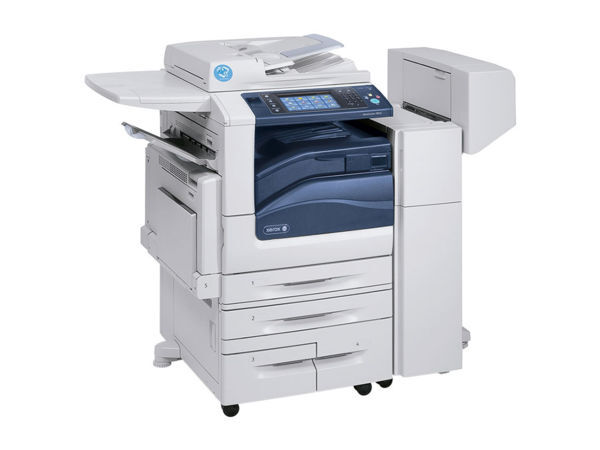
The WorkCentre 7830i is a workhorse color laser multifunction that keeps documents flowing through the workday, and it was designed around a single black cartridge: the 006R01513, yielding about 26,000 pages. Color comes from three separate cartridges rated at roughly 15,000 pages each — 006R01516 for cyan, 006R01515 for magenta and 006R01514 for yellow — so one exhausted color never forces a full set change inside the machine. On this page the black cartridge is stocked as a 2 pack and the colors are stocked in sets, exactly as listed below.
Dependable color office printing comes down to predictable supplies, and this machine's numbers are easy to plan around: a long black rating for the document traffic every office generates, and three color cartridges that deplete at their own pace depending on how much color a department actually prints. The cartridge set is also shared with the wider WorkCentre family listed at the bottom of this page, which keeps ordering simple for offices that run more than one model from the range.
Toner Cartridges for WorkCentre 7830i
| Cartridge | Color | Page Yield |
|---|---|---|
| 006R01513 | Black | 26,000 pages |
| 006R01516 | Cyan | 15,000 pages |
| 006R01515 | Magenta | 15,000 pages |
| 006R01514 | Yellow | 15,000 pages |
How the cartridges are stocked on this page:
- Compatible Xerox 7525 (006R01513) Toner Cartridge Black 2 Pack
- Compatible Xerox 7525 (006R01516, 006R01515, 006R01514) Toner Cartridge 3 Color Set
- Compatible Xerox 7525 (006R01513, 006R01516, 006R01515, 006R01514) Toner Cartridge 5 Color Set
Which cartridge should you buy?
Match the pack to the moment. The black 2 pack suits offices that print steadily and cannot afford a pause: one cartridge in the machine, one on the shelf, and the 26,000-page rating means that pair covers a long stretch. The 3 color set is the buy when the colors have been draining together, as they tend to in departments that print presentations and reports in batches. The 5 color set is the full reset — black plus all three colors in a single order — and it is the sensible choice when a machine is newly installed or several cartridges are reporting low at once. Every compatible cartridge on this page is covered by a 1-year warranty and 1-year returns.
Chip, toner and everyday use
The cartridges are chipped, and the 7830i reads each chip to confirm the install and track the level, so seat a new cartridge until it clicks and let the machine recognize it. Yields are rated at 5% coverage; a page of light text is the yardstick, and color graphics will spend a cartridge noticeably faster. If a stored cartridge has sat for months, tilt it gently end to end before installing so settled toner spreads evenly. Keep spares sealed and flat, out of direct sunlight, and install the oldest stock first.
Frequently Asked Questions
What toner does the WorkCentre 7830i use?
The black cartridge is the 006R01513, rated at about 26,000 pages. Color printing uses the 006R01516 cyan, 006R01515 magenta and 006R01514 yellow cartridges, each rated at roughly 15,000 pages.
Can I buy a single black cartridge on this page?
On this page the black cartridge is stocked as a 2 pack, and it is also included in the 5 color set. A standalone single black listing is not part of this page's shelf.
Do the three colors have to be replaced together?
Inside the machine, no — each color is a separate cartridge and swaps on its own schedule. On this page the colors are stocked together as a 3 color set, which suits restocking when the colors have been draining at similar rates.
Are these the same cartridges the WorkCentre 7830 uses?
Yes, the cartridge codes match. The WorkCentre 7830 runs on the same black and color set, so mixed fleets can plan one supply list.
More printers that use the same cartridges
The same cartridge set runs across this whole WorkCentre family: WorkCentre 7525, WorkCentre 7530, WorkCentre 7535, WorkCentre 7545, WorkCentre 7556, WorkCentre 7830, WorkCentre 7835, WorkCentre 7835i, WorkCentre 7845, WorkCentre 7845i, WorkCentre 7855, WorkCentre 7855i, WorkCentre 7970, WorkCentre 7970i.