




WorkCentre 7855i
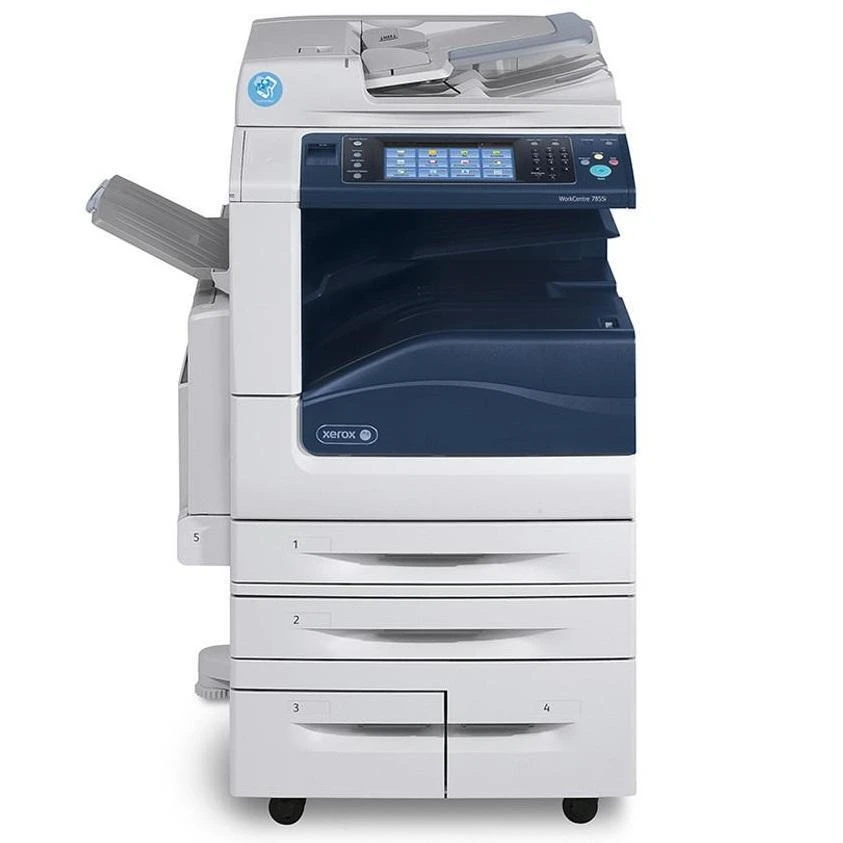
The Xerox WorkCentre 7855i is a color laser multifunction engineered for shared use: a whole team sends work to it all day, and its supply list is short enough to memorize. The specified black cartridge is the 006R01513, rated for approximately 26,000 pages, and on this page black is stocked as a 2 pack. Color comes from three standalone cartridges — cyan 006R01516, magenta 006R01515 and yellow 006R01514, each rated near 15,000 pages — stocked here together in the 3 Color Set and, with a black cartridge added, in the 5 Color Set.
Shared machines have a particular supply problem: nobody owns them, so toner tends to be noticed only when a job fails. Pack-based stocking suits that reality. A black 2 pack means the spare is already in the cupboard when the first cartridge finishes, and the color sets mean a faded color bank can be refreshed in one visit instead of three separate orders. For an office manager, the whole ordering routine for this machine is four numbers long.
Toner Cartridges for WorkCentre 7855i
| Cartridge | Color | Page Yield |
|---|---|---|
| 006R01513 Black 2 Pack | Black | Approx. 26,000 pages per cartridge |
| 3 Color Set (006R01516 / 006R01515 / 006R01514) | Cyan, Magenta, Yellow | Approx. 15,000 pages each |
| 5 Color Set (006R01513 / 006R01516 / 006R01515 / 006R01514) | Black, Cyan, Magenta, Yellow | See product page |
Which cartridge should you buy?
Think in terms of what is actually low. If only black is running down — the common case, since its 26,000-page rating is consumed by every page the machine prints, color or not — the black 2 pack restocks it with a spare left over. When the color bank is the problem, the 3 Color Set replaces cyan, magenta and yellow together; the individual colors are separate cartridges inside the machine, so nothing forces you to change a color that still has life. The 5 Color Set is the full reset: colors plus a black cartridge in one box, handy before a heavy period. All three listings are compatible cartridges backed by a 1-year warranty and 1-year returns.
Chip, toner and everyday use
On a shared machine, the kindest habit is leaving the next cartridge where the next person can find it — ideally in the same cupboard, with the empty one taken away. New cartridges are recognized by their chip as soon as they are seated properly, so push until the cartridge settles and the machine clears its message. Rock a fresh cartridge gently before installing to spread the toner evenly. Remember the ratings are 5%-coverage estimates: a team printing presentation decks and photos will cycle through the roughly 15,000-page color cartridges noticeably faster than a team printing email.
Frequently Asked Questions
What toner does the WorkCentre 7855i use?
Black is the 006R01513, rated near 26,000 pages. Colors are the 006R01516 cyan, 006R01515 magenta and 006R01514 yellow, each rated near 15,000 pages.
Why is the black cartridge sold here as a 2 pack?
That is how this page stocks it: two 006R01513 cartridges in one listing, so a shared machine always has its replacement on site. The 5 Color Set is the other way black is available here, bundled with the three colors.
How long do the color cartridges last compared with black?
Each color is rated near 15,000 pages against roughly 26,000 for black, at the same 5% coverage basis. Expect color changes to land sooner than black changes, especially in color-heavy offices.
Does this page sell a drum unit for the 7855i?
No drum listing is stocked on this page. The supplies sold here are the toner listings in the table above — the black 2 pack and the two color sets.
More printers that use the same cartridges
The same four cartridge numbers also feed the other machines in this family: WorkCentre 7525, WorkCentre 7530, WorkCentre 7535, WorkCentre 7545, WorkCentre 7556, WorkCentre 7830, WorkCentre 7830i, WorkCentre 7835, WorkCentre 7835i, WorkCentre 7845, WorkCentre 7845i, WorkCentre 7855, WorkCentre 7970, WorkCentre 7970i.