




CLX-6260FW
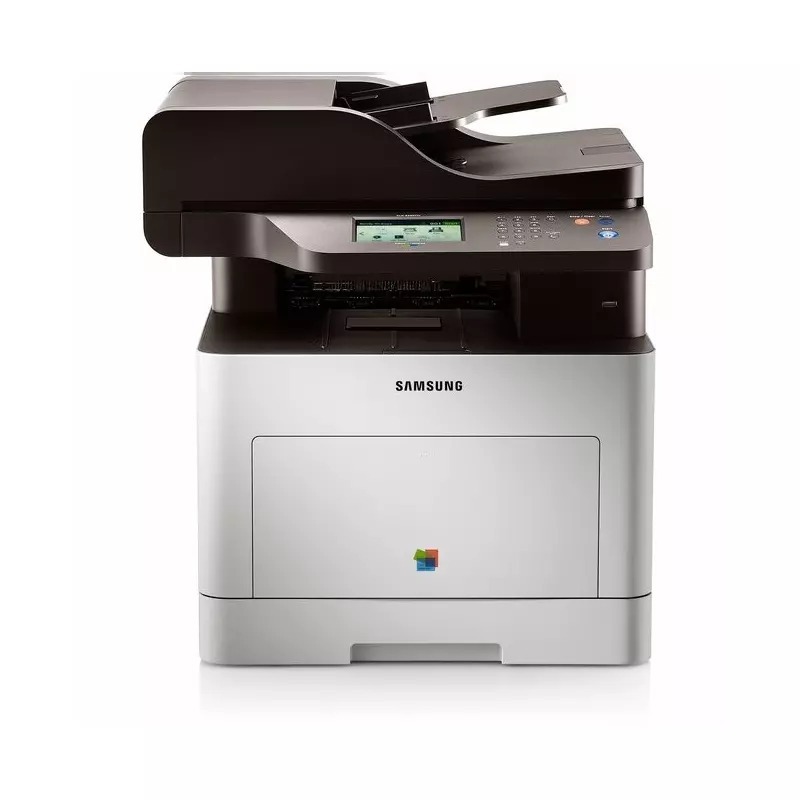
Samsung's CLX-6260FW is the fax-and-wireless member of the CLX-6260 color laser family, a multifunction printer for departments and larger workgroups that would rather place a shared machine where the people are than where the cables end. Its toner shelf mirrors its CLX-6260FD sibling exactly: standard CLT-K506S black, CLT-C506S, CLT-M506S and CLT-Y506S, and high-yield CLT-K506L, CLT-C506L, CLT-M506L and CLT-Y506L, also listed under the CLT-506S and CLT-506L range names. Compatible and genuine Samsung cartridges both appear below.
A wireless departmental printer tends to collect users the way a break room collects mugs — everyone prints to it because it is simply there. That steady, mixed diet of jobs is exactly what the two-tier cartridge system suits: one black cartridge does most of the work while four slots empty at four different speeds. Budgeting becomes a rhythm instead of a series of surprises, and the office keeps a predictable shelf of spares rather than scrambling whenever a warning light appears.
Toner Cartridges for CLX-6260FW
Which cartridge should you buy?
For most CLX-6260FW owners the pattern settles quickly: high-yield L cartridges for a machine in constant department use, standard S cartridges where printing is lighter or seasonal. Singles keep spending honest — you buy the color that is actually empty. The 4 Color Sets in both lines serve full refreshes, first setups, and the moment three colors fade within weeks of each other. Premium-quality sets sit on the shelf for buyers chasing the closest color match to original output. Check the full code, suffix included, against the cartridge coming out of the machine before you order.
Chip, toner and everyday use
The remaining-toner display on this class of machine is an estimate, not a measurement, so treat a low warning as a shopping reminder rather than a deadline — most cartridges print usefully long after it appears. Output that turns grainy or draft-like while the quality settings look right usually means an eco or draft preset is active somewhere in the driver; find it and switch it off before replacing anything. Rock a new cartridge gently before installing it, clear every seal, and store spares flat and sealed, away from heat.
Frequently Asked Questions
The panel says toner is low, but pages still look perfect. Is the gauge broken?
No. The gauge is an estimate built from page counts and coverage assumptions, and it errs on the cautious side. Keep a spare ready, but let print quality — not the warning — decide the actual swap day.
Why does my output look grainy even at the best quality setting?
An active eco or draft mode in the driver quietly overrides your expectations. Check the printer properties for eco mode or toner-save settings and switch them off for final work. If the grain survives that, rock the cartridge to redistribute its toner and print again.
Can I mix S-line and L-line cartridges in the same machine?
Yes. Each slot reads its own cartridge, and the printer accepts either capacity in any slot. Many offices run a high-yield black alongside standard colors, simply because black empties fastest.
We need genuine Samsung cartridges for compliance. Are they stocked?
Yes — genuine Samsung OEM cartridges for this model are listed on this page alongside the compatible range. Order by the full code, including the S or L suffix, to land the capacity your policy expects.
More printers that use the same cartridges
Nine Samsung models share this shelf of toner — the CLP-680 line and the CLX-6260 family: CLP-680ND, CLX-6260, CLX-6260FD, CLX-6260FR, CLX-6260ND, Samsung-CLT506, CLP-680, CLP-680DW, CLP-680GOV.