




C830DTN
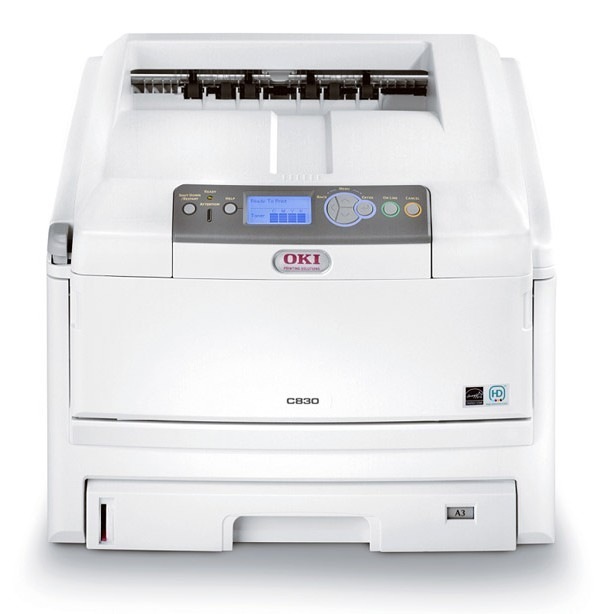
The Okidata C830DTN adds duplexing and tray options to OKI's color laser line for offices with heavier document demands, and it shares the Type C14 cartridge family with the C830: black 44059112, cyan 44059111, magenta 44059110 and yellow 44059109. The configuration is about paper and finishing; the toner set underneath it never changes, and compatible cartridges keep a printer specified for volume economical across long runs.
Trays are the DTN's quiet advantage. With more paper loaded in more sizes, the machine spends its day printing instead of waiting for a refill — which also means toner, not paper, becomes the supply that sets the rhythm. A C830DTN working through long duplex runs will call for black on a fairly predictable cycle, and the offices that run these machines well are simply the ones that reorder on the warning rather than on the stoppage.
Toner Cartridges for C830DTN
| Cartridge | Color | Page Yield |
|---|---|---|
| 44059112 | Black | See product page |
| 44059111 | Cyan | See product page |
| 44059110 | Magenta | See product page |
| 44059109 | Yellow | See product page |
The color singles above are stocked on this page under the C830dn listing names — they are the same Type C14 cartridges. Full-set options for this model: the C830DTN 4-color set and the C830DTN Premium 4-color set.
Which cartridge should you buy?
Toner is reordered one cartridge at a time on this machine: black is 44059112, and the color slots take cyan 44059111, magenta 44059110 and yellow 44059109. For a high-volume C830DTN, the efficient pattern is to top up whichever color actually emptied and to hold a full set in reserve only if the printer's workload cannot tolerate a delivery gap. The DTN's trays do not argue for bigger toner orders — paper capacity and cartridge life are separate budgets, and confusing them leads to shelves of toner bought for a paper problem. Follow the per-color levels and buy what the machine asks for.
Chip, toner and everyday use
Each cartridge's chip reports its level to the C830DTN independently, which is what makes one-at-a-time reordering reliable on a shared machine. When print quality dips, read the levels before opening anything: a low cartridge explains most faults, and it is the cheapest part to change. If the levels look healthy but color output is off, the LED array is the next stop — a soft, dry cloth along the printhead strip clears the film that builds up there. Keep spare cartridges sealed until the day they are fitted; an opened cartridge stored beside a working printer ages faster than one left in its packaging.
Frequently Asked Questions
What cartridges does the Oki C830DTN take?
Yellow 44059109, magenta 44059110, cyan 44059111 and black 44059112 — the Type C14 set. The DTN suffix adds duplex, tray and network features without changing the toner.
Does the extra paper tray on the C830DTN affect toner use?
No. Trays only hold paper. Toner consumption depends solely on what is printed and how much of each page is covered, so the tray decision is about paper capacity, never cartridge life.
My C830DTN prints color text with fuzzy edges. What should I check?
Start with the color cartridge levels — a low channel blurs before it fails — checking 44059110 through 44059112 and the yellow in turn. If the cartridges are full, clean the LED printhead strip; a dirty array softens edges in every color at once.
Do C830 cartridges fit the C830DTN?
Yes. The C830DTN was built on the same platform and kept the same Type C14 family, so cartridges bought for either machine serve both.
More printers that use the same cartridges
The same cartridges also run in these Okidata models: C14, C810, C810CDTN, C810DN, C810N, C830, C830D, C830DN, C830N.