




C810CDTN
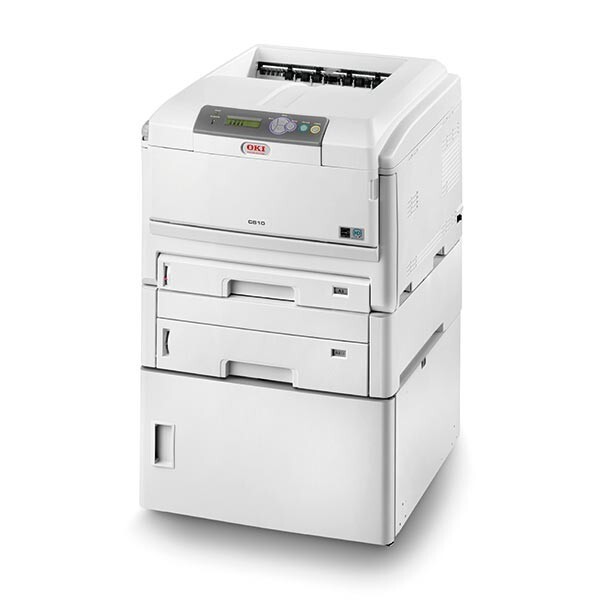
The C810CDTN configures the C810 color laser with duplexing and extra paper capacity for higher-volume departments. It runs on the OKI Type C14 toner family. On this page the black is stocked as its own cartridge, the 44059112, while the 44059111 cyan, 44059110 magenta and 44059109 yellow are supplied in the four-color sets below rather than as single cartridges.
Departments chose the CDTN build for throughput: more paper in the trays, two-sided printing without a second thought. Its supply shelf should mirror that intent. Black cycles constantly on departmental paperwork, so a single black cartridge you can grab and fit matters; colors move more slowly and arrive together in a set, which is also how they tend to be replaced when a long color run finally takes one out.
Toner Cartridges for C810CDTN
| Cartridge | Color | Page Yield |
|---|---|---|
| 44059112 | Black | See product page |
| 44059111 / 44059110 / 44059109 — Type C14 4 Color Set | Cyan, magenta and yellow (in the set) | See product page |
| C810CDTN 4 Color Set | All four colors | See product page |
| C810CDTN Premium Quality 4 Color Set | All four colors | See product page |
Which cartridge should you buy?
If the panel is calling for black, the 44059112 single is the whole answer — it is the fastest swap this page offers and the one a busy department needs most often. When a color runs out, it comes from a Type C14 four-color set here, which also refreshes your reserve of the other colors in one delivery; that suits machines whose colors age together through long shared runs. Keep one black single beyond the one in the machine at all times. A department printer standing idle for want of a cartridge costs more in an afternoon than the spare costs in a year.
Chip, toner and everyday use
These compatible cartridges are chipped for the C810CDTN, so installation is recognized immediately and levels read correctly. If thin white lines appear down the page, suspect the LED arrays before the toner: they collect dust in departmental environments, and a gentle pass with a dry, lint-free cloth over each array usually restores the print. Quoted yields assume about five percent coverage. For internal documents, draft or toner-save mode stretches every cartridge in the machine; reserve full-density color for the copies that leave the building.
Frequently Asked Questions
Which cartridges fit the C810CDTN?
The Type C14 set: black 44059112, cyan 44059111, magenta 44059110 and yellow 44059109. Each color is replaced on its own when it runs out — on this page the black is sold as a single cartridge and the colors come in the four-color sets.
Why are the color cartridges not sold singly here?
Stock on this page is organized around how the CDTN is usually supplied: black as a fast-moving single, colors in sets. The color cartridges inside the set are the same individual Type C14 cartridges — you simply receive all three colors, plus a black, in the one box.
My C810CDTN prints thin white lines. Is the toner at fault?
Usually the LED lens, not the toner. White lines running down the page typically mean a dirty LED array. Clean the four arrays inside the machine with a dry, lint-free cloth, then print a test page to confirm the lines are gone.
Any tips for cheaper color printing on the C810CDTN?
Use draft or toner-save mode for internal documents and save full color for final copies. Because each cartridge is replaced separately, every page printed cheaply on a draft setting is toner kept for work that matters.
More printers that use the same cartridges
The Type C14 family also covers the C810 and C830 models below, so these cartridges fit across the range.