




C830D
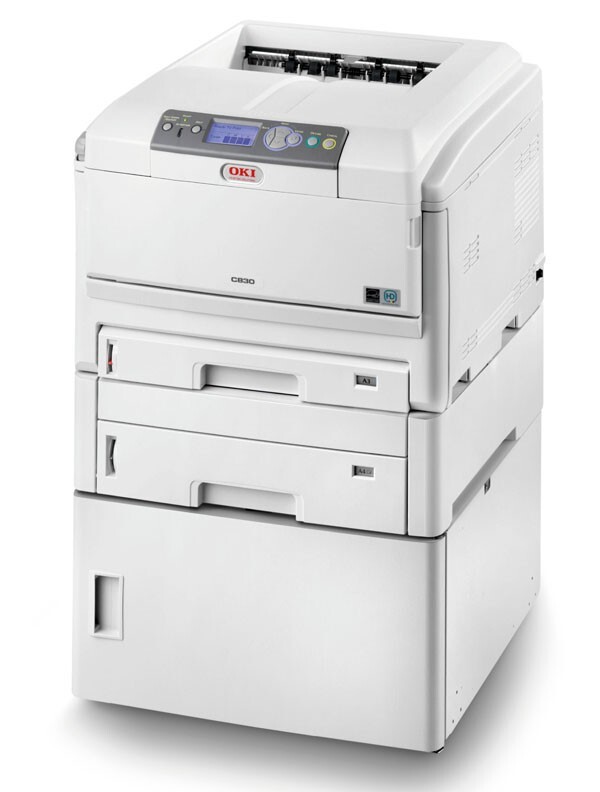
The Okidata C830D is a duplexing color laser printer aimed at workgroups with steady color output: the D configuration adds automatic two-sided printing to the C830 platform. Its toner is the Type C14 family — black 44059112, with cyan 44059111, magenta 44059110 and yellow 44059109 supplied on this page as the C830D four-color set. Four separate cartridges keep the engine supplied, and only the empty one is ever replaced.
Two-sided printing is this model's reason to exist. Long workgroup documents — contracts, reports, training packs — come off the C830D already collated on both sides of the sheet, and the paper bill drops accordingly. What duplexing does not change is the toner math: consumption follows printed sides and page coverage, so a duplex office should plan cartridge buying around how much it prints, not how many sheets it saves.
Toner Cartridges for C830D
| Cartridge | Color | Page Yield |
|---|---|---|
| 44059112 | Black | See product page |
| 44059111 | Cyan (in 4-color set) | See product page |
| 44059110 | Magenta (in 4-color set) | See product page |
| 44059109 | Yellow (in 4-color set) | See product page |
The set above is the C830D 4-color set; this page also stocks the C830D Premium 4-color set and the Type C14 4-color set.
Which cartridge should you buy?
Black is sold on this page as a single cartridge because duplex offices burn through it on text work — reordering black alone, as often as needed, is the normal rhythm for this machine. The colors come as a set, which suits how they are actually consumed: color channels on a document printer tend to drift down together over months of charts and covers, so when one is finally spent the others are rarely far behind. If your C830D prints color only occasionally, expect a long interval between set purchases; if it produces color documents daily, keep one set in reserve so a mid-job empty channel never stalls a two-sided run halfway through.
Chip, toner and everyday use
Type C14 cartridges report their levels to the C830D through a chip, and the panel shows each color separately — trust the gauge for the channel you are about to push hard, especially before a long duplex job. Fit each cartridge into its own color slot and press until it locks; a cartridge resting unseated can leak toner dust into the paper path over time. Store spare sets sealed and flat. Toner does not dry out like ink, but heat and humidity are hard on the seals, and a set bought ahead should wait in a cool cabinet rather than on top of the warm printer.
Frequently Asked Questions
Which toner cartridges work in the Oki C830D?
The Type C14 set: yellow 44059109, magenta 44059110, cyan 44059111 and black 44059112. These are the US numbers for this model's color set.
Does duplex printing on the C830D use extra toner?
No. Duplexing lays down the same toner per printed side as single-sided printing; it saves paper, not toner. Cartridge life is measured in printed sides, so a 20-sheet two-sided document consumes what 40 single-sided pages would.
My C830D prints streaks in magenta only. What is the cause?
A defect confined to one color usually traces to that color's own supply path. Check the magenta 44059110 cartridge level first — a nearly empty cartridge streaks before it quits — and if the toner is fine, the magenta drum is the next suspect.
Can I replace just one color in the C830D?
Yes. The four cartridges are independent units. The printer keeps working on the remaining channels and only asks for the color that has actually run out.
More printers that use the same cartridges
The Type C14 family also covers these Okidata models: C14, C810, C810CDTN, C810DN, C810N, C830, C830DN, C830DTN, C830N.