




C810N
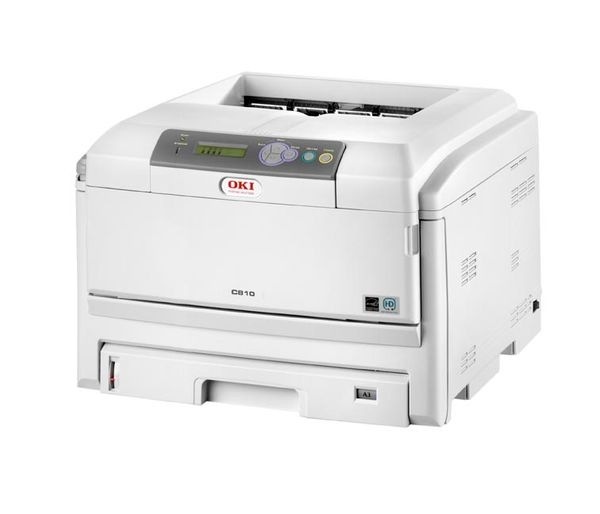
The Okidata C810N is a networked color laser printer built for small and midsize offices that want one dependable machine serving the whole team. It runs on OKI's Type C14 toner family: black 44059112, cyan 44059111, magenta 44059110 and yellow 44059109, each cartridge in its own slot. Match the number on the cartridge you pull out before ordering, because these four codes belong to this family only.
A shared printer empties its cartridges on everybody's schedule, not one person's, and the C810N's four separate cartridges are the saving grace: when a single color gives out, only that one is swapped and the other three keep the toner still in them. In a text-heavy office black usually goes first, while a team printing charts and presentations burns through cyan and magenta faster. Keeping one spare of whichever color your office drains quickest is cheap insurance against a midweek standstill.
Toner Cartridges for C810N
| Cartridge | Color | Page Yield |
|---|---|---|
| 44059112 | Black | See product page |
| 44059111 | Cyan | See product page |
| 44059110 | Magenta | See product page |
| 44059109 | Yellow | See product page |
The full four-color refresh is also sold as the Type C14 4 Color Set.
Which cartridge should you buy?
For routine top-ups, order the single color that is actually empty — that is the whole point of a four-cartridge machine, and it keeps three good cartridges working instead of retiring them early. When a heavy color period has aged all four together, or the printer is new to you and you want a known starting point, a set makes more sense: this page stocks the C810N 4 Color Set and the C810N Premium Quality 4 Color Set alongside the Type C14 set above. Whichever route you take, order by the eight-digit code, not by the printer nickname a colleague gives you.
Chip, toner and everyday use
Each cartridge carries a chip the C810N reads for its level estimate, so the printer reports the four colors separately and a fresh cartridge registers as soon as it seats. Fit a replacement by opening the top, lifting the empty unit straight out and lowering the new one into the slot marked with the same color label. If output fades before the level warning appears, take the cartridge out and rock it gently side to side a few times to redistribute the toner, then print on. Store spares sealed, upright and away from heat so the toner stays loose and dry.
Frequently Asked Questions
Which cartridges does the C810N take?
It takes the Type C14 family: 44059112 in the black slot, 44059111 for cyan, 44059110 for magenta and 44059109 for yellow. Note the order — the color codes run downward from cyan to yellow, so read the number off the old cartridge rather than guessing from the sequence.
Why do I see both Type C14 and C810 listings for the same code?
Because the same cartridges reach this page under two naming styles: listings named for the C810 printer and listings named for the Type C14 family both carry these four codes and both fit the C810N. Buy either naming style; the eight-digit code on the cartridge is what has to match.
One color just ran out. Do I have to replace the others?
No. The four cartridges are tracked and changed independently, so an empty yellow never forces you to discard cyan, magenta or black toner that still has life in it. Replace the empty one and carry on printing.
What warranty covers these compatible cartridges?
Every compatible cartridge on this page is covered by a 1-year warranty and 1-year returns, so a cartridge that fails early is not your loss.
More printers that use the same cartridges
The Type C14 family also feeds the following OKI models, and the cartridges move between them unchanged:
C14, C810, C810CDTN, C810DN, C830, C830D, C830DN, C830DTN, C830N