




C810
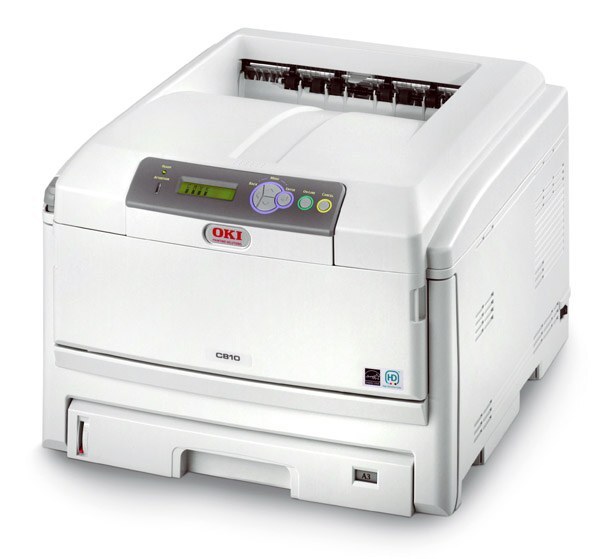
The OKI C810 is an A3-capable color laser printer from OKI's workgroup line, built to turn out tabloid-size pages alongside standard office documents. It belongs to the Type C14 family, and restocking is strictly one color at a time: black 44059112, cyan 44059111, magenta 44059110 and yellow 44059109. When a slot runs dry, only that cartridge changes — the other three stay in the machine and keep working.
Tabloid output changes what an office asks of its toner. A spreadsheet printed at A3 so the whole table reads at a glance, a chart pinned to a meeting-room wall, a proof spread across two letter pages' worth of area — every one of those jobs lays far more toner on the sheet than a page of email. Workgroups that use the C810's size capability daily feel it in the color slots first, which is why this printer rewards owners who watch levels instead of waiting for a job to fail halfway through a large page.
Toner Cartridges for C810
| Cartridge | Color | Page Yield |
|---|---|---|
| 44059112 | Black | See product page |
| 44059111 | Cyan | See product page |
| 44059110 | Magenta | See product page |
| 44059109 | Yellow | See product page |
| Type C14 Black Cartridge (44059112) | Black | See product page |
| Type C14 4 Color Set | Full set | See product page |
| C810 4 Color Set | Full set | See product page |
| C810 Premium 4 Color Set | Full set | See product page |
Which cartridge should you buy?
The Type C14 family comes in a single capacity, so the decision on this page is not standard versus high-yield — it is about how you stock. Replace the one color that has emptied and leave the others alone; there is no benefit in changing a set early. For a workgroup printing every day, the sensible shelf is one spare of each color, kept sealed in a cool, dry place, so a mid-job empty cartridge costs minutes rather than a day. Lighter users can buy as they go, but black still deserves a spare first: on mixed office work it is the slot that empties ahead of the colors almost every time.
Chip, toner and everyday use
A fresh cartridge should be recognized the moment it clicks into its slot; if the printer reports it missing, remove it, check that the protective seal came away cleanly, and reseat it until it sits flat. Yield ratings are calculated at roughly 5% coverage on letter-size pages, and a tabloid sheet carries about twice the area — treat the rated figure as a best case on A3 work, not a promise. If a color starts printing faintly, rocking its cartridge gently from side to side redistributes the toner inside and often restores even coverage for the rest of the job. Spares store best in their sealed packaging, flat and away from heat.
Frequently Asked Questions
Which cartridges does the OKI C810 need?
Four Type C14 cartridges: black 44059112, cyan 44059111, magenta 44059110 and yellow 44059109. Each is replaced on its own when it is depleted, and the part numbers above are the ones to order by.
Does the C810 share cartridges with the C830 series?
Yes. The C830 models draw on the same Type C14 family, 44059109 through 44059112, so consumables are interchangeable across the two lines. The printers differ in features and target workload, not in what feeds them.
Should I buy standard or high-yield cartridges for the C810?
There is no second capacity to choose between — this family is made in one size. The real choice is how many spares to hold. Daily A3 printing argues for a full spare set on the shelf; occasional use argues for replacing each color as it empties.
One color has run out in the middle of a job. What should I do?
Replace just that color's cartridge and rerun the job — the other three cartridges are unaffected. If the new cartridge is not recognized, reseat it firmly and confirm the seal was fully removed before installation.
More printers that use the same cartridges
The same Type C14 set also powers these related OKI models: C14, C810CDTN, C810DN, C810N, C830, C830D, C830DN, C830DTN, C830N.