




C830
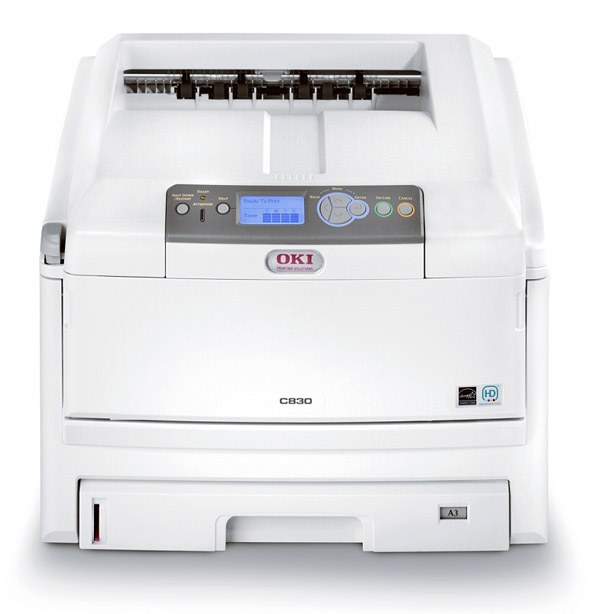
The Okidata C830 is a workgroup color printer built for offices with substantial color output — the shared machine a whole department leans on. It runs on Type C14 toner: black 44059112, cyan 44059111, magenta 44059110 and yellow 44059109. The cartridges in this family are high-capacity units, which keeps replacement frequency down in a busy print room, and each color loads separately so an empty channel never idles the other three.
On a shared workgroup printer, toner management is less about any single job and more about never being the person who finds the machine empty. The C830's design helps: four independent cartridges mean the office that prints mostly black documents with occasional color charts will cycle black far faster than the colors, and the per-channel warnings give whoever orders supplies time to react before a channel actually runs dry.
Toner Cartridges for C830
| Cartridge | Color | Page Yield |
|---|---|---|
| 44059112 | Black | See product page |
| 44059111 | Cyan | See product page |
| 44059110 | Magenta | See product page |
| 44059109 | Yellow | See product page |
Also stocked on this page: the C830 4-color set, the C830 Premium 4-color set, the Type C14 4-color set and the C810-named black single — all listings of the same Type C14 family.
Which cartridge should you buy?
For a workgroup machine, the practical rule is to replace the channel that is empty and stock ahead on the channel that moves. Black is the fast mover in most offices, so a spare black cartridge in the supply cabinet is cheap insurance; the colors can usually be ordered as their warnings appear. Choose a four-color set when the printer reports several channels low at once, or when a new C830 is being put into service and you want a full shelf from day one. Because these are high-capacity cartridges, a set bought for one empty color will otherwise sit partly unused for a long time — money parked in a cupboard instead of in the printer.
Chip, toner and everyday use
The C830 tracks each Type C14 cartridge through its chip and reports levels color by color, which is what makes staged replacement workable. Install a cartridge only in its matching color slot — the slots are keyed by color, and forcing the wrong one helps nothing. Before fitting, give the new cartridge a few gentle side-to-side rocks so the toner inside is evenly distributed, and keep the old cartridge in its box until you have confirmed the new one prints cleanly; if a defect appears, swapping back for one test page tells you immediately whether the cartridge or the printer is at fault.
Frequently Asked Questions
Which cartridges fit the C830?
The Type C14 set: yellow 44059109, magenta 44059110, cyan 44059111 and black 44059112. Each color is a separate cartridge and is ordered and replaced individually.
When one color runs out in the C830, must I change the rest too?
No. Every cartridge works independently, so you replace only the color that is spent. The remaining three keep printing until their own turn comes.
Any tips for cheaper color printing on the C830?
Use draft or toner-save mode for internal documents and reserve full-density color for final copies. Since each cartridge is replaced separately, stretching one color's life stretches the whole supply budget with it.
Is the C830's toner the same as the C810's?
Yes. Both machines draw from the Type C14 family, which is why C810-named listings of these cartridges appear on this page — they are the same cartridges under a sibling model's name.
More printers that use the same cartridges
Type C14 toner is shared across this wider Okidata family: C14, C810, C810CDTN, C810DN, C810N, C830D, C830DN, C830DTN, C830N.