




B720DN
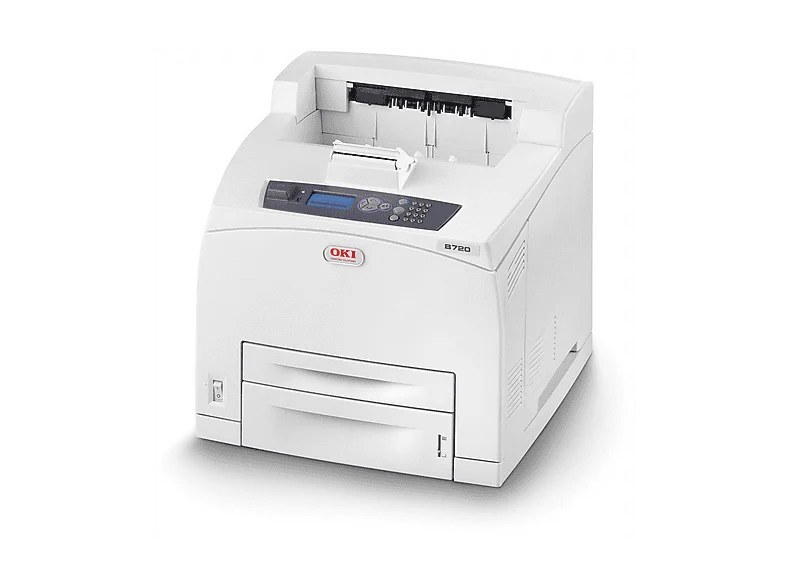
Two cartridge numbers cover the Okidata B720DN, a duplexing, networked monochrome printer built for offices with steady black-and-white volume. The standard cartridge is the 52123601; the second number, 52123602, is the higher-capacity alternative for heavier months. Both are single black cartridges shared with the base B720 engine, so the buying choice on this printer is about capacity, not compatibility.
What the B720DN adds to that engine is sharing. Built-in networking puts one machine in front of the whole office, and automatic two-sided printing keeps long reports from eating through the paper tray. A printer in that role does not get light weeks, which is why the cartridge decision deserves a moment of thought: pick the capacity that matches the monthly load and the swap becomes a rare, quick errand instead of a recurring interruption.
Toner Cartridges for B720DN
The cartridges stocked for the B720DN are listed here. Yields are confirmed on each product page.
| Cartridge | Color | Page Yield |
|---|---|---|
| 52123601 | Black | See product page |
| B720DN Black | Black | See product page |
| 52123601 3 Pack | Black | See product page |
| 52123601 5 Pack | Black | See product page |
| B720DN Black 5 Pack | Black | See product page |
This page also stocks the same cartridges under the B710DN listing name: 52123601 single, 2-pack, 3-pack, 5-pack and 10-pack, plus the high-yield 52123603-HY in a single, 2-pack, 3-pack, 5-pack and 10-pack.
Which cartridge should you buy?
Start with how much the office actually prints. A department that runs the B720DN all day should buy capacity: the higher-yield cartridge stretches the interval between orders, and the multi-packs cut the per-cartridge cost for teams that go through toner steadily. A quieter office can stay with a single standard cartridge and reorder when the low warning appears. Either way, one spare on the shelf is cheap insurance for a shared machine — the moment a networked printer runs dry, everyone notices at once.
Chip, toner and everyday use
The cartridge drops into the front of the B720DN in seconds, so a swap rarely holds up a print queue. Seat the new cartridge fully and let the printer register it before sending the next job. When pages develop vertical streaks, suspect the LED printhead lens before the toner: wipe it gently with a dry, lint-free cloth, and only if the lines survive a cleaning and fresh toner should the image drum move up the list. Keep the spare sealed until it is needed.
Frequently Asked Questions
Which toner cartridges does the B720DN take?
It takes the 52123601 as its standard black cartridge and the 52123602 as the higher-capacity option. Both are single black cartridges; confirm the number on the cartridge you remove before ordering its replacement.
Is the B720DN ready to share on an office network?
Yes. The B720DN includes built-in Ethernet, so one machine can serve the whole office once it has an IP address and the driver is installed on each computer.
My B720DN leaves vertical streaks on the page. Is that the toner?
Usually not. Streaks on this model more often trace to a dirty LED printhead lens or a worn drum. Clean the lens first; if the lines persist with fresh toner installed, the drum is the likely next step.
Should I buy singles or a pack for a shared B720DN?
Singles suit a printer with modest monthly volume. Busy shared machines are better served by the 3-pack or 5-pack, which lower the per-cartridge cost and keep a spare within reach.
More printers that use the same cartridges
The B720DN's cartridge family is shared across the B710 and B730 lines as well:
OKI B710, OKI B710DN, OKI B710N, OKI B720, OKI B720N, OKI B730, OKI B730DN, OKI B730N