




B6500DTN
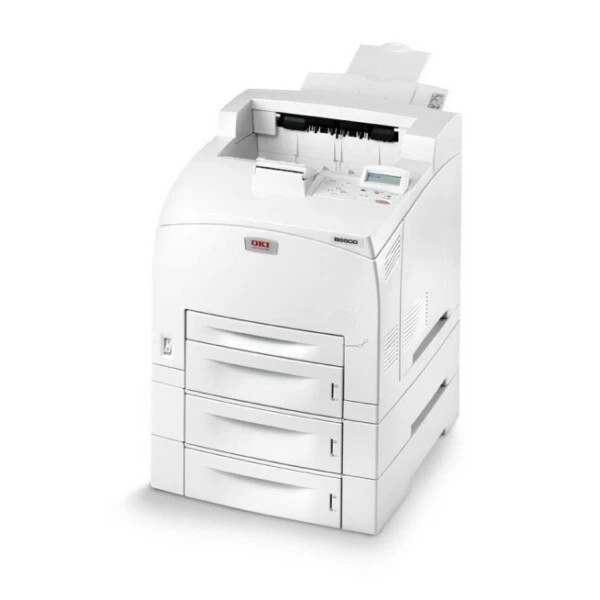
The Okidata B6500DTN is the fully loaded build of the B6500 monochrome engine — duplex, extra paper trays and a network connection, configured from the factory for departments with heavy black-and-white output. Underneath the hardware, the consumable story stays simple: one black cartridge family, the standard 52116001 or the high-yield 52116002, with the high-yield listings stocked on this page.
Extra trays change a printer's rhythm. A machine that holds more paper and prints on both sides removes the two interruptions office printers usually die by — empty trays and single-sided waste — which leaves toner as the one consumable that sets the service interval. On a DTN configuration, that interval should be as long as possible: the department that specced the trays is the department that cannot have the printer idle.
Toner Cartridges for B6500DTN
| Cartridge | Color | Page Yield |
|---|---|---|
| 52116002 High Yield Toner Cartridge | Black | See product page |
| B6500DTN High Yield Toner Cartridge | Black | See product page |
| B6500 Toner Cartridge (52116002) | Black | See product page |
| 52116002 High Yield Toner Cartridges — 3 Pack | Black | See product page |
| B6500DTN High Yield Toner Cartridges — 3 Pack | Black | See product page |
| B6500 Toner Cartridges — 2 Pack (52116002) | Black | See product page |
| B6500 Toner Cartridges — 3 Pack (52116002) | Black | See product page |
| B6500 Toner Cartridges — 5 Pack (52116002) | Black | See product page |
| B6500 Toner Cartridges — 10 Pack (52116002) | Black | See product page |
Which cartridge should you buy?
On this configuration the high-yield 52116002 is the default answer. The standard 52116001 fits the same slot, but a department that chose duplexing and extra trays prints enough that the smaller cartridge's extra swaps erase its savings. Multi-packs complete the logic: with paper stocked by the case and toner stocked by the multi-pack, the printer's only planned stops are the swaps themselves. Single high-yield cartridges suit a DTN that ended up in a smaller office than it was bought for — the fit is identical either way.
Chip, toner and everyday use
Changing toner here is a clean, front-loading swap: remove the spent cartridge, give the new one a few gentle shakes to level the toner, slide it in until it seats, and keep the old unit upright in a bag until it goes out for recycling. Because the machine is shared, note the swap somewhere the whole team can see — a shared printer with a fresh cartridge and no note invites someone to order a second one. Store multi-pack stock sealed, flat and away from heat, and use the oldest cartridge first.
Frequently Asked Questions
What cartridge fits the B6500DTN?
Either of the family's two black cartridges: the standard 52116001 or the high-yield 52116002. This page stocks the high-yield listings.
Is changing the toner messy?
No. It is a front-loading swap that takes a moment — pull the old cartridge, shake the new one gently, slide it in. No tools and no toner handling beyond the sealed unit itself.
Is the B6500DTN network-ready?
Yes, it includes built-in Ethernet for shared office use. Give it an address on the network, install the driver on each computer, and the whole department can print to it.
More printers that use the same cartridges
The other builds of this engine — base, duplex-network and network-only — run on the identical cartridges: