




B6500DN
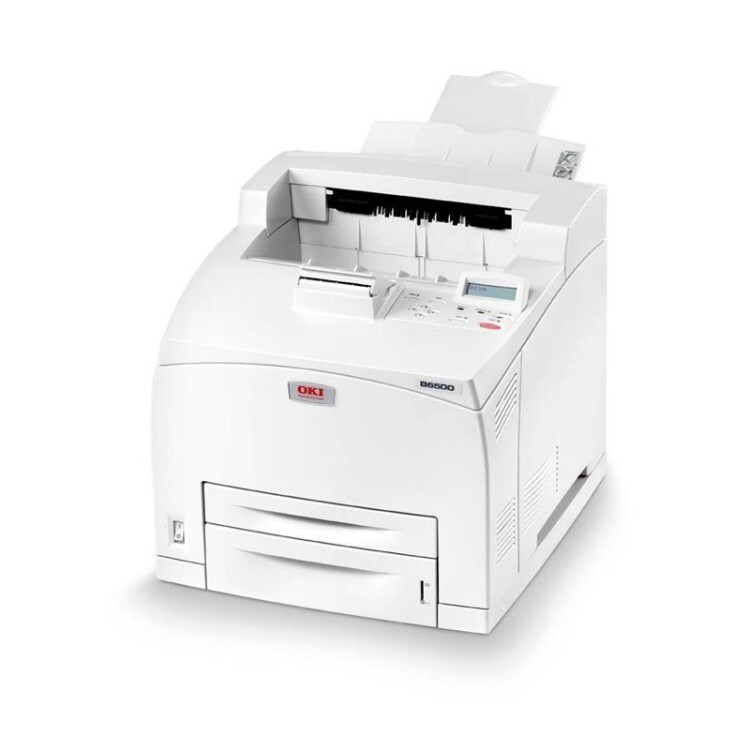
Duplex and networking turn the B6500 engine into the Okidata B6500DN, a monochrome printer built for demanding office print queues — the machine a department sends its reports to without thinking twice. The cartridge family does not change with the extra hardware: the standard 52116001 and the high-yield 52116002 are the same two black options as the base model, and this page stocks the high-yield line.
A queue printer has a particular relationship with toner. Nobody stands next to it; jobs arrive from desks all over the office, and an empty cartridge is usually discovered by whoever's deadline is tightest. The B6500DN answers that with visibility — its toner levels can be checked from a browser — and with cartridge capacity: the longer a cartridge runs, the fewer surprise stoppages the queue ever sees.
Toner Cartridges for B6500DN
| Cartridge | Color | Page Yield |
|---|---|---|
| 52116002 High Yield Toner Cartridge | Black | See product page |
| B6500DN High Yield Toner Cartridge | Black | See product page |
| B6500 Toner Cartridge (52116002) | Black | See product page |
| 52116002 High Yield Toner Cartridges — 3 Pack | Black | See product page |
| B6500DN High Yield Toner Cartridges — 3 Pack | Black | See product page |
| B6500 Toner Cartridges — 2 Pack (52116002) | Black | See product page |
| B6500 Toner Cartridges — 3 Pack (52116002) | Black | See product page |
| B6500 Toner Cartridges — 5 Pack (52116002) | Black | See product page |
| B6500 Toner Cartridges — 10 Pack (52116002) | Black | See product page |
Which cartridge should you buy?
Choose by how much stoppage your office tolerates. The standard 52116001 is the smaller of the two cartridges; the high-yield 52116002 carries substantially more toner and is the natural fit for a networked machine whose whole purpose is absorbing other people's print jobs. If the B6500DN serves a whole department, pair the high-yield cartridge with a multi-pack from this page and reorder when the last spare goes in — not when the machine stops. Lighter-duty installations can run a single high-yield cartridge and keep one spare sealed beside the printer.
Chip, toner and everyday use
Because this printer is networked, toner management can happen from your desk: open the printer's web interface in a browser and read the levels on its status page instead of walking over to check. When a swap is due, the new cartridge should be recognized before the queue is released again — send a short test job first. Keep spares sealed and stored flat in a cool spot; a cartridge that waits months in a hot supply room will not deliver its best pages when its turn finally comes.
Frequently Asked Questions
Which toner does the B6500DN use?
The same pair as the rest of the family: the standard 52116001 and the high-yield 52116002. The listings on this page are the high-yield cartridges.
Does duplex printing use more toner?
No — duplexing prints on both sides of the sheet, but each side takes the same toner as a single-sided page. If the backs of duplex reports look lighter than the fronts, the cartridge is running low or its toner is unevenly distributed; rock it gently side to side.
How do I check toner levels remotely?
Enter the printer's IP address in a browser to open its web interface. The status page shows toner levels for the installed cartridge.
More printers that use the same cartridges
Every configuration of this engine shares the cartridge family — the base, tray-loaded and network-only builds are here: