




B6500N
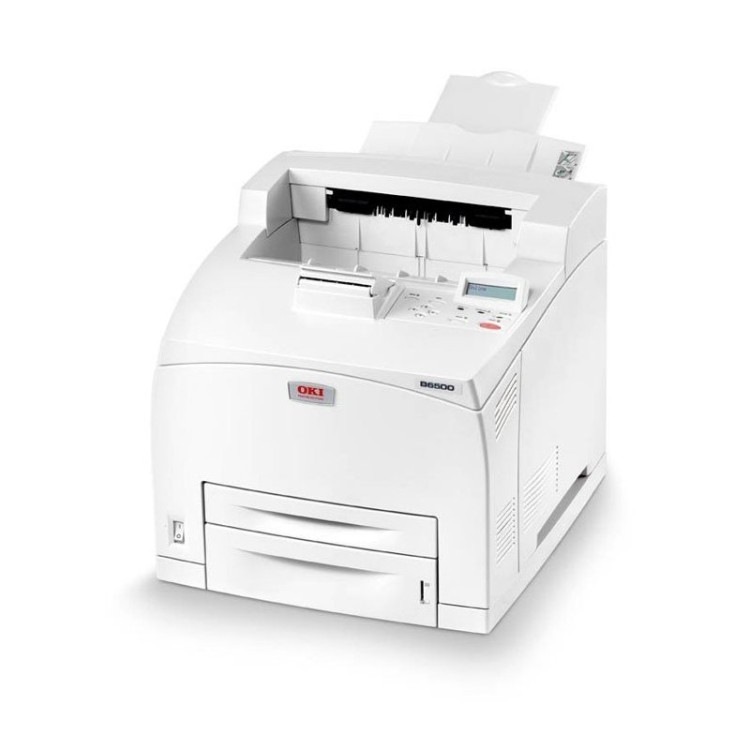
The Okidata B6500N is the networked variant of the B6500 mono laser line, aimed at workgroups that need shared black-and-white printing without a queue at one person's desk. Networking is the only thing the N adds to the formula — the cartridge family is untouched: the standard 52116001 or the high-yield 52116002, and this page stocks the high-yield listings.
A shared printer consumes toner socially. The cartridge drains on other people's deadlines, month-end reports and print jobs sent twice by mistake, so its life is measured in the team's output rather than any one user's. That is an argument for capacity and for stock: the high-yield cartridge lengthens the interval between swaps, and a spare in the cabinet means the swap itself is the only interruption the group ever notices.
Toner Cartridges for B6500N
| Cartridge | Color | Page Yield |
|---|---|---|
| 52116002 High Yield Toner Cartridge | Black | See product page |
| B6500N High Yield Toner Cartridge | Black | See product page |
| B6500 Toner Cartridge (52116002) | Black | See product page |
| 52116002 High Yield Toner Cartridges — 3 Pack | Black | See product page |
| B6500N High Yield Toner Cartridges — 3 Pack | Black | See product page |
| B6500 Toner Cartridges — 2 Pack (52116002) | Black | See product page |
| B6500 Toner Cartridges — 3 Pack (52116002) | Black | See product page |
| B6500 Toner Cartridges — 5 Pack (52116002) | Black | See product page |
| B6500 Toner Cartridges — 10 Pack (52116002) | Black | See product page |
Which cartridge should you buy?
For a workgroup machine, buy time: the high-yield 52116002 carries the larger toner supply of the two cartridges in this family, so the team changes it less often and pays less per page for the privilege. The standard 52116001 remains the right call only where the N model ended up serving one or two light users. Multi-packs from this page fit the shared-printer pattern best of all — one order stocks the cabinet, and the person who swaps the cartridge never has to become the person who orders it.
Chip, toner and everyday use
Two habits keep a networked printer out of trouble. First, act on the first fade: speckles and pale pages on a shared machine are usually toner running low or loose toner inside the printer, and a gentle clean-out plus a cartridge rock buys time before the swap. Second, ignore the sleep settings in your toner planning — sleep mode saves electricity, not toner; toner is spent only when pages print, so cartridge life follows the team's output alone. Keep the spare sealed until the day it is needed.
Frequently Asked Questions
Which toner does the Oki B6500N use?
The family's two black cartridges: the standard 52116001 and the high-yield 52116002. The listings above are the high-yield options for this model.
My prints have speckles across the page. What is wrong?
Speckles usually come from loose toner or debris inside the printer rather than the cartridge itself. Remove the cartridge, clean the interior gently, and reseat it; if speckles persist with a fresh cartridge fitted, the printer needs a service look.
Does leaving the B6500N in sleep mode save toner?
No. Sleep mode saves electricity. Toner is consumed only when pages are printed, so power settings have no effect on how long a cartridge lasts.
More printers that use the same cartridges
The base, duplex and tray-loaded builds of this engine share these cartridges exactly: