




MC851cdxn
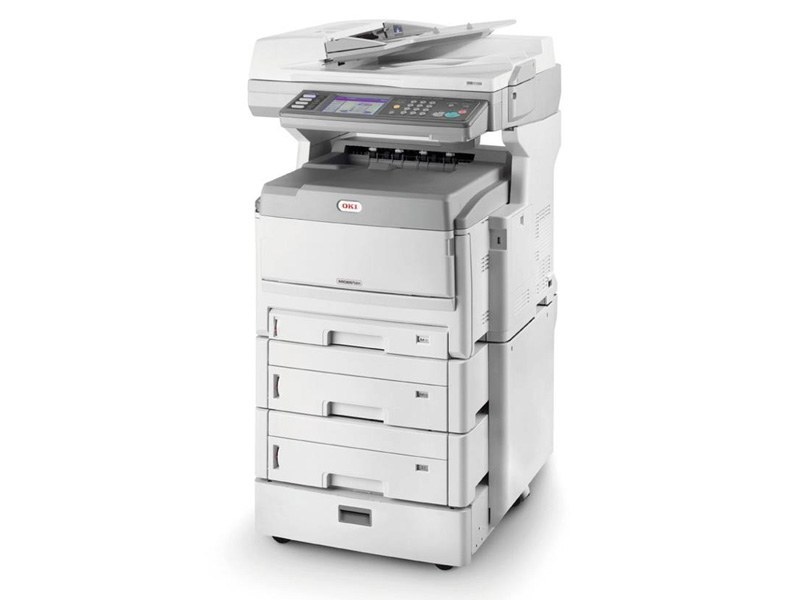
The Okidata MC851cdxn is a tray-expanded configuration of the MC851 color multifunction printer, aimed at offices that pair wide-format color with high paper capacity. The cartridges stocked for it here are the family's four individual units: black 44318604, cyan 44318603, magenta 44318602 and yellow 44318601. Yield ratings for this family are given on the product pages, so verify the figure on the listing before you check out.
What sets the cdxn apart is what happens after the page is printed: finishing options such as stapling and booklet-style output turn it into a departmental hub that produces reports and presentations ready to hand out. Finishing is mechanical, not chemical — it adds nothing to toner consumption, which stays a straightforward story of how much color your pages carry.
Toner Cartridges for MC851cdxn
| Cartridge | Color | Page Yield |
|---|---|---|
| 44318604 | Black | See product page |
| 44318603 | Cyan | See product page |
| 44318602 | Magenta | See product page |
| 44318601 | Yellow | See product page |
- Compatible Okidata Laser Toner Cartridges 4 Color Set (44318604/ 44318603/ 44318602/ 44318601)
- Compatible Okidata MC851CDXN Laser Toner Cartridges 4 Color Set
- Compatible Okidata MC851CDXN Premium Quality Laser Toner Cartridges 4 Color Set
Which cartridge should you buy?
Presentation work is color work, and it arrives in bursts — the week of the big report empties cartridges that idle the rest of the month. A four color set held in reserve fits that pattern better than chasing singles after the warning light appears. Use singles for the quiet stretches, when one color fades alone and the rest of the set has months left in it. Before ordering either, compare the part number on the cartridge in the machine with the numbers on this page; some family documentation cites a 44059165-series numbering, but the cartridges stocked here are 44318601 through 44318604.
Chip, toner and everyday use
Color consistency matters more on a finishing machine than most, because a stapled booklet with drifting color looks wrong all at once. Run the printer's calibration monthly, or whenever output drifts, and always after a cartridge change before an important client-facing job — it aligns the four cartridges so the set ages evenly. The units themselves are chipped; seat each one fully and let the machine register it. Keep spares sealed in a cool, dark place and rotate the oldest box to the front.
Frequently Asked Questions
Which toner does the OKI MC851cdxn use?
From this page: black 44318604, cyan 44318603, magenta 44318602 and yellow 44318601. It is an A3 color multifunction with finishing options for workgroup use, and those four cartridges are its whole toner story.
What finishing can the MC851cdxn do?
Depending on configuration it supports stapling and booklet-style output for reports and presentations. Finishing happens after printing, so it has no effect on toner use — it changes what you hand people, not what the cartridges spend.
Should color calibration be run regularly on the MC851cdxn?
Yes — monthly is a sensible rhythm, and always before a job where color has to be right. Calibration keeps the four cartridges producing consistent color across their lives instead of slowly wandering apart.
Do all four cartridges need replacing together?
No. Each color is its own unit with its own chip and level, and the machine reports them separately. Replace the one that runs out and leave the others to finish their service.
More printers that use the same cartridges
The same toner set also fits these models: MC851, MC851CDTN, MC851cdtn Plus, MC851DN, C711, C711DN, C711DTN, C711n, C711WT.