




MC851
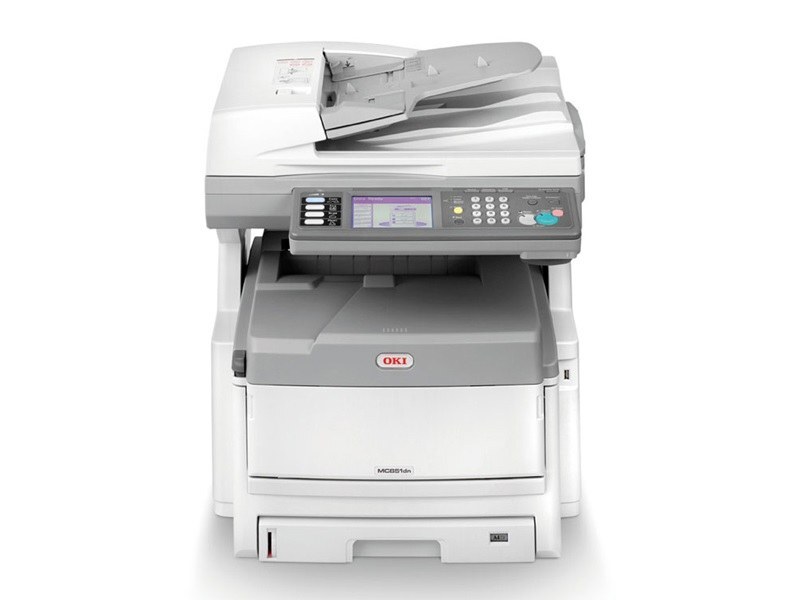
The Okidata MC851 is a wide-format color multifunction printer for offices and creative teams that need tabloid-size color alongside scanning and copying. The cartridges stocked for it on this page are the four-piece set built around black 44318604, cyan 44318603, magenta 44318602 and yellow 44318601, each a separate unit that is replaced on its own as it empties. Page yields for this family are listed on the individual product pages, so check the cartridge you are considering for its current rating.
Wide-format color work is this machine's reason to exist: proofs, posters and tabloid spreads that a letter-size MFP simply cannot produce. That work is thirsty in a specific way — graphics and logos sip toner evenly, while photographs drink it, so a creative team's color levels rarely fall in step. Knowing which side of that line your office sits on tells you most of what you need about how to stock this printer.
Toner Cartridges for MC851
| Cartridge | Color | Page Yield |
|---|---|---|
| 44318604 | Black | See product page |
| 44318603 | Cyan | See product page |
| 44318602 | Magenta | See product page |
| 44318601 | Yellow | See product page |
- Compatible Okidata Laser Toner Cartridges 4 Color Set (44318604/ 44318603/ 44318602/ 44318601)
- Compatible Okidata MC851 Laser Toner Cartridges 4 Color Set
- Compatible Okidata MC851 Premium Quality Laser Toner Cartridges 4 Color Set
Which cartridge should you buy?
Buy against the failure you actually get. If one color consistently runs out first — common in studios where a brand palette leans on a single hue — singles of that color are the economical answer, and the other slots can run to their natural end. If the MC851 is a shared departmental machine and any empty cartridge stops everyone's work, a four color set on the shelf removes the scramble entirely. One caution specific to this family: some MC851 documentation refers to a 44059165 through 44059168 numbering series. The cartridges sold on this page are the 44318601 to 44318604 set listed above, so match the part number on the cartridge you pull out of the machine before ordering.
Chip, toner and everyday use
Run the MC851's color calibration after replacing any color cartridge, and again whenever output starts to drift — it realigns the four toners so proofs stay honest. Each cartridge is chipped and read by the machine on installation; seat it squarely and let the printer complete its recognition cycle. Spares keep best sealed, flat and away from heat and bright light. And because tabloid pages carry roughly twice the toner of a letter page, a cartridge that seems to vanish quickly on A3 work is usually just doing arithmetic, not failing.
Frequently Asked Questions
Which cartridges are sold for the MC851 on this page?
Black 44318604, cyan 44318603, magenta 44318602 and yellow 44318601, as singles and in four color sets. If your manual names a different numbering series, trust the number printed on the cartridge currently in the machine.
My MC851 prints color logos correctly but photos look dull. Why?
That split usually points to one color cartridge running low. Photographs demand far more toner than flat graphics do, so a fading cartridge shows up in photos first while logos still look right. Check the three color levels and replace whichever has dropped.
How often should I run color calibration on the MC851?
After every color cartridge change, and whenever colors start to look off between changes. Calibration is quick, and on a machine bought for its color it is the cheapest quality control there is.
Does the MC851 use a separate drum as well?
This page covers toner cartridges only. If the machine reports a drum or belt message, that is a different consumable handled separately — the toner cartridges above are what keep the color itself coming.
More printers that use the same cartridges
The same toner set also fits these models: MC851CDTN, MC851cdtn Plus, MC851cdxn, MC851DN, C711, C711DN, C711DTN, C711n, C711WT.