




MB280MFP
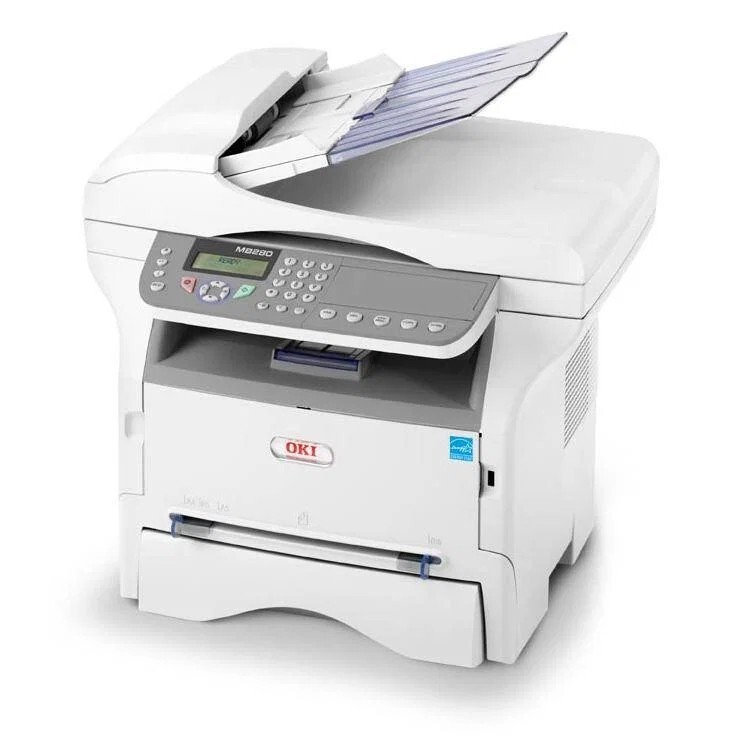
Growing small offices that have outgrown a basic printer get print, scan, copy and fax in the Okidata MB280MFP, a step above the MB260. Toner comes in two sizes: the 56123401 standard cartridge, rated for about 3,000 pages, and the 56123402 high-yield option, rated for about 5,500 pages and the cartridge stocked on this page. One black cartridge covers every job the machine does.
The MB280MFP earns its place where one shared machine has to behave like a small department: morning invoices, afternoon copies, scans headed for email in between. In that setting the high-yield cartridge is not a luxury — it is what keeps a busy shared printer from crying empty every couple of weeks. The listings for it are sold under the MB260MFP cartridge name, since the whole family draws on the same two cartridges.
Toner Cartridges for MB280MFP
| Cartridge | Color | Page Yield |
|---|---|---|
| 56123402 — High-yield toner cartridge, black | Black | About 5,500 pages |
| 56123402 — High-yield toner, 2-pack, black | Black | About 5,500 pages |
| 56123402 — High-yield toner, 3-pack, black | Black | About 5,500 pages |
| 56123402 — High-yield toner, 5-pack, black | Black | About 5,500 pages |
| 56123402 — High-yield toner, 10-pack, black | Black | About 5,500 pages |
Which cartridge should you buy?
For this machine the recommendation leans high-yield. The standard 56123401 covers roughly 3,000 pages; the 56123402 on this page stretches that to roughly 5,500, which is the difference between changing toner this month and changing it next month in a busy office. Busier months are exactly when a shared MFP can least afford downtime, so pair the high-yield cartridge with a multipack if several people rely on the machine. Yields are rated at 5% page coverage — a month of dense reports will use toner faster than a month of short emails printed out.
Chip, toner and everyday use
The compatible cartridge's chip keeps the printer's toner reporting working after a swap. A useful habit on a shared machine: when the low-toner warning appears, check whether a spare is actually in the building before the cartridge truly runs dry — most "emergency" toner orders are really missing-spare problems. Scanning and faxing do not consume toner at all, so pushing documents to email instead of copying them is a genuine way to stretch a cartridge further.
Frequently Asked Questions
Which toner does the Oki MB280MFP use?
It uses the 56123401 standard-yield cartridge (about 3,000 pages) or the 56123402 high-yield cartridge (about 5,500 pages) stocked here. Toner and drum have different service lives, so replace only the one the printer flags.
Does scanning or faxing on the MB280MFP use toner?
No. Scanning and faxing are toner-free — toner is consumed only when the machine prints or copies. If you scan to email instead of copying a document for someone, the cartridge lasts that much longer.
My MB280MFP copies are darker than the originals. Is that a toner issue?
Usually not. Overly dark copies normally come from the copy density setting, so lower the density in the menu first. If prints sent from a computer are also too dark, then it is time to look at the cartridge and drum.
Why are the cartridges here named for the MB260MFP?
Because the MB260, MB280 and MB290 multifunction models share the same cartridge family. The 56123402 cartridge listed under the MB260MFP name is the same high-yield cartridge this machine takes.
More printers that use the same cartridges
These sibling models run on the same two cartridges: