




MB260 MFP
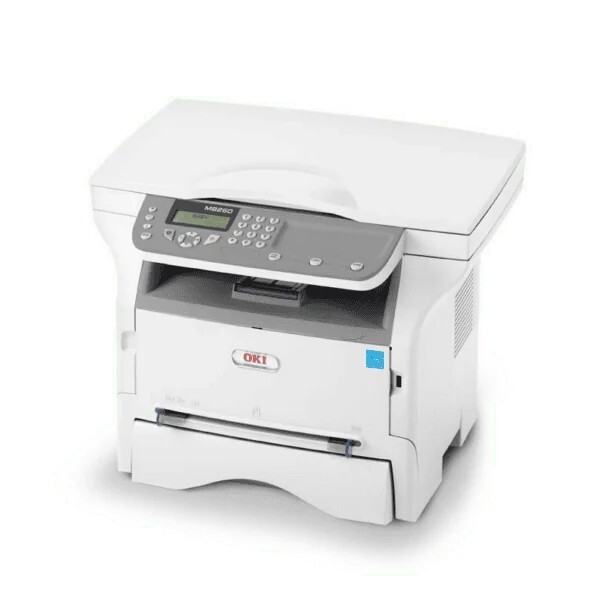
Space is at a premium on small desks and in home offices, which is exactly where the Okidata MB260 MFP fits: a compact monochrome multifunction unit covering printing, scanning, copying and faxing. Its toner comes in two sizes — the standard 56123401 and the high-capacity 56123402 — and this page stocks the high-yield cartridge, as a single, a 5-pack and under the MB260 MFP name.
An all-in-one this size is bought to replace a desk full of separate devices, and its single black cartridge feeds three of its four jobs: printing, copying and printing received faxes. Scanning to a computer uses no toner at all. With only one consumable to watch, running the machine day to day is mostly a matter of noticing when output starts to fade.
Toner Cartridges for MB260 MFP
| Cartridge | Color | Page Yield |
|---|---|---|
| 56123402 high-yield single cartridge | Black | See product page |
| 56123402 high-yield 5-pack | Black | See product page |
| 56123402 — listed under the MB260 MFP name | Black | See product page |
| 56123402 — MB260 MFP name, 5-pack | Black | See product page |
The standard-yield 56123401 cartridge also fits this model; it is not stocked on this page, which carries the high-yield 56123402 listings.
Which cartridge should you buy?
Both cartridges fit this machine, and the choice is the classic standard-versus-high-yield trade. The standard 56123401 costs less to put on the shelf and suits genuinely occasional use, though you would need to source it elsewhere — it is not among the listings above. The high-yield 56123402 stocked here spreads its cost over more pages, so the cost per page drops and cartridge changes come less often, which suits an MFP whose copying and fax printing quietly add to the page count. If the machine works every day, the high-yield is the natural default, and its 5-pack removes restocking from your mind for a long stretch.
Chip, toner and everyday use
The replacement cartridge drops into the front of the printer in seconds, with no tools involved. When prints begin to fade, take the cartridge out and shake it gently from side to side — that redistributes the toner clinging to the walls and buys a few more usable pages while the new one is on its way. Keep unopened cartridges sealed, stored flat and out of direct sunlight. Because copying and fax printing draw on the same supply as computer printing, a fax-heavy week can age a cartridge faster than the print queue alone would suggest.
Frequently Asked Questions
Which toner cartridge does the MB260 MFP take?
It takes the 56123401 standard cartridge or the 56123402 high-capacity cartridge — one black toner that loads at the front of the machine. This page stocks the high-capacity version.
Should I buy the standard or the high-yield cartridge?
The machine accepts both, with the same fit either way. Heavier print and copy volumes favor the high-yield cartridge for its lower cost per page and fewer swaps; the standard cartridge is the lighter commitment for a machine that mostly sits ready.
Prints from my MB260 MFP are coming out faded — is the toner empty?
Light or gray prints usually mean the cartridge is nearly spent. A gentle shake can buy a few more pages, but treat fading as the signal to replace the cartridge soon rather than as a printer fault.
More printers that use the same cartridges
These Okidata multifunction models use the same toner family: