




MB280 MFP
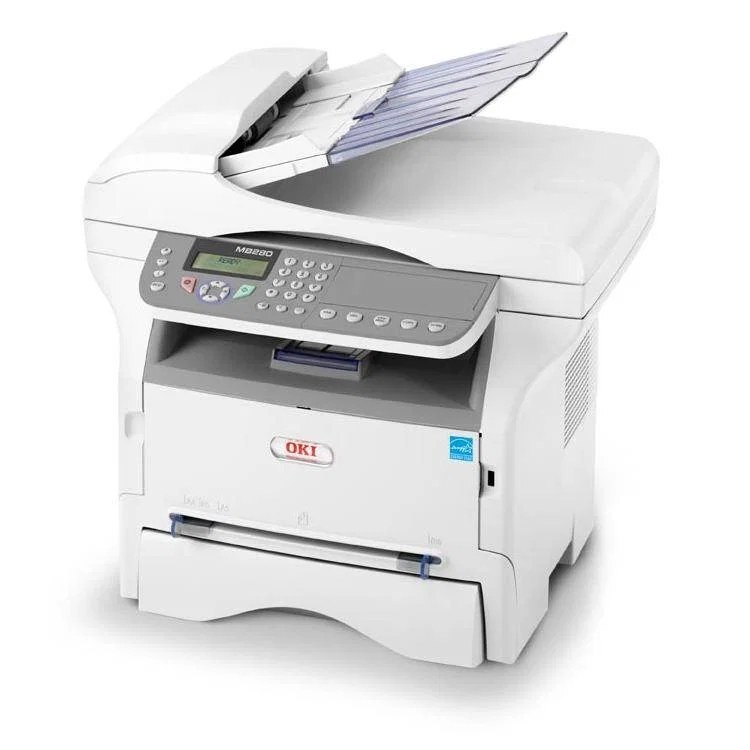
The Okidata MB280 MFP is a monochrome multifunction built for basic office document work — print, copy, scan and fax from one machine. US listings point to two black toner options for it, the standard 56123401 and the high-yield 56123402; the listings on this page are the high-yield cartridge, sold singly, in a 5-pack and under the MB280 MFP name. Confirm the cartridge number in your machine before ordering for this model.
Nothing about this machine is exotic, and that is its appeal: it handles the paper routine of a small office without demanding attention. Its toner and image drum are independent consumables, so routine running costs center on the toner cartridge while the drum carries on in the background for far longer.
Toner Cartridges for MB280 MFP
| Cartridge | Color | Page Yield |
|---|---|---|
| 56123402 high-yield single cartridge | Black | See product page |
| 56123402 high-yield 5-pack | Black | See product page |
| 56123402 — listed under the MB280 MFP name | Black | See product page |
| 56123402 — MB280 MFP name, 5-pack | Black | See product page |
The standard 56123401 is the other cartridge named for this model; the listings above are the high-yield 56123402, which is what this page stocks.
Which cartridge should you buy?
First, read the number on the cartridge already in the machine — this family spans a standard and a high-yield option, and matching the installed number removes all guesswork. If your machine runs the high-yield 56123402, the listings above are your reorder: a single for light use, the 5-pack where the MFP copies and prints all day. The high-yield's advantage is arithmetic — more pages per cartridge means a lower cost per page and fewer interruptions. If your machine currently holds the standard cartridge and your volume is modest, staying with that size is equally valid; both fit the same slot.
Chip, toner and everyday use
Swapping the toner is a quick front-loading job with no tools, and the printer reads the new cartridge's chip to track its level. Keep a sealed spare stored flat, away from heat and sunlight, so a faded Monday-morning page never waits on shipping. When output streaks, resist blaming the toner first: on this design the LED printhead lens and the drum are likelier suspects than a cartridge that was printing cleanly the day before.
Frequently Asked Questions
What cartridge fits the MB280 MFP?
The standard 56123401 or the high-yield 56123402 — this page stocks the high-yield. Swap in a fresh cartridge when prints fade or the printer reports toner out; it is a quick front-loading change.
Does the MB280 MFP toner cartridge include the drum?
No. On this model the toner and the image drum are independent consumables, so a toner swap does not throw away a working drum. The codes listed here are toner; the drum is replaced far less often.
How do I fix streaks on prints from the MB280 MFP?
Vertical streaks usually come from a dirty LED printhead lens or a worn drum rather than the toner itself. Gently wipe the LED lens with a dry, lint-free cloth; if the lines persist after cleaning, the image drum may be due for replacement.
More printers that use the same cartridges
The same toner family serves these Okidata models: