




MB280
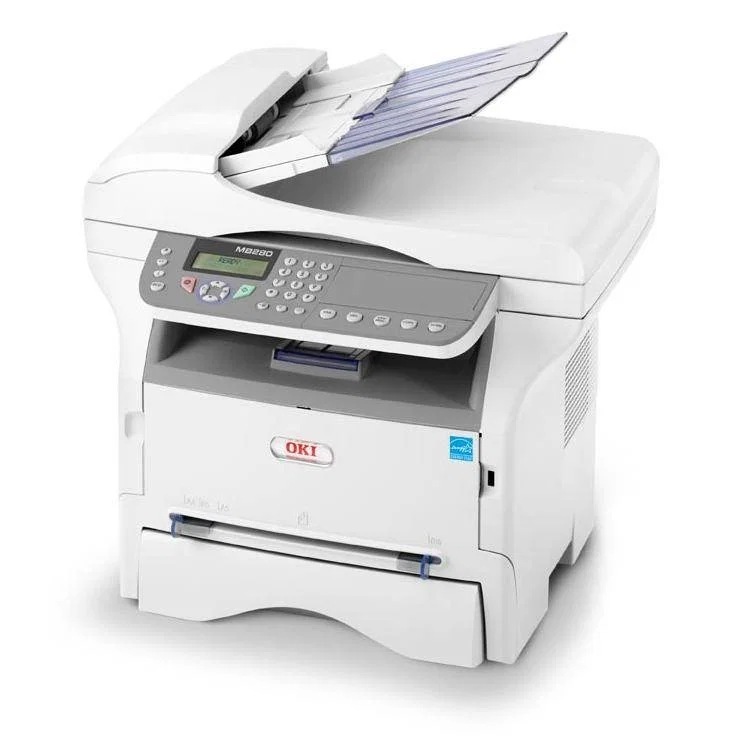
The Okidata MB280 is a discontinued monochrome multifunction printer from OKI's small-office lineup, combining print, copy, scan and fax in one compact unit. Two black toners fit it: the standard 56123401, rated at 3,000 pages, and the high-yield 56123402 at 5,500 pages — the cartridge stocked on this page, on its own and in multi-packs. Confirm which cartridge is in your machine before ordering, as this model is no longer in production.
There are plenty of MB280s still earning their keep in small offices, and the reason is simple: everything a small team needs sits in one box, and the consumable story could not be simpler — one black slot, two capacities, nothing else to track. A discontinued model does not become scrap when its toner is still on the shelf; it becomes a printer you run until it genuinely wears out. For a machine like that, the high-yield cartridge is the natural default, since it asks to be thought about least often.
Toner Cartridges for MB280
| Cartridge | Color | Page Yield |
|---|---|---|
| 56123402 | Black (high yield) | 5,500 pages |
| MB280 High Yield Black Cartridge | Black (high yield) | 5,500 pages |
| 56123402 High Yield Black 5 Pack | Black (high yield) | See product page |
| MB280 High Yield Black 5 Pack | Black (high yield) | See product page |
Which cartridge should you buy?
Between the two capacities, the high-yield 56123402 is the straightforward choice for almost every MB280 still in service: at 5,500 pages against the standard cartridge's 3,000, it nearly doubles the interval between changes and brings the cost per page down with it. The standard 56123401 makes sense only for a machine that prints a few pages a week — and note that it is the high-yield cartridge, not the standard one, that this page stocks. A single spare on the shelf is cheap insurance for a printer that handles a small office's copying and faxing as well as its printing; the 5 packs suit offices that would rather order once and forget about toner for a long stretch.
Chip, toner and everyday use
Swapping toner on the MB280 is a clean front-loading job: open the front, slide the spent cartridge out, give the new one a few gentle shakes to loosen the toner inside, and slide it in until it seats. Keep the old cartridge upright in a bag until it goes for recycling — loose toner has a way of escaping. The rated yields assume about 5% coverage, so a fax-and-copy heavy month will work through a cartridge faster than the page count suggests. Store the spare sealed and flat, and a discontinued printer keeps behaving like a current one.
Frequently Asked Questions
Which toner cartridge does the MB280 take?
One of two black cartridges: the standard 56123401 or the high-yield 56123402 stocked here. It is a single front-loading cartridge — the swap takes seconds and needs no tools.
Does the MB280 toner cartridge include the drum?
No. On the MB280 the toner and the image drum are independent consumables, so a toner swap does not throw away a working drum. The drum is replaced far less often, on its own cycle; the codes on this page are toner.
The MB280 is discontinued. Can I still keep it running?
Yes — the cartridges on this page are made for it, and a single black slot is all it asks you to feed. As long as the machine itself is sound, compatible toner keeps a discontinued MB280 in service at a running cost new hardware would struggle to beat.
How do I replace the toner cartridge in the MB280?
Open the front of the printer, remove the spent cartridge, shake the new 56123402 gently a few times to distribute the toner, and slide it in until it seats. Bag the old cartridge upright for recycling.
More printers that use the same cartridges
The MB280's toner pair is shared across OKI's compact MB range, including: MB260 MFP, MB260, MB260MFP, MB280 MFP, MB280MFP, MB290 MFP, MB290, MB290MFP.