




MB290
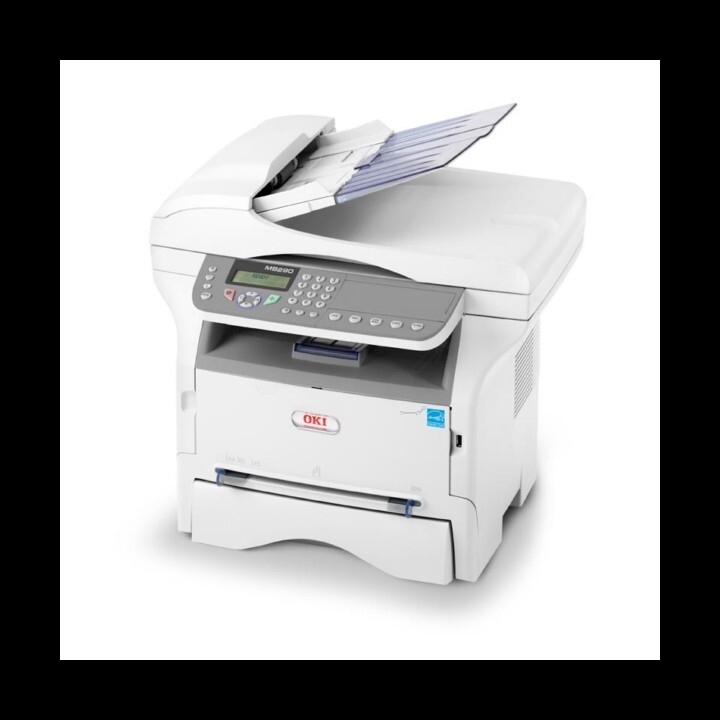
The OKI MB290 rounds out OKI's compact monochrome MFP range, giving small teams printing, copying, scanning and faxing in a single unit. It runs on the same black toner pair as its siblings: the standard 56123401, or the high-yield 56123402 stocked on this page — as a single cartridge and in multi-packs for offices that go through it quickly. One black slot serves every function the machine has.
The MB290's toner budget is really a fax budget in disguise. Scanning sends paper to a computer or an inbox without spending a drop of toner, but every received fax prints itself automatically, whether anyone is watching or not. A small team can feel virtuous about scanning everything and still be surprised by how fast the cartridge turns over — the machine is quietly printing other people's documents all day. Planning toner around that reality, rather than around your own print habits, is the trick to running this model cheaply.
Toner Cartridges for MB290
| Cartridge | Color | Page Yield |
|---|---|---|
| 56123402 | Black (high yield) | See product page |
| MB290 High Yield Black Cartridge | Black (high yield) | See product page |
| 56123402 High Yield Black 5 Pack | Black (high yield) | See product page |
| MB290 High Yield Black 5 Pack | Black (high yield) | See product page |
Which cartridge should you buy?
Match the cartridge to the workload. The high-yield 56123402 suits offices that copy and fax daily — and because fax reception prints automatically, a busy fax line can burn through a standard cartridge surprisingly fast, which is why this page leads with the high-yield option. The standard 56123401 remains a fair choice for genuinely light use: a home office that prints occasionally and receives few faxes will not feel the smaller capacity. Either way it is the same single black slot to fill, and keeping one spare cartridge in the drawer removes the only real risk this simple machine presents — running dry in the middle of an incoming fax.
Chip, toner and everyday use
The cartridge reports its level through the machine, and on an MB290 it pays to act on the low warning rather than the empty message — a printer that receives faxes cannot choose when to stop. When the swap comes, seat the new cartridge firmly until it sits home; a cartridge that is not fully in will not be read correctly. Page yield ratings are figured at about 5% coverage, a reasonable guide for letters and forms but an optimistic one for dense copies. Keep the spare sealed and stored flat at room temperature, and rotate it into service first when the current cartridge ends.
Frequently Asked Questions
Which toner does the OKI MB290 use?
Black toner in two options: the standard 56123401 and the higher-yield 56123402. As a monochrome multifunction printer it needs only this one toner type for printing, copying and printing received faxes.
Does the MB290 use toner when scanning or receiving faxes?
Scanning to a computer or email uses no toner at all. Printing, copying and printing received faxes all consume the black toner — so a busy fax line goes through cartridges faster than a scan-heavy workflow ever will.
Standard 56123401 or high-yield 56123402 for the MB290?
For daily copying and faxing, the high-yield cartridge is the economical pick: fewer changes and a lower cost per page. The standard cartridge is fine for light, occasional use. Judge by your fax and copy volume, not by your printing alone.
Does the MB290 share cartridges with the MB260 and MB280?
Yes. The 56123401 and 56123402 cartridges are interchangeable across the MB260, MB280 and MB290 family, so one spare on the shelf can cover any of the three machines.
More printers that use the same cartridges
One toner pair covers the whole compact MB family, including: MB260 MFP, MB260, MB260MFP, MB280 MFP, MB280, MB280MFP, MB290 MFP, MB290MFP.