





 See Compatible Printers
 Read more about our ink!
Kyocera-mita
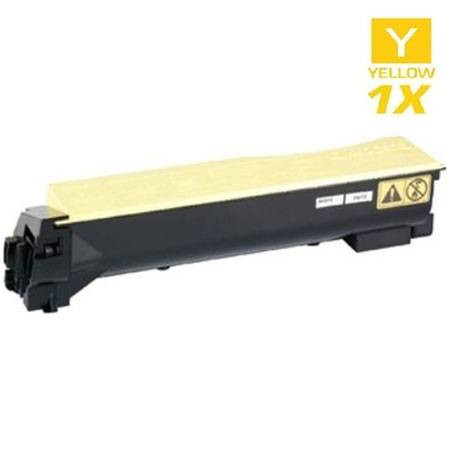
Compatible Kyocera Mita 1T02HLAUS0 (TK-542Y) Laser Toner Cartridge Yellow

Amazon Price:

- Page Yield:
- 4,000 Pages
- Availability:
- In Stock
- Shipping:
- Calculated at Checkout
- Compatible Printers
- Specifications
- SKU:
- TK-542Y
- Printer Brand:
- Kyocera-mita
- OEM Number:
- 1T02HLAUS0
- Ink Color:
- Yellow
- Page Yield:
- 4,000 Pages
- Printer Type:
- Laser Cartridge
- Condition:
- New Compatible
- Description
- Yields up to 4000 pages
- Trust compatible Kyocera Mita 1T02HLAUS0 Toner Cartridge to provide outstanding print quality for all your important photos and documents
- Unlike bargain replacement inks Kyocera Mita Toner Cartridge are designed specifically to work with Kyocera Mita printers for exceptional reliability and performance
- Packaging: Each
- Compatible with: Kyocera Mita FS: C5100 C5100N 5100DN C5100DN and C5100DNF printers
- Supply Type: Toner
- Cartridge Yield Type: Standard
- Ink/Toner Cartridge Type: Compatible
- Ink/Toner Color: Yellow
- Ink/Toner Pack Size: 1/Pack
- Reviews

/> 

Compatible Kyocera Mita 1T02HLAUS0 (TK-542Y) Laser Toner Cartridge Yellow offers vibrant print quality exceptional reliability and performance for your photos and documents.
Kyocera Mita TK-542Y Yellow toner cartridge is designed to deliver the best image quality and reliable printing. Toner cartridge is compatible with Kyocera Mita printers and yields up to 4000 pages.
Features:
Frequently Asked Questions
Yellow is barely visible on the page — how do I even know when it has run out?
Trust the printer, not your eyes. Pale yellow on white paper is nearly invisible, so the machine's supply monitor and its toner message are the real gauge. The visible clue is indirect: yellow feeds every green the printer mixes, so when greens start printing with a blue cast, the yellow cartridge is usually the one that has quietly emptied.
Which part number is the yellow cartridge in this family?
Yellow is 1T02HLAUS0, short code TK-542Y — the Y closes the code. Check it against the label on the cartridge coming out of the yellow slot. The four colors in the TK-542 family each carry a distinct part number, so this one check makes sure the yellow slot gets yellow and nothing else.
My greens have gone blue-ish. Is that really a yellow problem?
Yes — green on a color laser is cyan plus yellow. With the yellow gone, the cyan prints unopposed and greens slide toward blue, while yellows themselves go pale and washed out. If cyan's level still reads healthy, a fresh TK-542Y restores the balance; no other cartridge needs to change.
Can I swap the yellow in the middle of a print run?
Yes. Pause the job, open the printer, pull the spent yellow cartridge and slide this one in until it seats, then resume. Only the yellow slot is disturbed, the partially printed run picks up where it left off, and the colors come back into balance from the next page onward.
Is the new cartridge ready to install straight out of the box?
Almost — two small steps first. Remove all the packaging and any protective tape or strip, then rock the cartridge gently side to side a few times so the toner inside sits level. Then slide it into the yellow slot until it seats firmly. Skipping the rock is the commonest cause of a pale first page.
What cover does this cartridge carry?
The standard cover on every compatible cartridge in our store: a 1-year warranty and 1-year free returns, with the full terms on our shipping & returns page. If this yellow cartridge fails to perform, the remedy is straightforward and the unit is handled on its own.
My office prints mostly black text. Does the yellow cartridge still get used?
Only on pages that carry color. Plain black text never touches the yellow slot, but any chart, logo or shaded heading draws yellow into the mix, because yellow is one of the ingredients in greens and warm tones. That is why the 4,000-page rating for the TK-542Y assumes a normal share of color pages: a text-only office can keep one yellow cartridge working for a very long stretch, while a color-heavy one works through it steadily.
How should I keep a spare yellow cartridge ready on the shelf?
Leave it sealed in its packaging, lying flat in a dry cupboard away from sunlight and heat. Toner is a dry powder and waits patiently in a closed cartridge, so a spare bought ahead loses nothing by sitting. When its turn comes, take it out, remove the packaging and protective strip, and rock it gently side to side a few times before sliding it into the yellow slot so the toner inside starts out level.
The old yellow cartridge is out of the printer. What do I do with it?
Slip it into the bag or box the new cartridge came in so no loose toner dust escapes, and set it aside with your office recycling. Spent toner cartridges are widely accepted by recycling collection points and office supply return bins. There is no need to store it long term, and it should not go back into the printer once a fresh 1T02HLAUS0 is fitted and printing cleanly.
The box says 1T02HLAUS0 but my order notes say TK-542Y. Did I get the right cartridge?
Yes — they are two names for the same cartridge. 1T02HLAUS0 is the long part number and TK-542Y is the short code for the yellow of this family, and both refer to the single yellow unit that belongs in the yellow slot. If the cartridge in your hand carries either code and the old one coming out carries the other, you are holding the correct replacement.
About This TK-542Y Yellow Cartridge
This is the single yellow cartridge — 1T02HLAUS0 (TK-542Y), $62.84, rated at 4,000 pages — for the Kyocera FS-C5100. Yellow is the cartridge offices forget until the greens go wrong; this individual listing in our Kyocera Mita compatible range lets you replace just that slot. Orders ship from our warehouses in IL, PA, GA and CA, and our support team can confirm the code for you Monday to Friday, 9 AM to 5 PM CST.
Related Items

Kyocera-mita
Compatible Kyocera Mita 1T02NRAUS0 (TK-5142Y) Laser Toner Cartridge Yellow
/>


Kyocera-mita
Compatible Kyocera Mita 1T02KTAUS0 (TK-582Y) Laser Toner Cartridge Yellow
/>

Kyocera-mita
Compatible Kyocera Mita 1T02KVAUS0 (TK-592Y) Laser Toner Cartridge Yellow
/>

Kyocera-mita
Compatible Kyocera Mita 1T02NSAUS0 (TK-5152Y) Laser Toner Cartridge Yellow
/>