






 See Compatible Printers
 Read more about our ink!
Konica-Minolta
Compatible Konica Minolta A0V30CF Laser Toner Cartridge High Yield Magenta

Amazon Price:

- Page Yield:
- 2,500 Pages
- Availability:
- In Stock
- Shipping:
- Free Shipping
- Compatible Printers
- Specifications
- SKU:
- A0V30CF-M
- Printer Brand:
- Konica-Minolta
- OEM Number:
- A0V30CF
- Ink Color:
- High Yield Magenta
- Page Yield:
- 2,500 Pages
- Printer Type:
- Laser Cartridge
- Condition:
- New Compatible
- Description
- Yields up to 2500 pages
- Trust compatible Konica Minolta A0V30CF Toner Cartridge to provide outstanding print quality for all your important photos and documents
- Unlike bargain replacement inks Konica Minolta Toner Cartridge are designed specifically to work with Konica Minolta printers for exceptional reliability and performance
- Compatible with: Konica Minolta MagiColor: 1600 1630N 1680 1690MF series printers
- Supply Type: Toner
- Cartridge Yield Type: High Yield
- Ink/Toner Cartridge Type: Compatible
- Ink/Toner Color: Magenta
- Ink/Toner Pack Size: 1/Pack
- Reviews

/> 

Compatible Konica Minolta A0V30CF Laser Toner Cartridge High Yield in Magenta color with yielding capacity of up to 2500 pages renders consistent convenience and better value.
Konica Minolta Toner cartridge in magenta color with yielding capacity of up to 2500 pages offers an exceptional performance with Konica Minolta printers. Cartridge is designed to provide great print quality for photos and documents.
Features:
Frequently Asked Questions
Does the C in A0V30CF mean this is the cyan cartridge?
No — and it catches people out. On this cartridge family the C code, A0V30CF, is the magenta; the cyan of the family carries an H code instead. Order by the color named on the label of the cartridge in the magenta station, and that label will read A0V30CF.
What are the signs the magenta has run out?
Reds slide towards orange, skin tones in photographs turn pale and waxy, and pinks lose their depth — magenta does that work, so its absence shows there first. On the MagiColor 1600W, the test page tells the same story: a pale magenta band while the other three bands stay strong.
How long should this cartridge last?
It is the high-yield version, rated at 2,500 pages on the standard test basis. Magenta consumption tracks how much color graphics and photo work the machine does, so a marketing-heavy office empties it well ahead of a text-only one — the rating is a full-capacity figure either way, not a starter size.
Can I finish a job on a fading magenta?
For internal drafts, usually — the output stays readable, just off-color. For anything a customer will see, swap first: a two-minute change is cheaper than reprinting a run. If the fade came on suddenly, rocking the old cartridge gently from side to side can level the remaining toner for a few last pages.
Is the changeover a service job?
Not at all. Front cover open, old cartridge out by its handle, protective packaging off the new A0V30CF, slide it into the magenta station until it seats, cover closed. Run one color test page afterwards to confirm the reds are red again.
What if the new cartridge misbehaves?
It carries a 1-year warranty and 1-year free returns. Support is staffed Monday through Friday, 9 AM to 5 PM CST, and a unit that arrives faulty or fails early is covered without return-shipping costs.
Why keep a spare magenta rather than ordering when the fade shows?
Because magenta fade is the kind customers notice: reds go orange and faces turn waxy on anything printed for outside eyes. With a spare A0V30CF on the shelf, that discovery costs a two-minute change. Without one, the choice is reprinting later or shipping work that looks wrong while a delivery makes its way to you.
How do I confirm the new magenta has actually fixed the colors?
Reprint a page you know well — the document or photograph where the reds first looked wrong — and compare it against what came off before the change. Reds should sit back on red and skin tones should warm up. The machine's test page backs that up: a solid, even magenta band beside the other three confirms the A0V30CF is seated and feeding properly.
How should a spare magenta cartridge be stored?
Sealed in its carton, flat, in a cool dry place out of direct sunlight. Stored that way the toner inside stays evenly distributed and the cartridge keeps its full working life in reserve. Write the color on the carton end if it shares a shelf with its station-mates — on this family the C code means magenta, which is exactly the detail people get wrong in a hurry.
What should happen to the old magenta cartridge?
Keep it for a few days, in the new cartridge's carton, until the replacement has proven itself on real work — it makes any support conversation straightforward if the problem turns out not to be the cartridge after all. After that, send it through your local route for spent toner cartridges. A unit that failed early, rather than emptying, is covered by the 1-year warranty and 1-year free returns.
About This Konica Minolta A0V30CF Magenta Cartridge
The A0V30CF listed here, at $61.33, is the high-yield magenta cartridge for the MagiColor 1600W, MagiColor 1650EN and MagiColor 1680MF — the C-coded member of the family, despite what the letter suggests. Rated at 2,500 pages, it ships from warehouses in IL, PA, GA and CA; our shipping & returns page covers delivery and returns, and its three station-mates are in the Konica Minolta range.
Related Items

Konica-Minolta
Compatible Konica Minolta Laser Toner Cartridges High Yield 4 Color Set (A0V301F/ A0V30HF/ A0V30CF/ A0V306F)
/>

Konica-Minolta
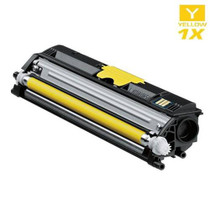
Compatible Konica Minolta A0V306F Laser Toner Cartridge High Yield Yellow
/>

Konica-Minolta
Compatible Konica Minolta A0X5130 Laser Toner Cartridge High Yield Black
/>

Konica-Minolta
Compatible Konica Minolta A0V30HF Laser Toner Cartridge High Yield Cyan
/>