




MagiColor 1680
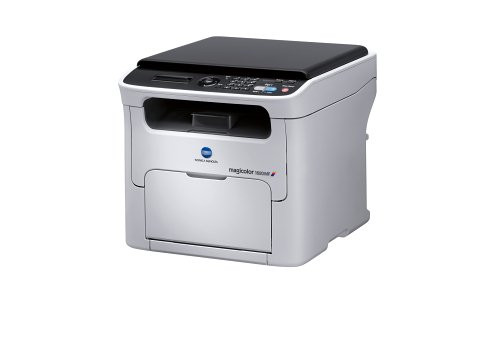
Strip away the copy, scan and fax hardware of its MF twin and you have the MagiColor 1680: a printer-only color laser with a simpler job and the same A0V3 appetite. Its high-capacity supplies are A0V301F in black — a roughly 2,500-page cartridge — plus A0V306F yellow, A0V30CF magenta and A0V30HF cyan. Standard-yield alternatives (A0V305F, A0V30AF, A0V30GF and their kin) cover the same slots for offices that print color only now and then.
Printer-only machines have a quiet virtue: nothing about them is shared, scheduled or fought over. The 1680 typically serves one desk or one small team, printing what its owners print, and its toner story is correspondingly personal. Because there is no scanner bed inviting walk-up copying, its consumption follows documents alone — which makes its cartridge needs the easiest in the 16xx line to forecast and the hardest to get wrong.
Toner Cartridges for MagiColor 1680
| Cartridge | Color | Page Yield |
|---|---|---|
| A0V301F | Black | Approx. 2,500 pages |
| A0V306F | Yellow | See product page |
| A0V30CF | Magenta | See product page |
| A0V30HF | Cyan | See product page |
| A0V301F / A0V306F / A0V30CF / A0V30HF 4 Color Set | Black + 3 Colors | See product page |
| MagiColor 1680 High Yield 4 Color Set | Black + 3 Colors | See product page |
| MagiColor 1680 Premium Quality 4 Color Set | Black + 3 Colors | See product page |
Which cartridge should you buy?
Forecast from your own paper trail. If the 1680 prints daily, the high-capacity set pays for itself in fewer interruptions: the A0V301F black at about 2,500 pages, with the high-capacity colors behind it. If the printer's color work is occasional — the odd presentation, a monthly newsletter — standard colors keep less cash parked in the drawer while black still deserves the big cartridge, since text never takes a holiday. The bundled 4-color sets suit a full refresh when several slots run down together; otherwise the slots are independent and each color should be changed only when its own supply gives out.
Chip, toner and everyday use
Weak, grayish black on the 1680 is worth a settings check before it is worth a cartridge: a toner-save or draft mode lightens output deliberately, and many "failing cartridge" stories end there. With settings normal, persistent gray means the A0V301F is genuinely low. Each A0V3 cartridge is chipped for level reporting, so the panel tells you which color is next. Before a swap, rock the new cartridge gently end to end; after it, run the old one to your recycling point. Compatible cartridges from us are covered by a 1-year warranty with 1-year returns.
Frequently Asked Questions
Can I carry leftover MagiColor 1600 cartridges over to the 1680?
Yes — the 1680 feeds from the same A0V family as the 1600, black A0V301F included. An upgrade from the older machine strands nothing on your shelf.
My 1680 prints grayish blacks. Is the black cartridge dying?
Possibly, but check the driver first: toner-save and draft modes deliberately print light. If the settings are at full quality and output stays gray, the A0V301F is low and due for replacement.
Two colors show low at the same time. Replace both, or one at a time?
Both, if the cartridges are already in the building — two swaps in one session beats two interruptions. But a color still showing healthy levels should never be retired just to make the set match; each A0V slot runs on its own clock.
More printers that use the same cartridges
Every model on the 16xx shelf below shares the 1680's A0V3 supplies: MagiColor 1600, MagiColor 1600W, MagiColor 1630, MagiColor 1630N, MagiColor 1650, MagiColor 1650EN, MagiColor 1680MF, MagiColor 1690, MagiColor 1690MF.