






 See Compatible Printers
 Read more about our ink!
Konica-Minolta
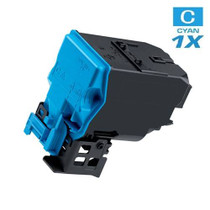
Compatible Konica Minolta A0V30HF Laser Toner Cartridge High Yield Cyan

Amazon Price:

- Page Yield:
- 2,500 Pages
- Availability:
- In Stock
- Shipping:
- Free Shipping
- Compatible Printers
- Specifications
- SKU:
- A0V30HF-C
- Printer Brand:
- Konica-Minolta
- OEM Number:
- A0V30HF
- Ink Color:
- High Yield Cyan
- Page Yield:
- 2,500 Pages
- Printer Type:
- Laser Cartridge
- Condition:
- New Compatible
- Description
- Yields up to 2500 pages
- Trust compatible Konica Minolta A0V30HF Toner Cartridge to provide outstanding print quality for all your important photos and documents
- Unlike bargain replacement inks Konica Minolta Toner Cartridge are designed specifically to work with Konica Minolta printers for exceptional reliability and performance
- Compatible with: Konica Minolta MagiColor: 1600 1630N 1680 1690MF series printers
- Supply Type: Toner
- Cartridge Yield Type: High Yield
- Ink/Toner Cartridge Type: Compatible
- Ink/Toner Color: Cyan
- Ink/Toner Pack Size: 1/Pack
- Reviews

/> 

Compatible Konica Minolta A0V30HF Laser Toner Cartridge High Yield in Cyan color with yielding capacity of up to 2500 pages renders consistent convenience and better value.
Konica Minolta Toner cartridge in cyan color with yielding capacity of up to 2500 pages offers an exceptional performance with Konica Minolta printers. Cartridge is designed to provide great print quality for photos and documents.
Features:
Frequently Asked Questions
Which color is the A0V30HF cartridge?
Cyan. The H ending is this family's marker for cyan — the codes on these cartridges were not assigned by color initial, so the H code is cyan, the C code is magenta and the 6 code is yellow. The A0V30HF on this page is the cartridge for the cyan station.
How do I confirm it is the right one before I order?
Read the label on the cartridge sitting in the cyan slot of your MagiColor 1600W — it will show A0V30HF. The same code also serves the MagiColor 1650EN and MagiColor 1680MF, so any of those machines takes this cartridge in its cyan station.
What does a dying cyan look like on the page?
Blues wash out towards gray, skies in photographs go flat, and blue headings lose their depth while greens drift yellow. Cyan does the heavy lifting in most business graphics, so its fade is often the first color problem an office notices on this range.
Is this the full-capacity cyan?
Yes — the high-yield build, rated at 2,500 pages on the standard test basis. That is the complete capacity for this station, well beyond the small starter cartridge a brand-new printer ships with.
Should the other cartridges come out with it?
No need. The stations are independent; changing the cyan alone takes a couple of minutes through the front cover, and the other cartridges stay exactly where they are until their own warnings appear.
What protection comes with it?
A 1-year warranty and 1-year free returns, with support available Monday through Friday, 9 AM to 5 PM CST. If the cartridge arrives faulty or fails early in its life, it is covered.
While the cover is open to change the cyan, is it worth checking the other stations?
Yes — it is the cheapest inspection you will ever do. Glance at the other three cartridges and note which one looks next in line, so its replacement can be ordered calmly rather than in a rush. Cyan fades gradually on this range, and the same slow pattern applies to its station-mates; a ten-second look while the A0V30HF goes in keeps the next change from arriving as a surprise.
When should I order the next cyan cartridge?
At the first persistent low-toner warning, not when the blues have visibly washed out. By the time cyan fade is obvious on the page, the office has usually been printing weakened graphics for a while without noticing — the change creeps in that quietly. Order on the warning and the new A0V30HF is on the shelf before the quality argument starts.
How should a spare cyan be stored until it is needed?
In its sealed carton, lying flat, in a cool, dry spot away from sunlight and heat sources. Nothing needs doing to it while it waits — toner is a dry powder and keeps its condition in the carton. When its turn comes, fit the A0V30HF exactly as the old cartridge came out and run one test page to watch the cyan band print solid.
What do I do with the spent cyan cartridge?
Slide it into the carton the new cartridge arrived in so it stays contained, and keep it until the replacement has printed a few clean color pages. Then follow your local disposal or recycling route for toner cartridges. If the spent unit actually failed early instead of running its full course, contact support before letting it go — the 1-year warranty and 1-year free returns cover it.
About This Konica Minolta A0V30HF Cyan Cartridge
At $61.33, the A0V30HF is the high-yield cyan cartridge for the MagiColor 1600W, MagiColor 1650EN and MagiColor 1680MF, rated at 2,500 pages — the H-coded member of a family whose letters famously do not match their colors. Orders leave our warehouses in IL, PA, GA and CA; delivery and returns details are on our shipping & returns page, and the black and remaining colors are listed in the Konica Minolta section.
Related Items
Konica-Minolta
Compatible Konica Minolta A0X5430 Laser Toner Cartridge High Yield Cyan
/>


Konica-Minolta
Compatible Konica Minolta Laser Toner Cartridges High Yield 4 Color Set (A0V301F/ A0V30HF/ A0V30CF/ A0V306F)
/>

Konica-Minolta
Compatible Konica Minolta A0V301F Laser Toner Cartridge High Yield Black
/>

Konica-Minolta
Compatible Konica Minolta A0V30CF Laser Toner Cartridge High Yield Magenta
/>