




MagiColor 1650EN
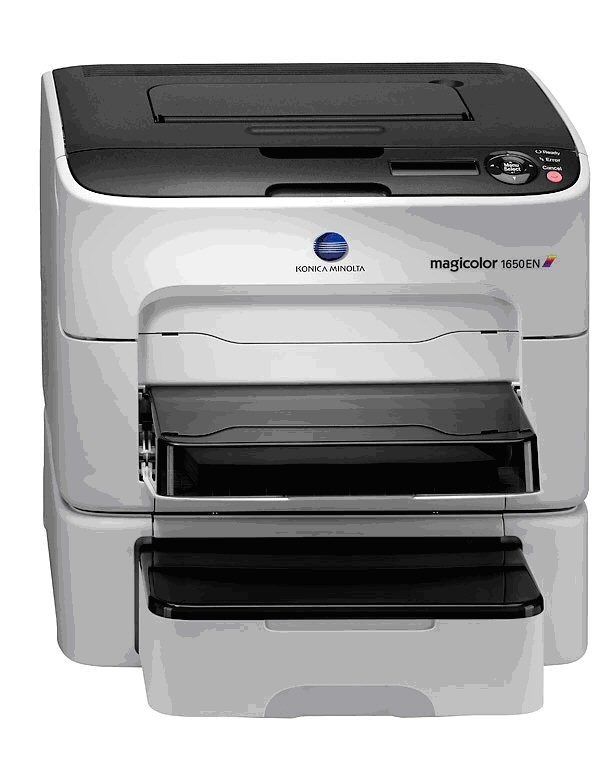
The EN suffix marks the MagiColor 1650EN as the networked, upgraded 1650 — Ethernet built in for shared color printing. OEM docs name it directly in the 16xx shared toner family, so cartridge choice is certain: the A0V3 set, high-capacity blacks and colors or standard-yield colors. Our compatible A0V3 cartridges (A0V301F/A0V306F/A0V30CF/A0V30HF and standards) keep shared color printing affordable.
Toner Cartridges for Konica Minolta MagiColor 1650EN
This printer works with the following toner cartridges:
- Konica Minolta A0V301F
- Konica Minolta A0V305F
- Konica Minolta A0V306F
- Konica Minolta A0V30AF
- Konica Minolta A0V30CF
- Konica Minolta A0V30GF
- Konica Minolta A0V30HF
Frequently Asked Questions
We are adding a 1650EN to an office that already runs a 1650 - can both share one toner shelf?
Yes - the 1650EN uses the identical A0V301F black and the same standard/high-capacity color cartridges as the 1650. The EN suffix only adds a wired network port, so one shared stock covers both printers.
Our 1650EN serves a small workgroup - which cartridge sizes make sense?
A shared machine burns through color faster, so high-capacity A0V306F yellow, A0V30CF magenta and A0V30HF cyan usually pay off. Black A0V301F is already high-capacity at around 2,500 pages, so just keep a spare black on hand.
The 1650EN prints a test page with missing yellow sections - what should I check?
A missing color almost always traces to its cartridge - yellow here means the A0V305F or A0V306F. Remove it, make sure the sealing tape was fully pulled, shake gently, and reinstall. If yellow is still absent, the cartridge is spent or defective.