Frequently Asked Questions
My text is coming out gray and washed out. Is the black cartridge the cause?
Very likely, if the machine is a MagiColor 4750DN. Pale, gray-looking text while color graphics still print with strength is the classic sign of an exhausted black cartridge, and A0X5130 is the black code for this machine. A test page confirms it: a weak black band beside healthy color bands means the black station is the one to change.
How do I make sure A0X5130 is the code I need?
Open the front cover and read the label on the cartridge sitting in the black station — it will carry the A0X5130 code. Match that code to this page before ordering and there is no guesswork involved.
What does high yield mean on this cartridge?
It marks out the full-capacity build, rated at 6,000 pages on the standard test basis — not one of the reduced starter cartridges a new printer ships with. In a text-heavy office that rating stretches across a long run of everyday documents; heavy coverage shortens it, as it does on any cartridge.
Can I squeeze a few more pages out of the old cartridge first?
Often, briefly. Lift the old unit out, rock it gently from side to side to redistribute the toner settled at the bottom, and put it back. That buys a short reprieve at best — if the gray returns within a few pages, the cartridge is genuinely empty and the new one goes in.
How long does the swap itself take?
A couple of minutes, with no tools. Cover open, old cartridge out, packaging and seal off the new A0X5130, slide it in until it seats, cover closed. Print a test page and check the text is deep black again before you run a real document through.
What if the new cartridge prints poorly from the start?
It is covered by a 1-year warranty and 1-year free returns, so a cartridge that arrives faulty or fails early goes back at no cost to you. Support runs Monday through Friday, 9 AM to 5 PM CST if you would rather talk the symptoms through first.
How should a spare black for the 4750DN be stored?
Sealed in its carton, flat, in a cool dry cupboard out of direct sunlight. Toner keeps its condition in the packaging for a long shelf period, so a spare bought with the machine's last change is ready months later. When you fit it, a gentle side-to-side rock first levels the toner that settled in storage, and the A0X5130 seats exactly where the old cartridge sat.
The gray text is streaky in one band rather than evenly pale — what does that suggest?
A single streaky band usually means the remaining toner has settled unevenly rather than run out completely. Lift the cartridge out, rock it gently side to side, reseat it firmly and print the test page again. If the band clears, the A0X5130 is simply near its end and the replacement should be ordered; if the same band survives a fresh cartridge, the machine itself deserves a look.
Why does the black station deserve a spare more than the colors do?
Because black carries nearly all of the 4750DN's everyday workload — letters, invoices, reports — while the colors idle through much of the week. An empty color is an inconvenience for the next graphics job; an empty black stops the ordinary documents the office runs on. A shelf spare of A0X5130 is therefore the one cartridge whose absence is felt immediately.
When should the next black cartridge be ordered?
On the first low-toner warning, or the day the shelf spare is fitted — whichever comes first. At a 6,000-page rating, changes are rare enough that warnings get acknowledged and forgotten, and the hard stop then arrives weeks later in the middle of a document run. Ordering while a full A0X5130 is still in the machine keeps the gap from ever opening.
About This Konica Minolta A0X5130 Black Cartridge
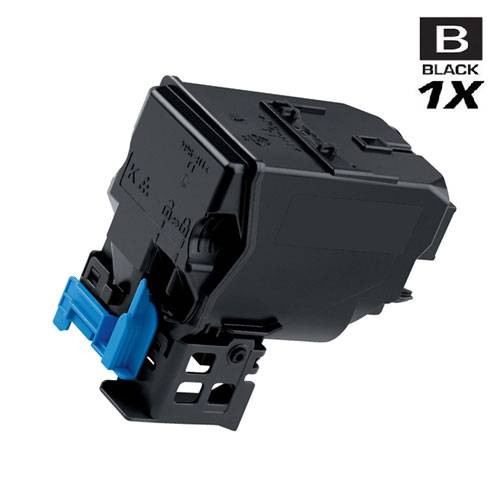
The A0X5130 on this page, at $55.76, is the single high-yield black cartridge for the MagiColor 4750DN — the station that carries nearly all of the machine's text workload, rated at 6,000 pages. Orders ship from warehouses in IL, PA, GA and CA; delivery and returns are detailed on our shipping & returns page, and the rest of the range for this machine sits in the Konica Minolta section of the site.






 See Compatible Printers
 Read more about our ink!