





 See Compatible Printers
 Read more about our ink!
Hewlett Packard
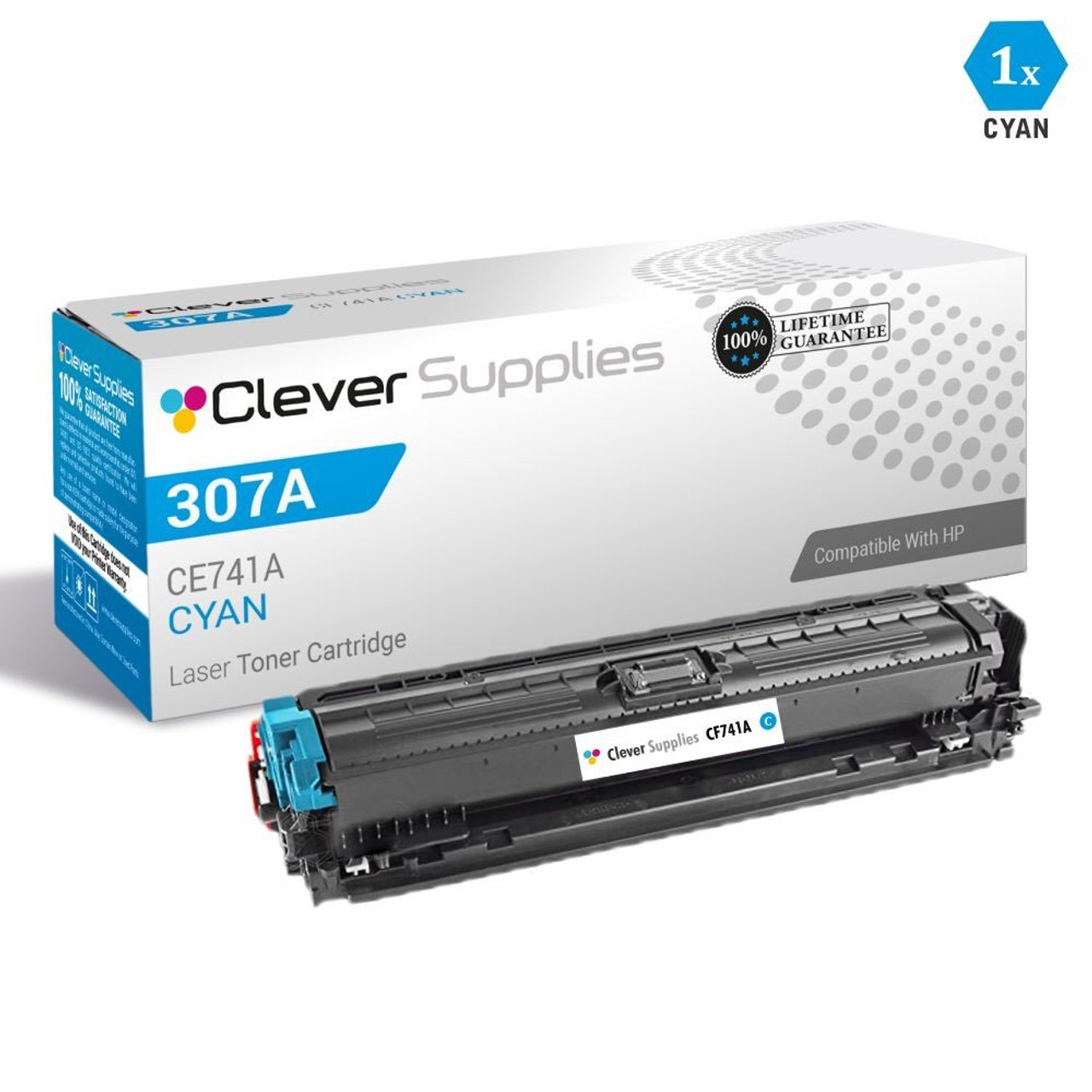
CS Compatible Replacement for HP CE741A Toner Cartridge Cyan/ HP 307A Toner

Amazon Price:

- Page Yield:
- 7,300 Pages
- Availability:
- In Stock
- Shipping:
- Free Shipping
- Compatible Printers
- Color LaserJet CP5225
- Color LaserJet CP5225dn
- Color LaserJet CP5225n
- LaserJet CP5225
- LaserJet CP5225dn
- LaserJet CP5225n
- LaserJet Pro CP5225
- LaserJet Pro CP5225dn
- LaserJet Pro CP5225ni>
- Color CP5200
- Color CP5225n
- Color LaserJet CP5200
- Color LaserJet CP5220
- Color LaserJet Professional CP5200
- Color LaserJet Professional CP5220
- Color LaserJet Professional CP5225DN
- Color LaserJet Professional CP5225N
- Color Professional CP5200
- Color Professional CP5220
- Color Professional CP5225
- Color Professional CP5225dn
- Color Professional CP5225n
- HP 307A
- Specifications
- SKU:
- HEWCE741A-COM
- Printer Brand:
- Hewlett Packard
- OEM Number:
- CE741A
- Ink Color:
- Cyan
- Page Yield:
- 7,300 Pages
- Printer Type:
- Laser Cartridge
- Condition:
- New Compatible
- Description
- Yields up to 7300 pages
- Manufactured specifically for HP printers Compatible HP toner cartridges offer fast hassle-free printing
- HP 307A (CE741A) Cyan toner cartridges deliver consistent yields and provide high-quality results
- Streamline your printing needs with the time-saving reliability of Compatible HP LaserJet toner cartridges
- Produce standout marketing financial design and engineering documents using Compatible HP cartridges with HP colorsphere toner
- Packaging: Each
- Compatible with: HP Color LaserJet CP5220 CP5225 CP5225n CP5225dn HP Color LaserJet Professional CP5200 CP5220 CP5225 CP5225dn
- Cartridge yield type: Standard
- Print technology: Laser
- Get consistent print shop-quality results on a wide range of laser papers designed for professional office printing
- Keep printing costs low while maintaining productivity
- HP color LaserJet toner cartridges deliver consistent uninterrupted printing
- Cartridges are designed for exceptional reliability
- Easily track toner usage and reorder thanks to intelligence built into HP cartridges
- Manufactured specifically for HP printers Compatible HP toner cartridges offer fast hassle-free printing
- Toner cartridges deliver consistent yields and provide high-quality results
- Streamline your printing needs with the time-saving reliability of Compatible HP LaserJet toner cartridges
- Operating temperature range: 50 - 86 deg F storage temperature range: -4 - 104 deg F operating humidity range: 20 - 80% RH storage humidity range: 10 - 80% RH
- Includes: Toner cartridge Recycling guide
- Warranty: Warranted to be free from defects in materials and workmanship
- Reviews

/> 

Compatible HP 307A (CE741A) Cyan toner cartridges produce superior quality and consistency for a wide array of printing needs
HP 307A (CE741A) Cyan toner cartridge features latest laser print technology and provides fast reliable high-quality prints. Cartridge is compatible with HP Color LaserJet CP5220 CP5225 CP5225n CP5225dn HP Color LaserJet Professional CP5200 CP5220 CP5225 CP5225dn etc printers and yields up to 7300 pages. Every configuration this family is sold in — the four-color set, the tri-color set, the colors-only six set, the five- and eight-cartridge sets, all four singles and the three black multi-packs — is compared side by side in our Best HP 307A (CE740–CE743) Toner Cartridges guide.
Features:
Frequently Asked Questions
Which cartridge is this, exactly?
This is the cyan member of HP's 307A family, sold under its specific part number CE741A. If your printer's supply status lists a 307A cyan, the CE741A is the cartridge it is asking for — the family name and the part number describe the same supply from two directions.
Our skies and company blues have gone pale while text still looks fine. Is cyan the culprit?
Very likely, yes. Cyan does the heavy lifting in blues, teals and sky tones, and it is usually the first color to fade when its level runs low. Black text can look perfect on the same page because the black cartridge is a separate supply. Replacing this cyan cartridge restores the blue range without touching anything else.
What does the 7,300-page yield actually mean for us?
It is the rated life of this single cyan cartridge at standard coverage — roughly 7,300 pages before it runs dry. Offices that print mostly text with a color logo will stretch it much further, because a small logo sips cyan; a shop printing full-color flyers all day will use it faster. Either way, it is a high-capacity cartridge, not a starter size.
Do I have to change the other colors at the same time?
No. Each color in this printer is its own cartridge with its own level, and you replace only the one that is empty. Swapping the cyan alone will not disturb the yellow, magenta or black cartridges, and the printer resumes with the levels it already had in the others.
How should I store a spare before I need it?
Keep it sealed in its box, flat, at normal room temperature and out of direct sunlight. Toner does not dry out the way ink does, so a spare bought ahead of time is still fully usable months later — that is exactly why many offices keep one cyan on the shelf next to the printer.
What protection comes with this cartridge?
Every cartridge is covered by a 1-year warranty and 1-year free returns, so a unit that misbehaves is replaced or refunded without a fight. Orders ship from our warehouses in IL, PA, GA and CA, and our support team is available Monday–Friday, 9 AM–5 PM CST if you want a hand confirming you ordered the right color.
How can we confirm the cyan is really the low one before ordering?
Check the printer's supply status, which reports the cyan separately from the other colors. If it names the 307A cyan — the CE741A — as the low position, the pale blues have a confirmed cause and this cartridge is the fix. The check takes a minute and is worth it: replacing a healthy color because a page looked wrong wastes a cartridge that still had work in it.
What should we look at to judge the new cyan?
Print something with real blue in it — a sky photograph, a page of company charts — rather than a text document. Text barely uses cyan, so it can look perfect whether the CE741A is fresh or finished. On a blue-heavy page the difference is unmistakable: skies and brand blues come back to their proper depth, and any remaining weakness points away from the cyan position.
If blues are still pale with the new cartridge in, what then?
First, reseat the CE741A — lift it out and slide it back until it is firmly home, then print the same blue-heavy page again. If the blues stay pale with a fresh, well-seated cartridge, the cause sits elsewhere in the printer rather than in this supply, and that is the point to involve support rather than order another cartridge.
What do we do with the old cyan cartridge?
Put it in the new cartridge's box and send it out through your usual cartridge recycling route. If anyone in the office reorders from the empty, note CE741A from its label first — the code on the spent cartridge is the surest specification for its replacement, and it keeps cyan from being confused with the family's other colors next time.
About This Cyan Cartridge
At $85.00, this compatible CE741A is the straightforward way to keep a Color LaserJet CP5225 printing honest blues again. It is built to the 307A specification, installs in the same slot as the original, and is sold by Clever Supplies as a single cartridge — order one when the blue runs low, or keep a spare ready. Shipping and return details are on our shipping & returns page.
Related Items


Hewlett Packard
CS Compatible Replacement for HP 307A Toner Cartridges Cyan (CE741A)
/>



Hewlett Packard
CS Compatible Replacement for HP CP5220 Toner Cartridges Cyan (CE741A)
/>


Hewlett Packard
CS Compatible Replacement for HP CP5225dn Toner Cartridges Cyan (CE741A)
/>


Hewlett Packard
CS Compatible Replacement for HP CP5200 Toner Cartridges Cyan (CE741A)
/>