




Color Professional CP5220
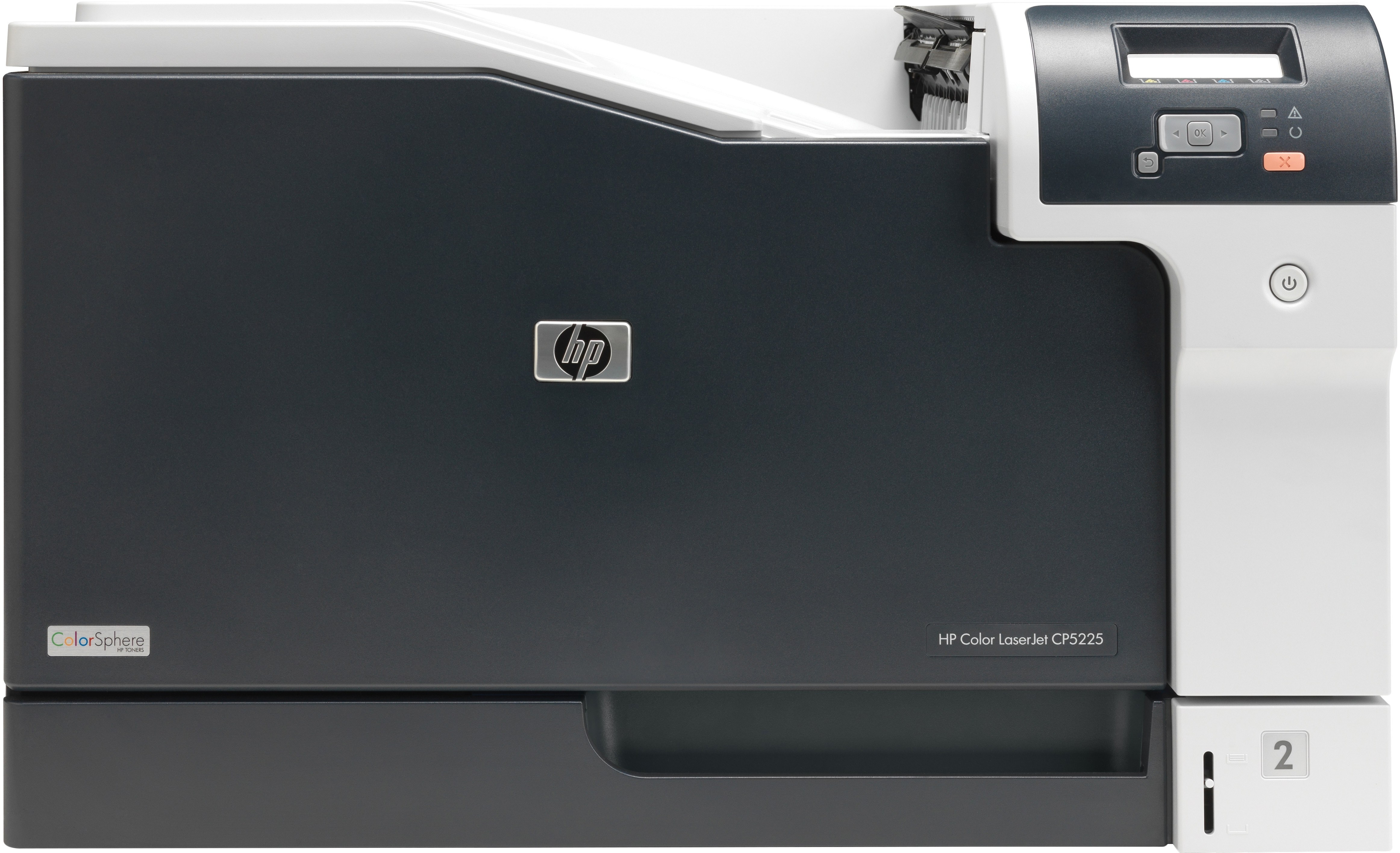
Offices that outgrew letter-size color printing are who the Color Professional CP5220 was built for: a wide-format color LaserJet that puts oversized spreadsheets, posters and proofs on the same machine as everyday documents. Its supply is the HP 307A set — CE740A black, CE741A cyan, CE742A yellow and the CE743A magenta. The one cartridge stocked on this page is that magenta CE743A in compatible form; the rest of the set is documented here for reference but is not listed on this page.
The CP5220's working life revolves around size. A budget model that will not fit on a letter page, a poster proof a client needs to see at full scale, a spreadsheet with too many columns — those are the jobs that justify the machine, and they lean hard on the color cartridges. Magenta in particular carries charts, highlights and brand colors, which is why this page exists for the magenta slot on its own.
Toner Cartridges for Color Professional CP5220
| Cartridge | Color | Page Yield |
|---|---|---|
| CE743A | Magenta | See product page |
Which cartridge should you buy?
Buying for the CP5220 is slot-by-slot thinking. The four 307A cartridges deplete at different rates depending on what you print: text-heavy months drain the black, presentation-heavy months drain the colors. There is no bundle decision forced on you here — this page stocks the compatible magenta CE743A only, covered by a 1-year warranty and 1-year returns, and the sensible pattern is to keep that single spare ready for the week a big color job lands. Never force a cartridge from another HP family into the machine; if the code is not one of the four 307A codes, it does not belong in a CP5220.
Chip, toner and everyday use
Each cartridge carries a chip the CP5220 uses to track its level, and the supplies display reports the four slots separately — trust it over guesswork when deciding what to order. When you change one, keep the printer powered, slide the old cartridge out by its handle, and push the new one in until it seats with a click. Store the waiting spare flat, sealed and away from heat. Toner that has settled in a long-installed cartridge can print light for the first pages; a gentle side-to-side rock usually evens it out.
Frequently Asked Questions
What is the full cartridge set for the Color Professional CP5220?
Four HP 307A cartridges: CE740A black, CE741A cyan, CE742A yellow and CE743A magenta. This page stocks the magenta CE743A; the other three codes are part of the same set but are not listed here.
Why does this page list only the magenta cartridge?
Because that is the slot this listing covers. The CE743A above is the CP5220's magenta cartridge, sold on its own so you replace the color that actually ran out instead of buying a whole set.
Can I keep a spare CE743A on the shelf for the CP5220?
Yes — an unopened cartridge stores well. Leave it in its sealed packaging, upright in a cool, dry spot out of sunlight, and open it only when the CP5220 reports the magenta slot low.
My CP5220 shows streaks in one color only. Is the printer failing?
Almost never. A single-color streak follows the cartridge for that color. Rock it gently to redistribute the toner, run a few pages, and replace only that cartridge if the streak persists.
More printers that use the same cartridges
The models below share the CP5220's HP 307A supply, so this magenta cartridge fits across the family:
HP 307A, Color Professional CP5225n, Color Professional CP5225dn, Color Professional CP5225, Color Professional CP5200, Color LaserJet Professional CP5225N, Color LaserJet Professional CP5225DN, Color LaserJet Professional CP5220, Color LaserJet Professional CP5200, Color LaserJet CP5225N, Color LaserJet CP5225DN, Color LaserJet CP5225, Color LaserJet CP5220, Color LaserJet CP5200, Color CP5225n, Color CP5200.
SELECT YOUR PRINTER FAMILY TO SHOP Color Professional CP5220 PRODUCTS
There are no products listed under this category.