




LaserJet M806
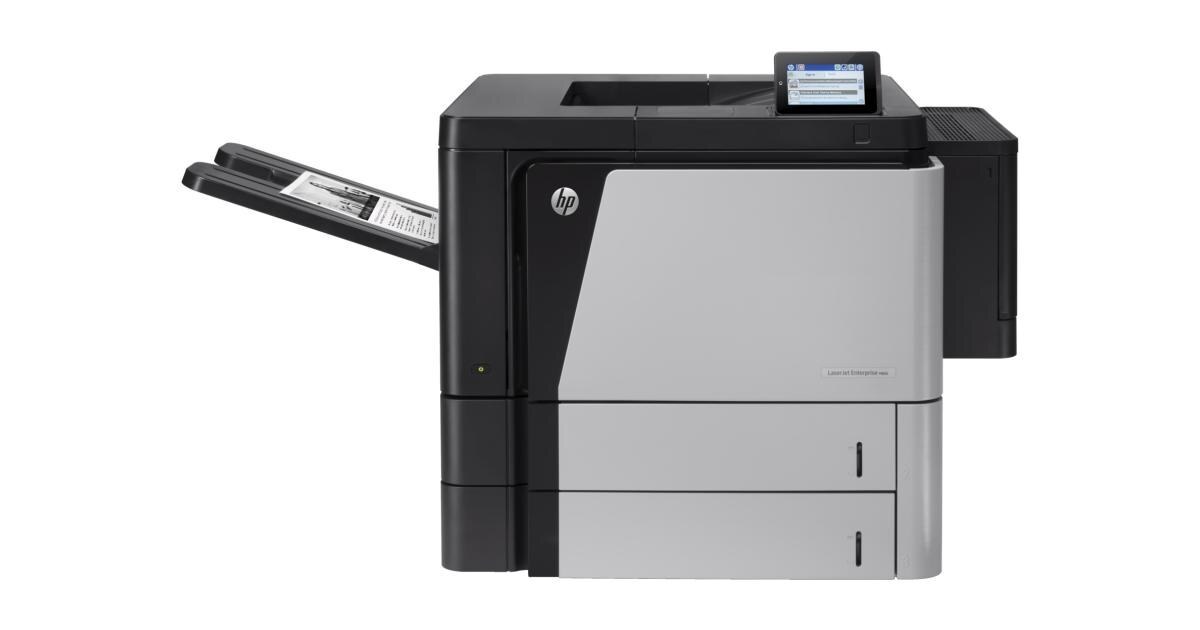
Ask a department that has run a LaserJet M806 for years why the machine is still there and the answer tends to be contented boredom: an early-2010s mono single-function printer with none of the fragility of newer designs, turning out high-volume work with minimal fuss. Its supply list could hardly be shorter — one cartridge, the high-yield CF325X, HP's 25X, in black and nothing else.
Machines like this were bought once and then forgotten about, which is precisely their virtue. There is no color hardware to maintain, no second or third cartridge code to keep straight, and no settings menu standing between a department and its output. The M806's whole operating contract is that a fresh cartridge goes in occasionally and several thousand pages come out. When a printer's reputation is 'it just runs,' supply simplicity is a large part of how it earned that reputation.
Toner Cartridges for LaserJet M806
| Cartridge | Color | Page Yield |
|---|---|---|
| CF325X High Yield Black 4 Pack | Black | See product page |
| CF325X High Yield Black 8 Pack | Black | See product page |
| CF325X High Yield Black | Black | See product page |
| CF325X High Yield Black MICR | Black | See product page |
| CF325X Premium Quality High Yield Black 4 Pack | Black | See product page |
Which cartridge should you buy?
With a single cartridge code, the buying decision on this page is about builds and box sizes rather than about which cartridge fits. The plain single is the straightforward replacement. The four- and eight-cartridge boxes exist for departments that treat downtime as the real cost: a spare already in the building turns a toner change into a two-minute job instead of a purchase order. The premium build is the same code in a premium-quality construction, and the MICR build is the specialist of the shelf — its toner is magnetically readable for check printing, so keep it for that work rather than treating it as an upgrade for ordinary documents.
Chip, toner and everyday use
The M806 judges its cartridge by the chip it reads at installation: power the machine down and back up if a new unit is ever ignored, and reseat the cartridge firmly so its contacts meet the reader — and confirm the pull tab and every seal actually came off, because leftover tape is the most common reason a fresh cartridge is overlooked. Toner warnings on this machine are estimates from page counts rather than a measurement of what is left, so plan around them: when the display says low, the sensible move is to have the spare ready and swap when print visibly fades.
Frequently Asked Questions
What toner does the LaserJet M806 take?
A single code: CF325X. Order by that code exactly — cartridges built for other HP families will not fit this machine or be recognized by it, and the M806 uses no other supply of any kind.
The printer does not recognize the new cartridge. What should I check?
Reseat the CF325X firmly, then power the M806 off and on so it rescans the cartridge bay. If it is still ignored, pull the cartridge and look for the usual culprit: a strip of sealing tape or a protective cover that never came off during unpacking.
What does the toner-low message actually mean?
It means the estimate is getting close, not that the cartridge is empty. The M806 counts pages rather than weighing toner, so the warning is a cue to stage the spare, not to stop printing. Swap when the output itself begins to fade.
Is there a standard-yield cartridge for the M806?
No — this family is high-yield by design, which suits a machine bought for volume. Every listing on this page is the same CF325X code; the choice between them is box size and build, not capacity tiers.
More printers that use the same cartridges
Nineteen models share this one cartridge, which is why a spare is never wasted in a mixed fleet: HP CF325X, LaserJet Enterprise M806, LaserJet Enterprise M806DN, LaserJet Enterprise M806X, LaserJet Enterprise M806X+, LaserJet Enterprise M806X+ NFC, LaserJet Enterprise M806Z, LaserJet Enterprise M830Z, LaserJet Enterprise MFP Flow M830, LaserJet Enterprise MFP Flow M830Z, LaserJet Enterprise MFP Flow M830Z NFC, LaserJet Enterprise flow M830, LaserJet Enterprise flow M830Z, LaserJet M806DN, LaserJet M806X, LaserJet M806X+, LaserJet M806X+NFC, LaserJet M806Z, LaserJet MFP Flow M830.