




LaserJet Enterprise MFP Flow M830Z NFC
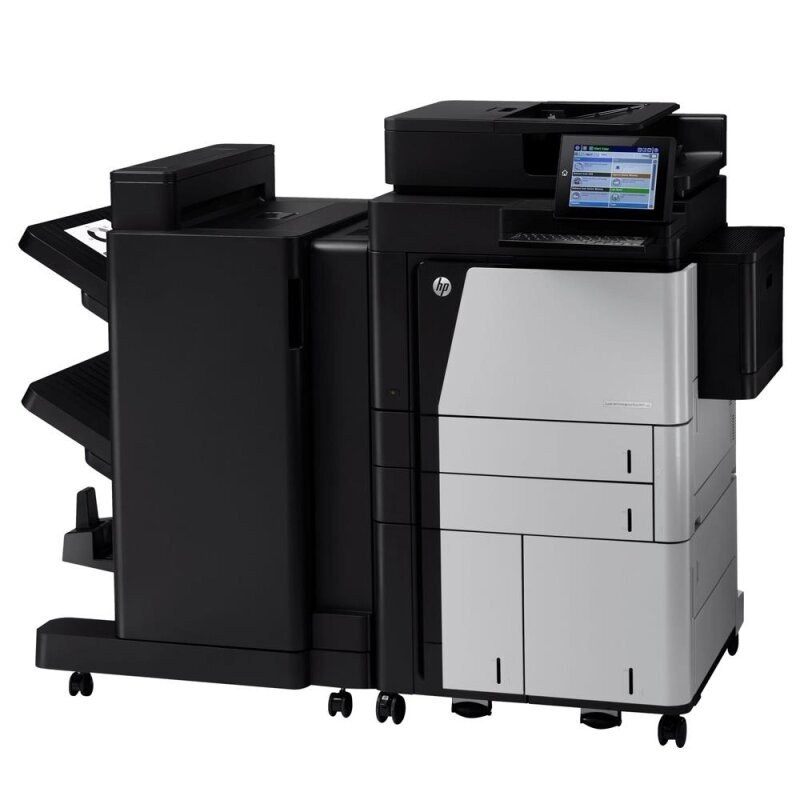
The LaserJet Enterprise MFP Flow M830Z NFC is the NFC-badged configuration of HP's early-2010s departmental mono multifunction — a machine designed around one idea: high-volume departmental printing without drama. Its toner story is the family story. Everything printed or copied runs on the high-yield CF325X, the 25X cartridge it shares with eighteen other models, and this page carries the single, the MICR version and packs of four and eight.
Machines this size stay in service for a reason: the work they do has not gone away. The NFC variant sits where walk-up traffic is heaviest — ad-hoc copying, quick scans, the report someone needs before a meeting — which makes its printing volume the least predictable in the building. Unpredictable volume is an argument for depth of stock: a department that cannot forecast next week's pages should not be one cartridge away from empty.
Toner Cartridges for LaserJet Enterprise MFP Flow M830Z NFC
| Cartridge | Color | Page Yield |
|---|---|---|
| CF325X 8 Pack | Black | See product page |
| CF325X 4 Pack | Black | See product page |
| CF325X Premium 4 Pack | Black | See product page |
| CF325X | Black | See product page |
| CF325X MICR | Black (MICR) | See product page |
Which cartridge should you buy?
Buy for the traffic, not the badge. The four-pack is the working stock for most departments running this machine — enough depth to absorb a heavy month without a rush order. Sites supporting several M830-family machines should consolidate on the eight-pack and draw singles from it. The premium four-pack covers buyers who prefer the premium-quality line. Keep the MICR cartridge out of the general rotation: it is a check-printing tool, and its place is in the machine only while checks are being run.
Chip, toner and everyday use
Installation is a one-minute job: open the cartridge door, slide the spent cartridge out by its handle, strip the seal from the new one, and push it home until it clicks. Print a test page to confirm before walk-up traffic finds any problem. Spare cartridges keep best sealed in the original box, flat, in a cool dry place — a storeroom that gets warm in summer shortens a cartridge's useful life even before it is opened. Set empties aside for recycling rather than the parts bin.
Frequently Asked Questions
Which cartridge codes fit this machine?
One: the CF325X. The code printed on the box is what matters — match it exactly and returns over wrong cartridges disappear.
Can I still scan when the toner runs out?
Yes. Scanning to a computer uses no toner, so the machine keeps scanning on an empty cartridge. Copying is the exception, since a copy is a print — it needs toner, and fading copies are your signal to swap.
Does the NFC badge change anything about toner?
Nothing at all. The badge marks this configuration of the M830 family; every variant in the family list below runs on the same CF325X, so stock is interchangeable across all of them.
How do I install a new cartridge?
Open the door, pull the old cartridge out by its handle, remove the new cartridge's protective seal, and slide it straight in until it clicks. Close the door and print a test page to confirm even coverage.
More printers that use the same cartridges
One cartridge serves the whole family:
- HP CF325X
- LaserJet Enterprise M806
- LaserJet Enterprise M806DN
- LaserJet Enterprise M806X
- LaserJet Enterprise M806X+
- LaserJet Enterprise M806X+ NFC
- LaserJet Enterprise M806Z
- LaserJet Enterprise M830Z
- LaserJet Enterprise MFP Flow M830
- LaserJet Enterprise MFP Flow M830Z
- LaserJet Enterprise flow M830
- LaserJet Enterprise flow M830Z
- LaserJet M806
- LaserJet M806DN
- LaserJet M806X
- LaserJet M806X+
- LaserJet M806X+NFC
- LaserJet M806Z
- LaserJet MFP Flow M830