




LaserJet Enterprise MFP Flow M830Z
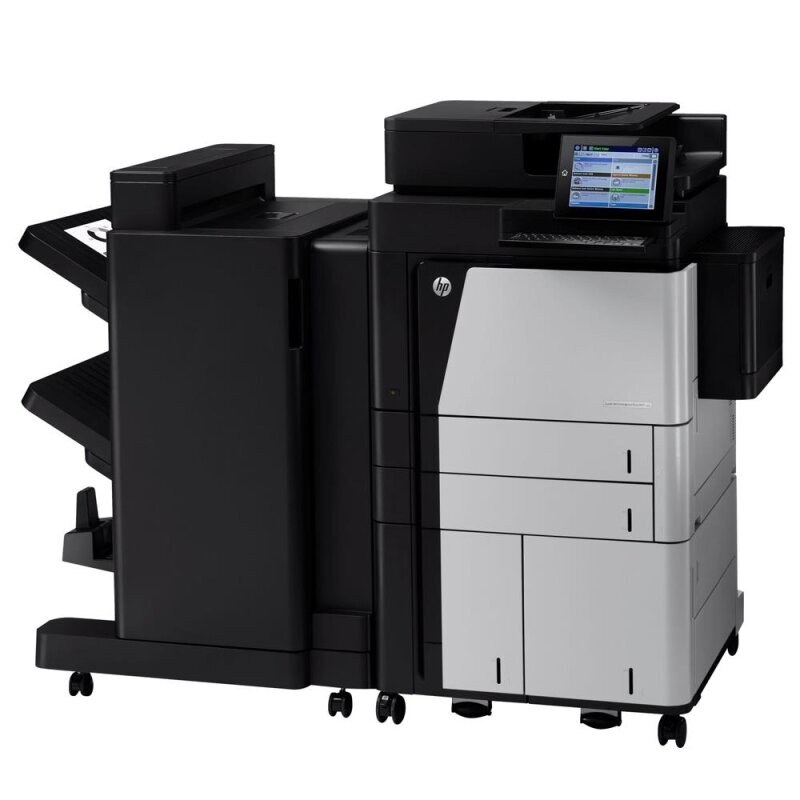
Ask around about the LaserJet Enterprise MFP Flow M830Z and the story repeats itself: offices bought these mono multifunction machines by the dozen in the early 2010s and ran them for a decade of high-volume departmental printing with minimal fuss. The Z folds scanning and copying into the same box as printing — one machine doing the work of two — yet its toner needs stay simple: a single high-yield cartridge, the CF325X (HP 25X), stocked here from a single unit up to an eight-pack.
What keeps a machine like the M830Z in service is that the departmental job never changed. Paper still arrives, gets copied, scanned and filed; reports still leave by the hundreds. A workhorse MFP earns its keep on uptime, and uptime is mostly a supply habit — the cartridge is the one consumable that can stop the whole box, so departments that treat toner as planned stock rather than an emergency purchase get the decade of service these machines are known for.
Toner Cartridges for LaserJet Enterprise MFP Flow M830Z
- CF325X — Black, high yield; page yield: see product page
- CF325X 4 Pack — Black, high yield; page yield: see product page
- CF325X 8 Pack — Black, high yield; page yield: see product page
- CF325X Premium 4 Pack — Black, high yield; page yield: see product page
- CF325X MICR — Black, for check printing; page yield: see product page
Which cartridge should you buy?
Work backward from the machine's month. If the M830Z is the floor's only MFP, its volume is probably high and steady — the four-pack is the sensible resting state, with the eight-pack for sites that centralize purchasing across several machines. A quieter Z in a back office can live happily on singles, provided a sealed spare is always in the cabinet. The MICR listing stands apart from the volume question entirely: it exists for check printing, and a department that prints checks should keep one dedicated cartridge for that work rather than swapping standard and MICR toner back and forth.
Chip, toner and everyday use
Slide the old cartridge out by its handle, pull the seal from the new one, and push it straight in until it clicks — then print a test page before the next big job reaches the queue. Compatible cartridges can bring up a non-HP notice on the control panel; confirm it and carry on. Because the Z scans and copies as well as prints, remember that a fading cartridge shows up in copies first for many offices — treat pale copies as the early warning they are.
Frequently Asked Questions
Can I use any HP toner cartridge in the M830Z?
No — this machine accepts the CF325X only. Cartridges are keyed to specific printer families, so one made for another HP model generally will not fit or be recognized.
My department goes through cartridges quickly. What is the practical setup?
Keep a four-pack in the supply cabinet and install from it one at a time; reorder when the last cartridge goes into the machine, not when the warning light appears.
Does copying work when the toner is nearly empty?
Copying prints the scan, so it depends on toner just as printing does. Scanning to a computer, by contrast, uses no toner at all and keeps working on an empty cartridge.
How do I know the new cartridge is seated correctly?
It slides in and clicks, and a test page comes out with even coverage. If the page is patchy, remove the cartridge, rock it gently side to side, and seat it again.
More printers that use the same cartridges
The Z's cartridge is shared across the M806 line — HP CF325X, LaserJet Enterprise M806, LaserJet Enterprise M806DN, LaserJet Enterprise M806X, LaserJet Enterprise M806X+, LaserJet Enterprise M806X+ NFC, LaserJet Enterprise M806Z, LaserJet Enterprise M830Z, LaserJet Enterprise MFP Flow M830 — and the rest of the M830 family: LaserJet Enterprise MFP Flow M830Z NFC, LaserJet Enterprise flow M830, LaserJet Enterprise flow M830Z, LaserJet M806, LaserJet M806DN, LaserJet M806X, LaserJet M806X+, LaserJet M806X+NFC, LaserJet M806Z, LaserJet MFP Flow M830.