




LaserJet Enterprise MFP Flow M830
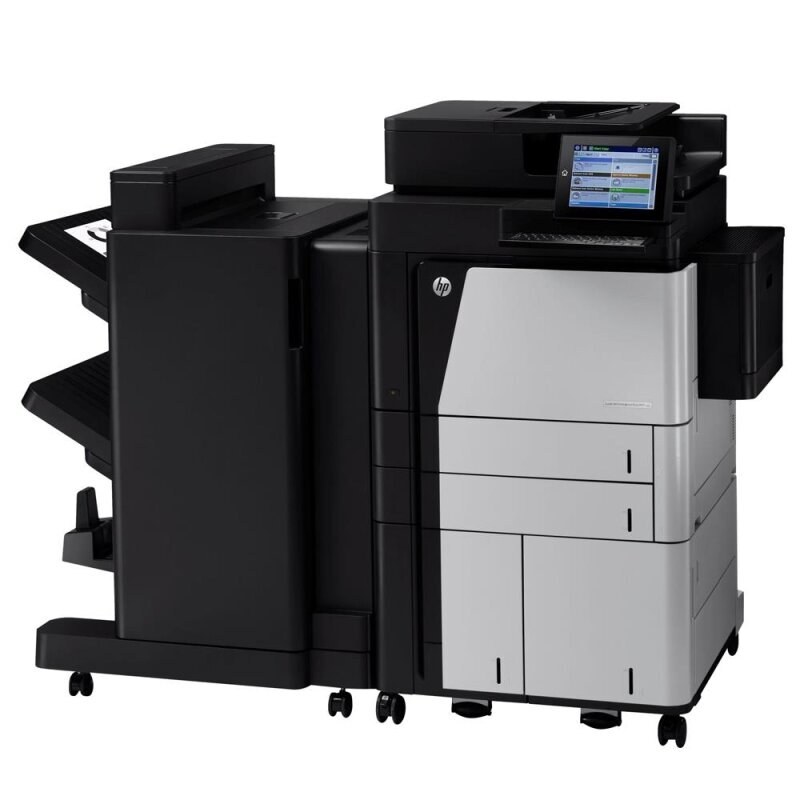
Built in the early 2010s for high-volume departmental printing, the LaserJet Enterprise MFP Flow M830 is a mono multifunction that has outlasted most of the machines bought alongside it. Everything it prints, copies or faxes runs through a single cartridge: the high-yield CF325X, the cartridge HP sells as its 25X. This page stocks it as a single cartridge, a MICR version for check work, and multi-packs of four and eight for departments that plan their toner the way they plan their paper.
On a departmental MFP, toner is a facilities question rather than a personal one. The M830 prints for a floor, not a desk, and its cartridge changes are scheduled events — someone notices the warning, someone walks to a supply cabinet. Machines like this reward buying ahead: a department that keeps the next cartridge sealed on the shelf treats a toner warning as a two-minute errand, while one that orders on empty treats it as a day of queues and complaints.
Toner Cartridges for LaserJet Enterprise MFP Flow M830
| Cartridge | Color | Page Yield |
|---|---|---|
| CF325X | Black | See product page |
| CF325X MICR | Black (MICR) | See product page |
| CF325X 4 Pack | Black | See product page |
| CF325X 8 Pack | Black | See product page |
| CF325X Premium 4 Pack | Black | See product page |
Which cartridge should you buy?
The single cartridge fits a department whose M830 sees moderate, predictable volume — order one, keep one sealed spare, reorder at the warning light. Busier floors should work from the four-pack, which lowers the per-cartridge cost and stretches the reorder interval; the eight-pack suits central purchasing for several machines. The premium four-pack is the same cartridge in the premium-quality line. Buy the MICR version only for the machine that prints checks: its toner is magnetically readable, a property that matters to banks and to no one else.
Chip, toner and everyday use
When a compatible cartridge goes in, the M830 may display a notice that the cartridge was not made by HP. Acknowledge it and printing continues normally in the great majority of cases; a cartridge the machine refuses outright usually just needs reseating. Store spares sealed, flat, in a cool dry cabinet — heat and humidity are the two things that quietly ruin stored toner. Rotate stock so the oldest sealed cartridge is always the next one installed.
Frequently Asked Questions
Which cartridge code should I look for?
CF325X is the only code this machine takes. HP cartridges look alike across families, so matching that exact code — rather than the cartridge's shape — is what guarantees the right fit.
Will a compatible cartridge trigger an error message?
It can trigger a non-HP notice, which you acknowledge to keep printing. If the machine still refuses, follow the on-screen steps and check the cartridge is fully seated before suspecting the cartridge itself.
How should spare cartridges be stored for a machine like this?
Sealed in their boxes, flat, somewhere cool and dry. Never stack heavy supplies on top of them, and open a cartridge only when the printer actually calls for it.
Is there a standard-yield alternative for lighter months?
The M830's cartridge line is the high-yield design stocked here; on a shared departmental machine that is nearly always the economical choice, since the cost is spread over far more pages per swap.
More printers that use the same cartridges
The M830 shares the CF325X with the wider M806 and M830 families: HP CF325X, LaserJet Enterprise M806, LaserJet Enterprise M806DN, LaserJet Enterprise M806X, LaserJet Enterprise M806X+, LaserJet Enterprise M806X+ NFC, LaserJet Enterprise M806Z, LaserJet Enterprise M830Z, LaserJet Enterprise MFP Flow M830Z, LaserJet Enterprise MFP Flow M830Z NFC, LaserJet Enterprise flow M830, LaserJet Enterprise flow M830Z, LaserJet M806, LaserJet M806DN, LaserJet M806X, LaserJet M806X+, LaserJet M806X+NFC, LaserJet M806Z, LaserJet MFP Flow M830.