




LaserJet M130FW
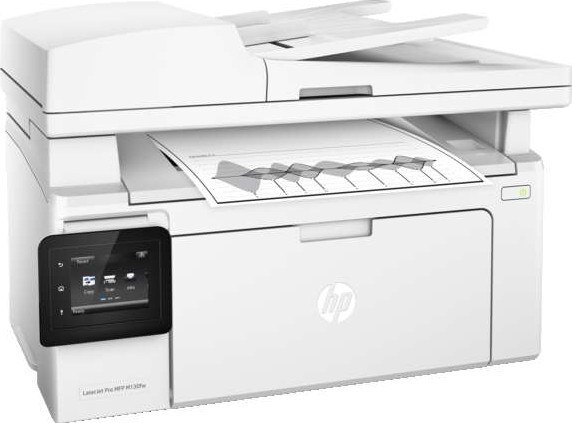
Belonging to HP's mono lineup of the mid-2010s, the LaserJet M130FW is a single-function printer engineered for everyday office document printing. Its only supply is the black CF217A cartridge — the 17A in HP's short naming — and users who print in volume can stretch the interval between changes with the CF217AJ, a jumbo edition of the same design with a bigger fill. Imaging is handled by the CF219A drum, the 19A, a separate unit that is swapped independently of the toner and far less often.
Nothing about this machine asks for attention: it sits on a desk or a shared counter and turns out letters, invoices and reports with the unhurried consistency that made the LaserJet name a fixture in offices. Because it prints in black only, there is exactly one supply decision to make — which fill size to load — and the rest of ownership is just feeding it paper.
Toner Cartridges for LaserJet M130FW
Standard-fill cartridges:
- CF217A single — black, single
- CF217A 2 pack — black, 2 pack
- CF217A 3 pack — black, 3 pack
- CF217A 5 pack — black, 5 pack
- CF217A 10 pack — black, 10 pack
Jumbo-fill cartridges for heavier months:
- CF217AJ jumbo fill single — black, single
- CF217AJ jumbo fill 2 pack — black, 2 pack
- CF217AJ jumbo fill 3 pack — black, 3 pack
- CF217AJ jumbo fill 5 pack — black, 5 pack
- CF217AJ jumbo fill 10 pack — black, 10 pack
- CF217AJ jumbo fill single (M130FW listing) — black, single
The imaging drum, replaced on its own cycle:
| Cartridge | Color | Page Yield |
|---|---|---|
| CF219A imaging drum single | Black | See product page |
| CF219A imaging drum 2 pack | Black | See product page |
| CF219A imaging drum 3 pack | Black | See product page |
| CF219A imaging drum 5 pack | Black | See product page |
| CF219A imaging drum 10 pack | Black | See product page |
| CF219A imaging drum single (M130FW listing) | Black | See product page |
Listings named for the sibling models in this family are stocked on the same shelf:
M130NW CF219A single; M130FN CF219A single; M102W CF219A single; M130NW CF217AJ single; M130FN CF217AJ single; M102W CF217AJ single.
Which cartridge should you buy?
Match the fill to the rhythm of the office. A standard cartridge covers routine months comfortably, and keeping one spare on the shelf means a low-toner warning never becomes a stopped printer. When monthly page counts climb — end-of-quarter paperwork, bulk mailings — the jumbo fill earns its place by lasting longer in the same bay. Multipacks of either size suit offices that would rather reorder a few times a year than every few weeks, and the drum stays out of the calculation until print quality, not the calendar, says otherwise.
Chip, toner and everyday use
Fitting a fresh cartridge takes a minute: open the cartridge door, slide the old unit out by its handle, pull the protective seal from the new one and slide it straight in until it clicks, then print a test page. The chip in the cartridge identifies it to the printer and tracks consumption from there. If a warning appears earlier than expected, remember the gauge counts pages rather than weighing toner — a gentle rock of the cartridge levels the powder and often restores even output for a while longer.
Frequently Asked Questions
What toner cartridge does the LaserJet M130FW use?
It uses one black cartridge code, listed at the top of this page. Cartridges are keyed to specific printer families, so order by that exact code — a cartridge made for a different HP family will not fit or be recognized.
How do I install a new cartridge in the LaserJet M130FW?
Open the cartridge door and slide the old cartridge out by its handle, setting it aside for recycling. Unpack the replacement, remove its protective seal, and slide it in until it clicks. Close the door and print a test page to confirm everything is seated.
Is there a larger cartridge for heavier printing?
Yes — a jumbo version of the same cartridge carries a bigger toner fill in the same shell, so it lasts noticeably longer between changes. It fits the same bay and is the natural step up when standard cartridges are running out too quickly.
When does the drum need to be changed?
The drum is a separate, long-life unit that is replaced independently of the toner, and only occasionally. Fading or streaking that survives a fresh toner cartridge is the usual sign that the drum, rather than the toner, needs attention.
More printers that use the same cartridges
The same two supplies fit every model in this family: