




LaserJet M130fw MFP
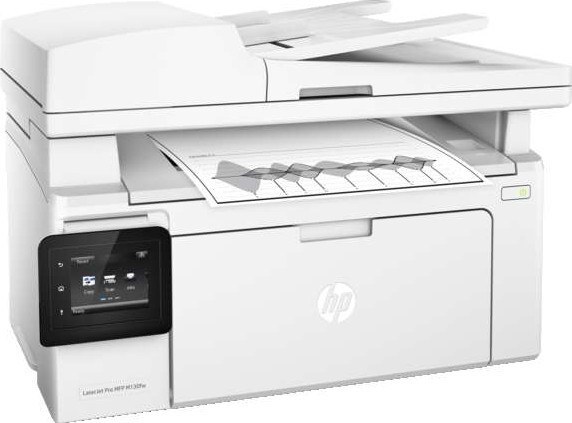
A mid-2010s mono multifunction printer, the LaserJet M130fw MFP reflects an era when printers were bought for durability first and features second. The LaserJet M130fw MFP was never about flash; it was about everyday office document printing, and on that measure it still delivers.
Cartridge-wise, the LaserJet M130fw MFP belongs to the HP 17A family (CF217A), which means 7 other models use the same supplies. The LaserJet M130fw MFP runs reliably on our compatible HP 17A cartridges as well as on genuine OEM CF217A — pick the one that fits your budget.
Toner Cartridges for LaserJet M130fw MFP
This printer works with the following toner cartridges:
- HP CF217A
More HP Printers
- LaserJet M102w MFP
- LaserJet M130a MFP
- LaserJet M130FN
- LaserJet M130fn MFP
- LaserJet M130FW
- LaserJet M130NW
- LaserJet Pro M102w
Frequently Asked Questions
Which cartridge codes fit the LaserJet M130fw MFP?
The LaserJet M130fw MFP fits CF217A. The code printed on the box is what matters; matching it exactly is how you avoid returns.
How do I install a new toner cartridge in my LaserJet M130fw MFP?
Changing the CF217A in the LaserJet M130fw MFP takes under a minute: lift the scanner assembly, open the toner door, pull the empty cartridge out by its handle, unbox the new CF217A, remove its seal, and push it in until it seats. Close the door and the LaserJet M130fw MFP picks up the new cartridge on its own.
How do I clear a paper jam in the LaserJet M130fw MFP?
Power off the LaserJet M130fw MFP, open its doors, and pull the jammed paper out slowly in the direction of the paper path — never against it. Check that the tray guides sit snug against the paper stack, since loose guides cause repeat jams. Fan the paper and avoid overfilling the tray.