




LaserJet M130FN
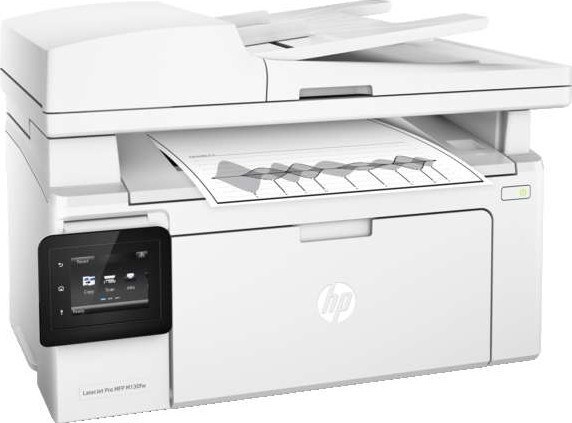
A mid-2010s mono single-function printer, the LaserJet M130FN reflects an era when printers were bought for durability first and features second. Ask around about the LaserJet M130FN and you'll hear the same story: years of everyday office document printing with minimal fuss.
Keeping the LaserJet M130FN fed is simple thanks to the HP 17A family — the CF217A cartridge it shares with 7 other models. For the LaserJet M130FN, we carry genuine HP CF217A cartridges alongside compatible HP 17A options that cost less to run.
Toner Cartridges for LaserJet M130FN
This printer works with the following toner cartridges:
- HP CF217A
More HP Printers
- LaserJet M102w MFP
- LaserJet M130a MFP
- LaserJet M130fn MFP
- LaserJet M130FW
- LaserJet M130fw MFP
- LaserJet M130NW
- LaserJet Pro M102w
Frequently Asked Questions
Can I use any HP toner cartridge in the LaserJet M130FN?
No — the LaserJet M130FN only accepts CF217A. Toner cartridges are keyed to specific printer families, so one made for another HP model generally won't fit or be recognized. Stick to the codes listed for your LaserJet M130FN.
How should I store spare toner for the LaserJet M130FN?
Keep spare CF217A cartridges sealed in their original packaging until the LaserJet M130FN needs them — toner breaks down faster in heat and humidity. Store them flat in a cool, dry spot away from direct sunlight. Don't open a new cartridge until you're ready to install it.
How do I fix faded or streaky prints on my LaserJet M130FN?
Check the toner level first — the LaserJet M130FN flags a low CF217A before quality drops. Try reseating the cartridge and running a cleaning cycle from the printer's maintenance menu. If streaks persist with a fresh CF217A, the issue is likely elsewhere in the paper path.