




LaserJet M102a
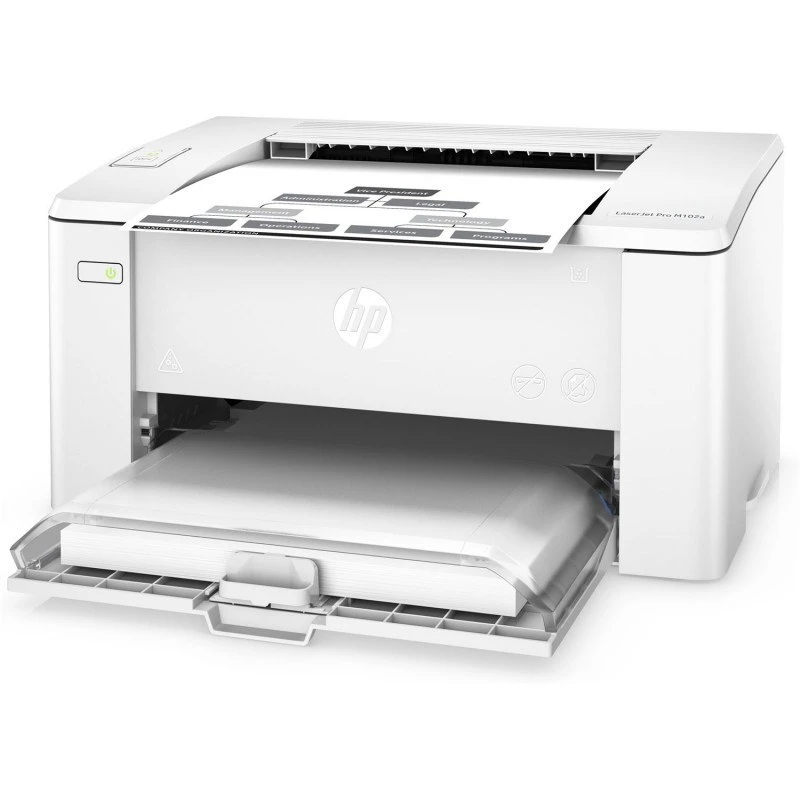
Built for tight desks, the LaserJet M102a is a 2016-era compact monochrome printer that earns its keep on steady, everyday output: clean text, even coverage, no fuss. Its supplies come in two parts. The toner is the CF217A — stocked on this page as the HP 17A cartridge in single and four-pack listings — and the imaging drum is a separate unit, the CF219A (19A), replaced far less often. Everything sold here for the M102a hangs off those two codes.
The two-part supply system is the M102a's defining practical trait. In older compact printers the drum was built into the toner cartridge and thrown away with it; here the drum lives its own long life across several toner changes, so the recurring purchase is the small, cheaper toner and the drum becomes a rare, deliberate replacement. For a desk printer that prints every day, that split is the difference between a supply habit and a supply bill.
Toner Cartridges for LaserJet M102a
| Cartridge | Color | Page Yield |
|---|---|---|
| Compatible HP 17A (CF217A) Toner Cartridge Black | Black | See product page |
| Compatible HP 17A (CF217A) Toner Cartridge 4 Black | Black | See product page |
| Compatible HP 17A (CF217A) Toner Cartridge Black (alternate listing) | Black | See product page |
Imaging drum (separate unit): the CF219A drum is listed in the catalog under cartridge-style names, so read the code, not the title:
| Cartridge | Color | Page Yield |
|---|---|---|
| Compatible HP 19A (CF219A) Toner Cartridge Black | Black (imaging drum) | See product page |
| Compatible HP 19A (CF219A) Toner Cartridge 4 Black | Black (imaging drum) | See product page |
| Compatible HP 19A (CF219A) Toner Cartridge Black (alternate listing) | Black (imaging drum) | See product page |
Which cartridge should you buy?
Ask first which of the two units is actually due. If pages are simply running out, it is the CF217A toner: a single suits a light desk, the four-pack suits a printer that works daily and should never sit empty awaiting a delivery. If a fresh toner goes in and the output still shows background shading, repeating marks or a tired, gray cast, the suspect is the CF219A imaging drum — that is the drum's way of asking for its own replacement, and no amount of new toner will cure it. Buy the drum only on those symptoms, not on a schedule; it is built to outlast several toners. Both units here are compatible cartridges and units with a 1-year warranty and 1-year returns.
Chip, toner and everyday use
Both units carry chips the M102a reads, so a correctly seated cartridge is recognized immediately and level reporting starts fresh. Toner powder itself keeps for a long time, yet cartridges stored for years can develop problems — install spares within a couple of years of buying them, and keep them sealed in their original packaging, upright, in a cool spot, until the day they are needed. That storage advice matters doubly for the drum: its light-sensitive surface is exactly what the sealed packaging protects, so a drum never comes out of its bag before its install minute.
Frequently Asked Questions
Which toner cartridge does the LaserJet M102a use?
The CF217A (HP 17A), stocked here as a single cartridge and a four-pack, each with a duplicate alternate listing. Match the code on your current cartridge before ordering.
What is the CF219A, and when do I replace it?
It is the imaging drum — a separate unit from the toner cartridge, despite the cartridge-style wording of its catalog listings. Replace it only when print quality problems persist through a fresh CF217A; it is designed to serve across multiple toner changes.
Do CF217A cartridges go bad sitting on the shelf?
Slowly. Sealed and stored upright away from heat and light, they keep well, but the sensible rule is to install spares within a couple of years rather than stockpiling beyond your printer's realistic appetite.
More printers that use the same cartridges
The 17A toner and 19A drum shelf is shared by the compact M102/M104 family below: