






 See Compatible Printers
 Read more about our ink!
Hewlett Packard
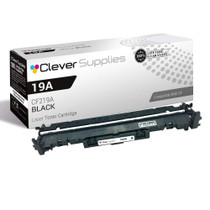
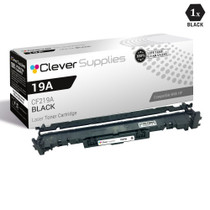
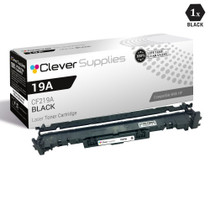
Compatible HP 19A (CF219A) Toner Cartridge Black
- Page Yield:
- Black: 12000
- Availability:
- In Stock
- Shipping:
- Calculated at Checkout

Amazon Price:

- Page Yield:
- Black: 12000
- Availability:
- In Stock
- Shipping:
- Calculated at Checkout
- Compatible Printers
- Specifications
- SKU:
- CS-HP-19A-BK-N1
- Printer Brand:
- Hewlett Packard
- OEM Number:
- CF219A
- Ink Color:
- Black
- Page Yield:
- Black: 12000
- Printer Type:
- Laser Cartridge
- Condition:
- New Compatible
- Description
- Reviews



Introducing the HP 19A LaserJet Pro series, including models like the M102w, M130FN, M130FW, and M130NW, designed to meet your printing needs with precision and efficiency. Compatible with the CF219A Black HP 19A toner cartridge, these printers deliver professional-quality prints every time. The HP 19A toner cartridge ensures sharp, crisp text and graphics, making it perfect for both home and office use. Dive into the world of seamless printing with the HP 19A LaserJet Pro M102w. With its compact design and wireless connectivity, it's ideal for small spaces and on-the-go printing needs. The M130FN offers multifunctionality, combining printing, scanning, copying, and faxing capabilities in one sleek device. Experience versatility at its finest with the M130FW, featuring wireless connectivity and a user-friendly touchscreen interface for effortless operation. Meanwhile, the M130NW provides network connectivity options, allowing multiple users to easily access the printer from various devices. Never compromise on quality with the CF219A Black HP 19A toner cartridge. Engineered to deliver consistent, smear-resistant prints, it ensures your documents look professional every time. Say goodbye to faded prints and hello to vibrant, long-lasting results with the HP 19A toner cartridge. Whether you're printing documents, presentations, or photos, you can trust HP's renowned reliability to deliver exceptional performance. Upgrade your printing experience with the HP 19A LaserJet Pro series. From the compact M102w to the feature-rich M130FW, there's a model to suit every need. With reliable performance and high-quality output, these printers are essential for any home or office environment. Invest in excellence with HP 19A cartridges, and take your printing to the next level.
Frequently Asked Questions
Our spare M130 barely prints — can its drum still wear out?
Drums wear by pages, not time, so a lightly used machine's drum often keeps most of its roughly 12,000-page life after years. But a printer with a busy first life may already carry a well-used drum. Print the supplies status page — it reports the drum life actually remaining, whatever the history.
The printer sat unused for months — will the drum still print well?
Usually, yes. Inside the closed printer a drum is sheltered from light, its main enemy, and toner does not dry out like ink. If the first pages look hazy, run a few ordinary prints before judging; gray background or repeating marks that persist point to genuine wear — when this CF219A earns its place.
What does this part do that a toner cartridge does not?
The cartridge delivers powder; the drum — this CF219A, the HP 19A unit — carries the image itself, transferring it from its light-sensitive surface onto each sheet. In the M102 and M130 families the two are separate parts with separate lives, so a machine can hold a healthy cartridge and a tired drum at once.
Which printers is this drum made for?
The LaserJet Pro M102 and MFP M130 series, including the LaserJet M102a. If the machine prints with CF217A toner, its drum is the CF219A. For a spare whose paperwork is long gone, check what toner it takes — the drum follows.
Should I keep a spare drum for a spare printer?
Only if the status page shows drum life low — otherwise the fitted drum is your spare capacity. When the count runs down, this unit returns the backup to full quality in minutes — on the day the main printer fails and the spare is suddenly it.
What does the drum cost, and what cover comes with it?
A single CF219A drum is $32.69, backed by a 1-year warranty with 1-year free returns. We ship from our warehouses in Illinois, Pennsylvania, Georgia and California, support is available Monday through Friday, 9 AM to 5 PM CST; details on the shipping and returns page.
How can I record this spare printer's drum state for whoever uses it next?
When you fit this CF219A, write the fitting date on the end of its box and keep the box with the machine. Drums age by pages rather than by calendar, so a dated note plus a fresh supplies status page tells the next user exactly where things stand — far better than guessing from how long the printer has been sitting in the corner.
The spare lives in a bright storeroom — does that change how I swap its drum?
A little. Inside the closed printer the drum is sheltered, but its surface is light-sensitive, so during the swap keep the new CF219A covered until the moment it goes in, handle it by its handle, and do not leave it sitting out on a sunny surface while you tidy up. The change itself takes about two minutes, which keeps exposure brief in any case.
Our main printer is an M130fw and the spare is an M102 — will one shelf spare cover both?
Yes. This CF219A serves the whole platform — the M130fw, M130nw, M130a and M130fn multifunctions and the M102a and M102w printers all take the same drum. A household or office running any two of those machines needs only one spare on the shelf, and it goes into whichever machine shows the haze and repeating marks first.
Once the spare is back in regular service, what uses up its new drum?
Pages — every sheet it prints in its new role, whether the job arrives as a print, a copy or a fax on the multifunction models. The drum does not care which function produced the page; each one draws on the same roughly 12,000-page budget. A quiet month costs the CF219A almost nothing, and a sudden busy one is where the life actually goes.
About This CF219A Imaging Drum
Backup printers are ignored for months, then urgently needed — and their drums age by history, not the calendar. This CF219A drum, the HP 19A unit for M102 and M130 machines, restores a spare whose output greyed from earlier hard use, for roughly 12,000 pages — fitted in two minutes, no tools, no settings.
The same unit serves LaserJet M130fw MFP, LaserJet M130nw, LaserJet M102a, LaserJet M102w MFP, LaserJet M130a MFP and LaserJet M130fn MFP — the complete set of machines on this platform. Beside it in the machine sits the CF217A black toner cartridge; expect to replace several of those for every one of these drums.
Related Items

Hewlett Packard
Compatible HP 19A (CF219A) Toner Cartridge Black



Hewlett Packard
Compatible HP 19A (CF219A) Toner Cartridge 4 Black
Hewlett Packard
CS Compatible Replacement for HP 19A Drum Cartridges Black (CF219A)
/>


Hewlett Packard
CS Compatible Replacement for HP M130FN Drum Cartridges Black (CF219A)
/>