




LaserJet Pro 300 Color Printer M351A
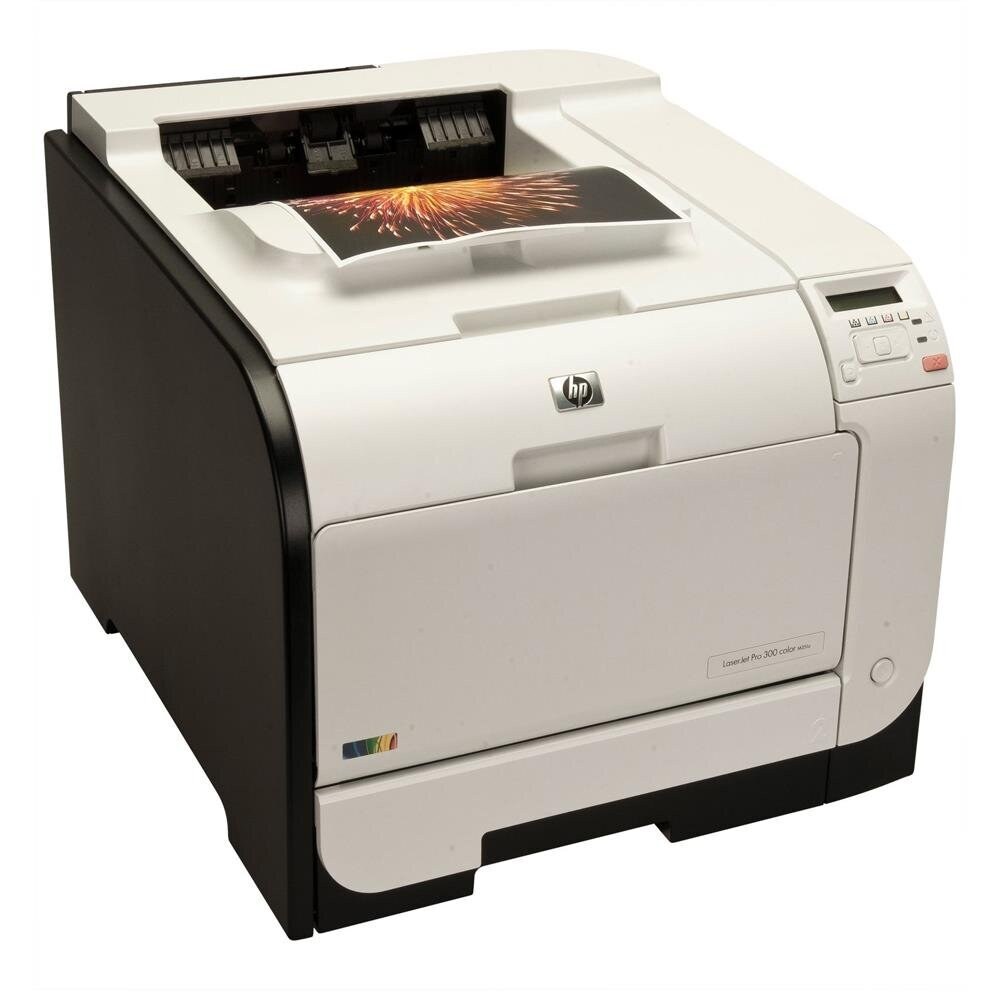
The LaserJet Pro 300 Color Printer M351A serves a single workstation — a 2012-era color laser for the desk that keeps its own print queue. It takes the same five cartridges as its M351 sibling: CE410A (305A) black, CE410X (305X) high-yield black, CE411A cyan, CE412A yellow and CE413A magenta, all in the compatible builds listed on this page.
Quiet, compact and economical to feed — that is the whole M351A proposition. It was built for the person whose printing cannot wait in a shared queue: the desk where reports, labels and color handouts come out all day, every day. With no network crowd to serve, the printer's supplies story is a personal one, and the depth of the 305 shelf means its owner can shop by yield, by pack size or by label without ever leaving this cartridge family.
Toner Cartridges for LaserJet Pro 300 Color Printer M351A
| Cartridge | Color | Page Yield |
|---|---|---|
| 305A 4 Color Set (CE410A, CE411A, CE412A, CE413A) | Full set | See product page |
| 305X & 305A 4 Color Set (CE410X black) | Full set | See product page |
| 305A Premium 4 Color Set | Full set | See product page |
| 305A 4 Color Set — Compatible label | Full set | See product page |
| Pro 300 M351A 4 Color Set | Full set | See product page |
| CE410A | Black | See product page |
| CE410X | Black | See product page |
| CE411A | Cyan | See product page |
| CE412A | Yellow | See product page |
| CE413A | Magenta | See product page |
Singles under the Compatible label: CE410A black, CE411A cyan, CE412A yellow, CE413A magenta. Multi-packs and alternate listings: CE410A 2 Black, 3 Color Set, CE410A 5 Black, 8 Color Set, 5 Color Set, 3 Color Set, alternate listing, 4 Color Set, alternate listing, 3 Color Set, third listing, CE410A black, alternate listing, CE411A cyan, alternate listing, CE412A yellow, alternate listing, CE413A magenta, alternate listing, CE410A black, third listing, CE412A yellow, third listing.
Which cartridge should you buy?
Economy on a personal printer comes from matching yield to habit. The standard CE410A black is the honest default; the high-yield CE410X pays off for the desk that prints daily, because its cost per page is lower and it asks for attention half as often. Colors are best bought as singles — your cyan may outlast two yellows depending on what you print, and the printer reports each level separately so there is no guesswork. Sets are the tidy option when a new semester, a new job or a full refresh makes all four slots due at once; the rest of the time, feed the machine one cartridge at a time.
Chip, toner and everyday use
When colors come out wrong or washed out, run the calibration or cleaning routine from the printer's menu before buying anything — it realigns the four cartridges and clears most complaints. Check that all four cartridges are fully seated, since a cartridge sitting a fraction high can drop its color from the page entirely. If exactly one color is missing from prints afterward, that cartridge is the one to replace. Paper matters too: plain laser-rated office stock for everyday jobs, heavier laser stock for presentations, and never inkjet-only paper, which is not made for a laser's heat.
Frequently Asked Questions
Which toner cartridges does the LaserJet Pro 300 Color Printer M351A use?
CE410A, CE410X, CE411A, CE412A and CE413A — the codes listed for this printer across this page. Any cartridge carrying one of those codes is the right type for its slot.
How do I fix wrong or washed-out colors on the M351A?
Start with the calibration or cleaning routine in the menu and confirm all four cartridges are seated. If a single color is absent from the page after that, replace that color's cartridge — the others are not implicated.
What paper should I use in the Pro 300 M351A?
Plain laser-compatible office paper covers everyday work, and heavier laser-rated stock handles presentations. Keep inkjet-only paper out of it: its coatings are not built for laser heat and can spoil print quality.
One color ran out — can I keep printing in black?
The machine tracks each cartridge separately and will flag the empty color. For black-only documents, choose grayscale or black-only in the print dialog so the remaining colors are preserved, and replace the empty cartridge promptly to get full color back.
More printers that use the same cartridges
Color LaserJet models in the family: Color LaserJet M351, Color LaserJet M351A, Color LaserJet M375 MFP, Color LaserJet M375NW MFP, Color LaserJet M451, Color LaserJet M451DN, Color LaserJet M451DW, Color LaserJet M451NW, Color LaserJet M475, Color LaserJet M475DN, Color LaserJet M475DW.
LaserJet Pro models in the family: HP 305A, LaserJet Pro 300 Color M375NW, LaserJet Pro 300 Color MFP M375, LaserJet Pro 300 Color MFP M375NW, LaserJet Pro 300 Color Printer M351, LaserJet Pro 400 Color M451, LaserJet Pro 400 Color M451DN, LaserJet Pro 400 Color M451DW, LaserJet Pro 400 Color M451NW, LaserJet Pro 400 Color M475, LaserJet Pro 400 Color M475DW, LaserJet Pro 400 Color MFP M475, LaserJet Pro 400 Color MFP M475DN, LaserJet Pro 400 Color Printer M451, LaserJet Pro 400 Color Printer M451DN, LaserJet Pro 400 Color Printer M451DW, LaserJet Pro 400 color MFP M475DW, LaserJet Pro 400 color Printer M451NW.