




Color LaserJet M451DW
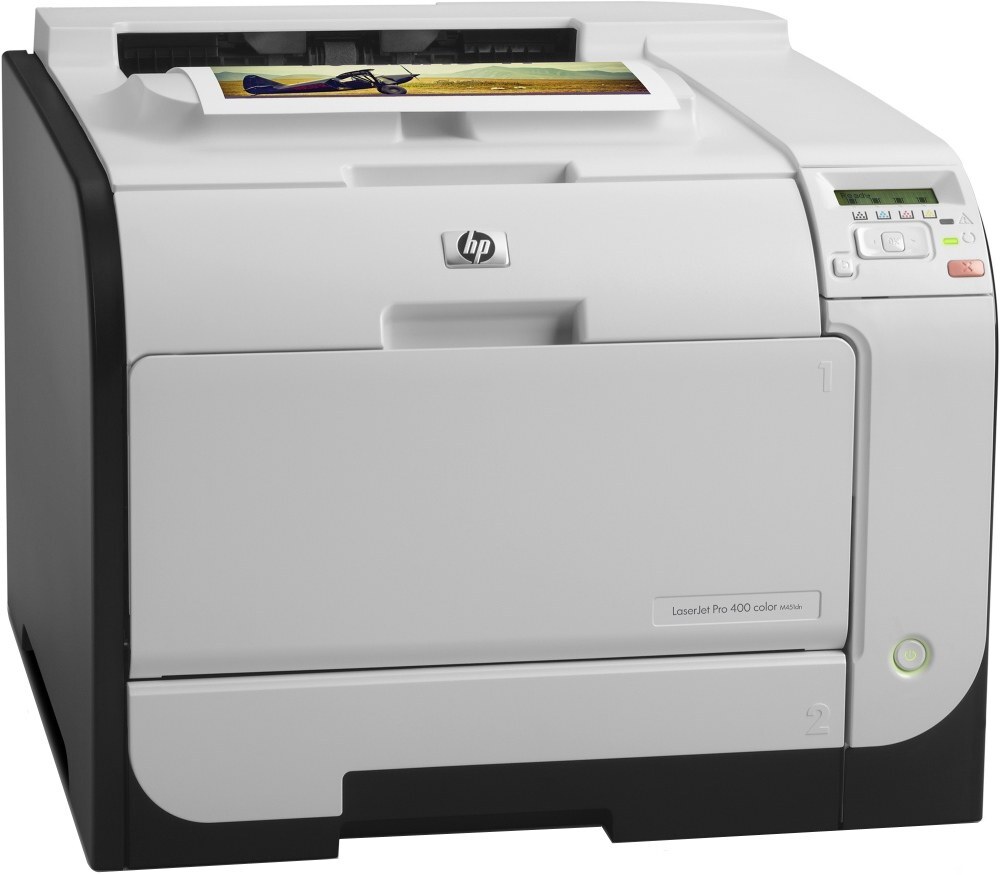
The Color LaserJet M451DW is the duplex-and-wireless member of HP's 2012-era small-business color line: it prints two-sided without a cable, so laptops join over Wi-Fi and the machine handles the rest. Its black slot takes the CE410A, the standard 305A black, and when two-sided volume piles up, the CE410X — the high-yield 305X black — holds more toner for longer runs between swaps. Color work runs on three companions: CE411A cyan, CE412A yellow and CE413A magenta.
A printer that lives on Wi-Fi tends to get used by everyone within range, and a duplex unit doubles as the office's paper saver. That pattern — many small jobs from many people, printed on both sides — burns through black fastest while the colors drain unevenly, one presentation or logo sheet at a time. Owners of this model usually end up thinking less about any single cartridge and more about never being caught without a black spare.
Toner Cartridges for Color LaserJet M451DW
| Cartridge | Color | Page Yield |
|---|---|---|
| CE410A | Black | See product page |
| CE410X | Black, high yield | See product page |
| CE411A | Cyan | See product page |
| CE412A | Yellow | See product page |
| CE413A | Magenta | See product page |
Beyond the singles above, the shelf carries further listings of these same cartridges — full sets, multi-packs of black and alternate listings of the same codes:
- 305X & 305As Color Laserjet 4 Color Set (CE410X/ CE411A/ CE412A/ CE413A)
- 305A Color Laserjet 4 Color Set (CE410A/ CE411A/ CE412A/ CE413A)
- 305A Premium Quality 4 Color Set (CE410A/ CE411A/ CE412A/ CE413A)
- M451dw Color Laserjet 4 Color Set
- 305A (CE413A) Magenta
- 305A (CE411A) Cyan
- 305A (CE410A CE411A CE412A CE413A) 4 Color Set
- 305A (CE410A) Black
- 305A (CE412A) Yellow
- 305A (CE410A) 2 Black
- 305A (CE411A CE412A CE413A) 3 Color Set
- 305A (CE411A CE412A CE413A) 3 Color Set
- 305A (CE410A) 5 Black
- 305A (CE410A CE411A CE412A CE413A) 8 Color Set
- M451DW (CE410A CE411A CE412A CE413A) 4 Color Set
- M451DW (CE410A CE411A CE412A CE413A) 8 Color Set
- M451DW (CE410A) Black
- M451DW (CE411A) Cyan
- M451DW (CE413A) Magenta
- M451DW (CE412A) Yellow
- PRO 400 CLR P M451DW (CE410A CE411A CE412A CE413A) 4 Color Set
- PRO 400 CLR PRINTER M451DW (CE410A) 3 Black
- PRO 400 CLR PRINTER M451DW (CE411A CE412A CE413A) 3 Color Set
- PRO 400 CLR PRINTER M451DW (CE410A CE411A CE412A CE413A) 4 Color Set
- PRO 400 CLR PRINTER M451DW (CE410A CE411A CE412A CE413A) 8 Color Set
- PRO 400 COLOR M451DW (CE410A CE411A CE412A CE413A) 8 Color Set
- PRO 400 COLOR PRINTER M451DW (CE410A) 3 Black
- PRO 400 COLOR PRINTER M451DW (CE410A) Black
- PRO 400 COLOR PRINTER M451DW (CE411A) Cyan
- PRO 400 COLOR PRINTER M451DW (CE413A) Magenta
- PRO 400 COLOR PRINTER M451DW (CE412A) Yellow
- M451dw (CE410A CE411A CE412A CE413A) 4 Color Set
- 305A (CE410A) Black
- 305A (CE411A) Cyan
- 305A (CE412A) Yellow
- 305A (CE413A) Magenta
- 305A (CE411A CE412A CE413A) 3 Color Set
- 305A (CE410A CE411A CE412A CE413A) 5 Color Set
- 305A (CE410A) Black
- 305A (CE410A CE411A CE412A CE413A) 4 Color Set
- 305A (CE412A) Yellow
Which cartridge should you buy?
Start with how the machine actually gets used. If the M451DW mostly prints everyday documents for a handful of people, the standard black keeps costs simple and predictable. Once duplex printing becomes the default — contracts, reports and handouts on both sides — the high-yield black earns its place, because the page count climbs twice as fast as the job count suggests. For color, buy the single you need when you need it: there is no requirement to change cyan, yellow and magenta together, and each cartridge reports its own level. A complete set makes sense after a full round of color work or when several colors report low together; otherwise, single-color replacement keeps fresh toner in the slot that ran dry and leaves the others working. However you stock it, these compatible cartridges carry a 1-year warranty and 1-year returns.
Chip, toner and everyday use
Each cartridge carries a chip the printer reads to identify the code and track the remaining level, so seat every cartridge firmly until it clicks and let the machine finish its calibration before judging the first page. Pull the sealing tape fully out before installing — a forgotten seal is the classic cause of blank pages. Yield figures are estimates worked out at five percent page coverage, which is why a month of dense duplex reports drains a black faster than the same count of light memos. Store spares flat, sealed and away from heat; a cartridge kept in its bag until the day it is needed ages far better than one left open on a shelf.
Frequently Asked Questions
Does the Color LaserJet M451DW need all four cartridges installed to print in black?
Yes. The printer checks for a complete set, so an empty or missing color cartridge can stop black-only work too. Keeping one color spare on hand avoids a standstill when a single slot runs dry mid-week.
Which black should a duplex-heavy office choose, the standard or the high-yield?
The high-yield black is the practical pick when two-sided printing is routine, simply because it holds more toner and stretches the interval between changes. Lighter users lose nothing with the standard black — both fit the same slot and are recognized the same way.
My first pages after a cartridge change look light. Is the cartridge faulty?
Usually not. Remove the cartridge and rock it gently side to side a few times to redistribute the toner, then let the printer recalibrate and print a few test pages. Output that stays streaky after that points to a genuinely empty or tired cartridge rather than a settling issue.
Can this printer keep working over Wi-Fi with compatible cartridges?
Yes — the wireless connection does not depend on which brand of cartridge is installed. The chip in each compatible cartridge identifies it to the printer, and printing continues over the network as normal.
More printers that use the same cartridges
The same 305A/305X family feeds a wider group of HP color machines. If you run more than one of them, the cartridges on this page cover the whole group:
Color LaserJet M351, Color LaserJet M351A, Color LaserJet M375 MFP, Color LaserJet M375NW MFP, Color LaserJet M451, Color LaserJet M451DN, Color LaserJet M451NW, Color LaserJet M475, Color LaserJet M475DN, Color LaserJet M475DW, HP 305A, LaserJet Pro 300 Color M375NW, LaserJet Pro 300 Color MFP M375, LaserJet Pro 300 Color MFP M375NW, LaserJet Pro 300 Color Printer M351, LaserJet Pro 300 Color Printer M351A, LaserJet Pro 400 Color M451, LaserJet Pro 400 Color M451DN, LaserJet Pro 400 Color M451DW, LaserJet Pro 400 Color M451NW, LaserJet Pro 400 Color M475, LaserJet Pro 400 Color M475DW, LaserJet Pro 400 Color MFP M475, LaserJet Pro 400 Color MFP M475DN, LaserJet Pro 400 Color Printer M451, LaserJet Pro 400 Color Printer M451DN, LaserJet Pro 400 Color Printer M451DW, LaserJet Pro 400 color MFP M475DW, LaserJet Pro 400 color Printer M451NW.