




Color LaserJet CM2320MFP
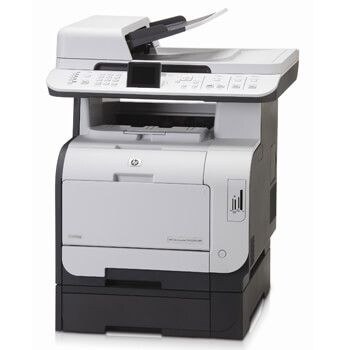
Small teams that needed color plus full multifunction ability found it in the Color LaserJet CM2320MFP, which put printing, copying, scanning and faxing under one cover and kept equipment clutter down in crowded offices. It uses the HP 304A series — black CC530A with CC531A cyan, CC532A yellow and CC533A magenta — four cartridges that the related CP2025 printers in the family list below share with it.
An MFP earns its floor space by the jobs it absorbs, and the CM2320MFP absorbed four. The toner consequence is that its cartridges serve a machine that copies and receives faxes as well as prints — black consumption in particular runs ahead of what a print-only office would predict, which is why the black multi-packs further down this page exist alongside the singles.
Toner Cartridges for Color LaserJet CM2320MFP
Which cartridge should you buy?
Singles are the default: order the CC530A black when documents fade, and each color on its own as it empties, because the three colors rarely run out together. Step up to the 2 Black set when the machine's copy and fax load burns through black quickly, and to a four-color set when a full refresh coincides — several colors low at once, or a new team inheriting the machine. The larger five, six and eight-piece sets in the list are restock bundles for offices standardizing on this family across several printers, including the CP2025 models that take the same cartridges.
Chip, toner and everyday use
The CM2320MFP reads each cartridge as it is installed, and a cartridge that is a few millimeters short of its seat is the commonest reason for a supply error: open the front door, slide the old cartridge straight out, remove the new one's seal in one pull, and push the replacement in until it stops firmly. If a color prints unevenly right after a change, reseat that cartridge before suspecting the machine. Spares belong sealed and upright in a cupboard, not on top of the printer where heat and light reach them.
Frequently Asked Questions
Which cartridges does the Color LaserJet CM2320MFP use?
The HP 304A set: CC530A black, CC531A cyan, CC532A yellow and CC533A magenta. Whether you buy compatible or genuine cartridges, those four codes are the match — anything outside the 304A family will not seat properly in this machine.
One color looks off right after a cartridge change — what should I check?
Packing material and seating, in that order. A seal fragment left behind or a cartridge not clicked fully home will fade one color while the others print normally. Reseat the cartridge for the weak color and print a test page before ordering anything.
Are the CP2025 cartridges the same as the CM2320MFP cartridges?
Yes. The CP2025 line and the CM2320 family share the 304A shelf, so a cartridge bought for one model works in the other — several listings below carry CP2025 or sibling model names for exactly that reason.
How do I make a set of 304A cartridges last longer?
Print internal drafts in grayscale so the color cartridges sit out black-only work, and keep a spare black on the shelf so a low cartridge is never shaken past its useful life in a busy week. Compatible 304A cartridges carry a 1-year warranty and 1-year returns.
More printers that use the same cartridges
Every model in this group runs on the same 304A cartridges:
Color LaserJet CM2320, Color LaserJet CM2320FXI, Color LaserJet CM2320N, Color LaserJet CM2320NF, Color LaserJet CP2020, Color LaserJet CP2025, Color LaserJet CP2025DN, Color LaserJet CP2025N, Color LaserJet CP2025X, Color LaserJet CP2026, HP 304A.