






 See Compatible Printers
 Read more about our ink!
Hewlett Packard
Compatible HP CM2320MFP (CC530A) Toner Cartridge Black

Amazon Price:

- Page Yield:
- Black: 3500
- Availability:
- Y
- Shipping:
- Calculated at Checkout
- Compatible Printers
- Color LaserJet CM2320fxi
- Color LaserJet CM2320n
- Color LaserJet CM2320nf
- Color LaserJet CP2025dn
- Color LaserJet CP2025n
- Color LaserJet CP2025x
- LaserJet CM2320fxi
- LaserJet CM2320n
- LaserJet CM2320nf
- LaserJet CP2025dn
- LaserJet CP2025n
- LaserJet CP2025xi>
- Color LaserJet CM2320
- Color LaserJet CM2320MFP
- Color LaserJet CP2020
- Color LaserJet CP2025
- Color LaserJet CP2026
- HP 304A
- Specifications
- SKU:
- CLS-HP-CM2320MFP-BK
- Printer Brand:
- Hewlett Packard
- OEM Number:
- CC530A
- Ink Color:
- Black
- Page Yield:
- Black: 3500
- Printer Type:
- Laser Cartridge
- Condition:
- New Compatible
- Description
- Reviews



Embark on a colorful printing journey with the HP 304A Color LaserJet Series, featuring a diverse selection of printers and multifunction devices to suit various needs. The Color LaserJet CM2320N and CM2320NF models offer multifunction capabilities, including printing, scanning, copying, and faxing, ideal for office environments. For enhanced functionality, consider the Color LaserJet CM2320FXI, which features advanced scanning and document management features. Experience vibrant color printing with the Color LaserJet CP2025DN and CP2025X models, which offer high-quality prints and efficient performance. The Color LaserJet CP2020 and CP2025N deliver reliable printing solutions, perfect for small businesses and workgroups. Explore the Color LaserJet CM2320MFP for versatile printing, scanning, and copying capabilities in one compact device. Maximize your printing potential with the CC530A Black, CC531A Cyan, CC533A Magenta, and CC532A Yellow toner cartridges, compatible with the HP 304A toner cartridge and toner cartridge options. These cartridges ensure consistent and reliable print quality for a variety of printing tasks. Whether it's documents, presentations, or marketing materials, the HP 304A Color LaserJet Series delivers professional results every time. Choose a printing solution that meets your business needs with the Color LaserJet CM2320, CP2025, and CP2020 models. With their advanced features, versatile capabilities, and compatibility with HP 304A toner cartridges, these printers are the perfect choice for businesses seeking high-quality color printing solutions.
Cross-reference: HP CC530A, the 304A black toner cartridge (3,500 pages), is the same cartridge Canon sells as Canon Cartridge 118 (black 2662B001AA, cyan 2661B001AA, yellow 2659B001AA, magenta 2660B001AA) for the Canon imageCLASS LBP7200Cdn, LBP7660Cdn, MF8350Cdn and MF8380Cdw printers. Canon rates Cartridge 118 black at 3,500 pages and each color at 2,800 pages (ISO/IEC standard).
Frequently Asked Questions
The badge on my machine reads "CM2320MFP" — is the CC530A really its black cartridge?
It is. CM2320MFP is simply how the multifunction models in this line are badged; their black cartridge is the CC530A, the 304A family's black unit. The same cartridge also fits the other CM2320 variants, such as the Color LaserJet CM2320fxi.
Our machine mostly receives faxes. Does that use this cartridge?
Every incoming fax is printed, so yes — fax traffic is black-toner traffic. Offices that receive order forms or signed pages by fax all day can go through a cartridge faster than the page rating suggests if those pages are dense.
Roughly how many fax and report pages does one cartridge cover?
The rating is 3,500 pages at standard text coverage. Plain fax pages and text reports sit close to that standard, so the full figure is a fair planning number for a fax-driven machine; pages full of logos and shading will land lower.
Streaks appeared right after a paper jam. What should I look at?
First, print several pages — loose toner shaken by a jam often clears itself within a few sheets. If streaks persist in the same place, take the cartridge out and check for toner spill or a nicked surface, and reseat it firmly. A jam alone rarely harms a cartridge, but a hard yank on stuck paper can.
Can one spare serve both this machine and a CP2025 nearby?
Yes. The HP 304A platform uses the CC530A across the CM2320 multifunction line and the CP2020/CP2025 printers alike, so a single spare on the shelf covers either machine — handy when the two sit in different rooms.
What happens if the cartridge turns out to be faulty?
It is backed by a 1-year warranty and 1-year free returns. We deliver from warehouses in IL, PA, GA and CA, answer questions Monday–Friday, 9 AM–5 PM CST, and lay out the whole process on our shipping and returns page.
Our office uses three different names for this part. Which one belongs on the purchase order?
Order by CC530A, the code printed on the cartridge itself. The badge on the door and the family name in the manual describe the machine and the range, but CC530A identifies the exact black unit the machine takes. Reading the code off the cartridge you are replacing — or off the box of the spare — removes the badge confusion entirely and gets the right cartridge first time.
Incoming faxes are printing light near the end of a cartridge. Is rocking it a fair stopgap?
Yes, as a bridge. Removing the CC530A and rocking it gently from side to side redistributes the toner that remains, and that usually restores readable density for a while. Treat it as a way to finish the day's fax traffic, not as a recovery — the cartridge is still near the end of its 3,500 pages, and the spare should go in as soon as it conveniently can.
Why do some months burn through a cartridge faster than the rating suggests?
Look at what the fax line delivers. The 3,500-page figure assumes standard text coverage, and months heavy with dense order forms, shaded tables and big letterheads spend more toner on every sheet than the assumption allows. The cartridge is not underperforming; the pages are simply richer than the standard the rating is measured against. Busy, dense months will always land below the headline number.
What should a fax-heavy office do with its used cartridges?
Keep a bag or a spare carton beside the machine and drop each spent CC530A into it as it comes out. When several have accumulated, send them together through a toner recycling collection. Batching the empties this way suits a machine that cycles cartridges regularly, and it keeps loose toner contained instead of letting single cartridges drift into ordinary office waste.
About This CM2320MFP Black Toner Cartridge (CC530A)
Badge names cause more wrong orders than anything else in this printer family: the door says CM2320MFP, the manual says 304A, and the cartridge says CC530A — three labels, one part. This page sells it by the cartridge's own code so the match is unambiguous.
The cartridge itself is rated at 3,500 pages and costs $32.58. In a fax-and-copy office it is the consumable the whole machine depends on; keeping one sealed spare nearby turns a toner outage from a crisis into a two-minute swap.
Related Items


Hewlett Packard
Compatible HP CP2020 (CC530A) Toner Cartridge Black


Hewlett Packard
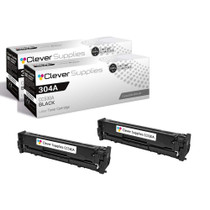
Compatible HP CP2025X (CC530A) Toner Cartridge 2 Black


Hewlett Packard
Compatible HP CM2320MFP (CC532A) Toner Cartridge Yellow


Hewlett Packard
Compatible HP CM2320 (CC530A) Toner Cartridge Black